
Export proforma PDF and Excel output management means handling priced or unpriced Excel, custom Excel, Packing List, Production Excel, PDF and print options from the same proforma record. An export proforma is not only a price document; it also feeds logistics and production outputs. Delbig connects output options to the same quote/proforma record to reduce version confusion. CBM, packages, weight and container calculation should be considered together with document outputs. An export team may send a priced proforma to the customer while giving operations a different Excel output. If those outputs are prepared from separate files, product rows, dimensions, packages or price versions can diverge. In furniture export, dimensions, CBM, weight, package count and container planning are evaluated together with product rows. Delbig keeps those fields in the quote/proforma context so the export file stays organized. It can be exported as a separate file, but using the same proforma/sales record lowers error risk. Customers, production, logistics and internal teams may need different levels of information.
Generate proforma, packing list and production Excel from one sales record
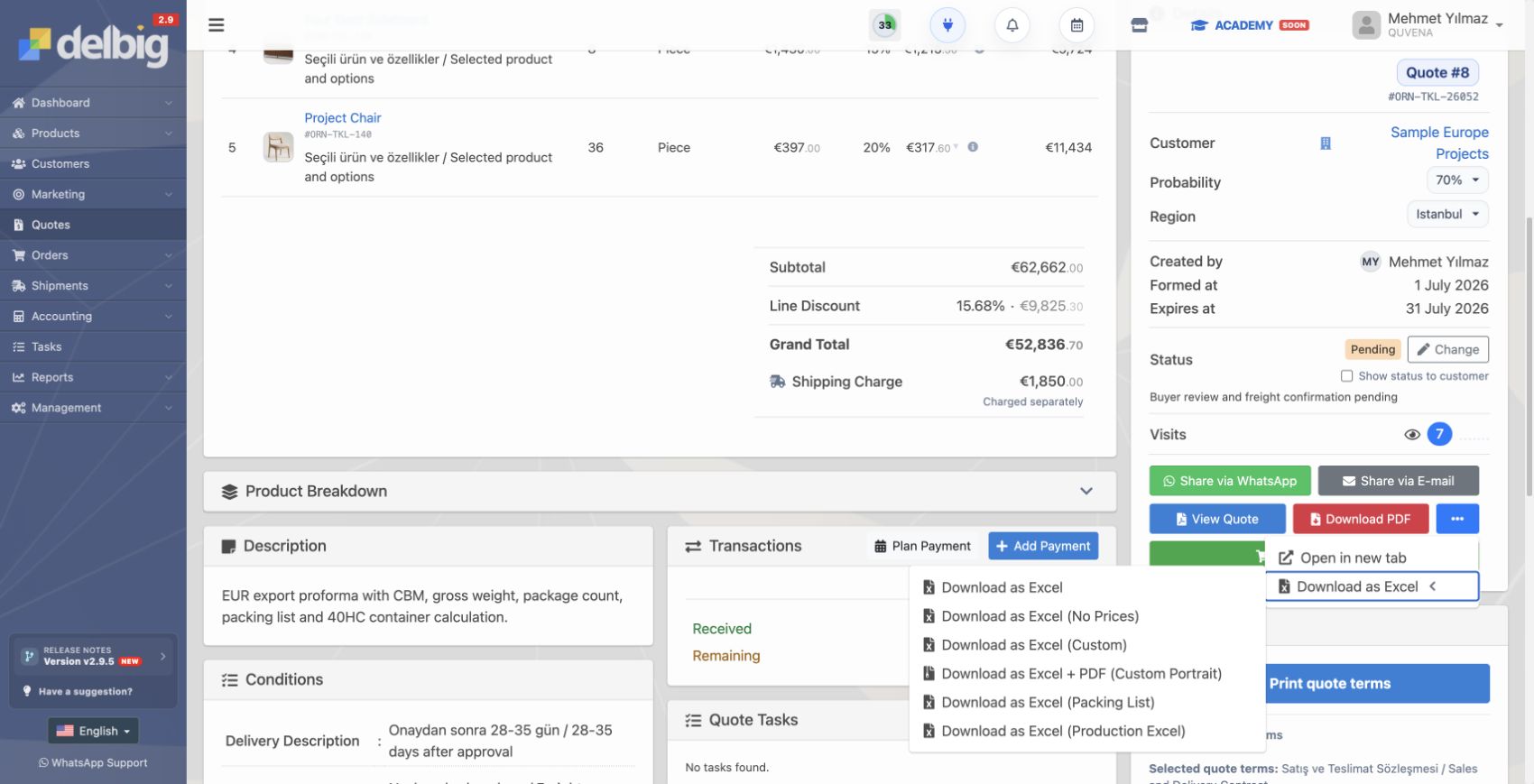
Different export documents should come from the same data
CBM and container calculation should stay with document flow
Frequently asked questions
Should a Packing List be prepared separately from the proforma?
Why are priced and unpriced Excel outputs needed?
Related Delbig pages
Review this workflow with Delbig
Share your sales, quoting, stock or operation flow with us; we will map the right Delbig setup for your team in a short meeting.