Quote and Proforma Management: Start Sales from One Record
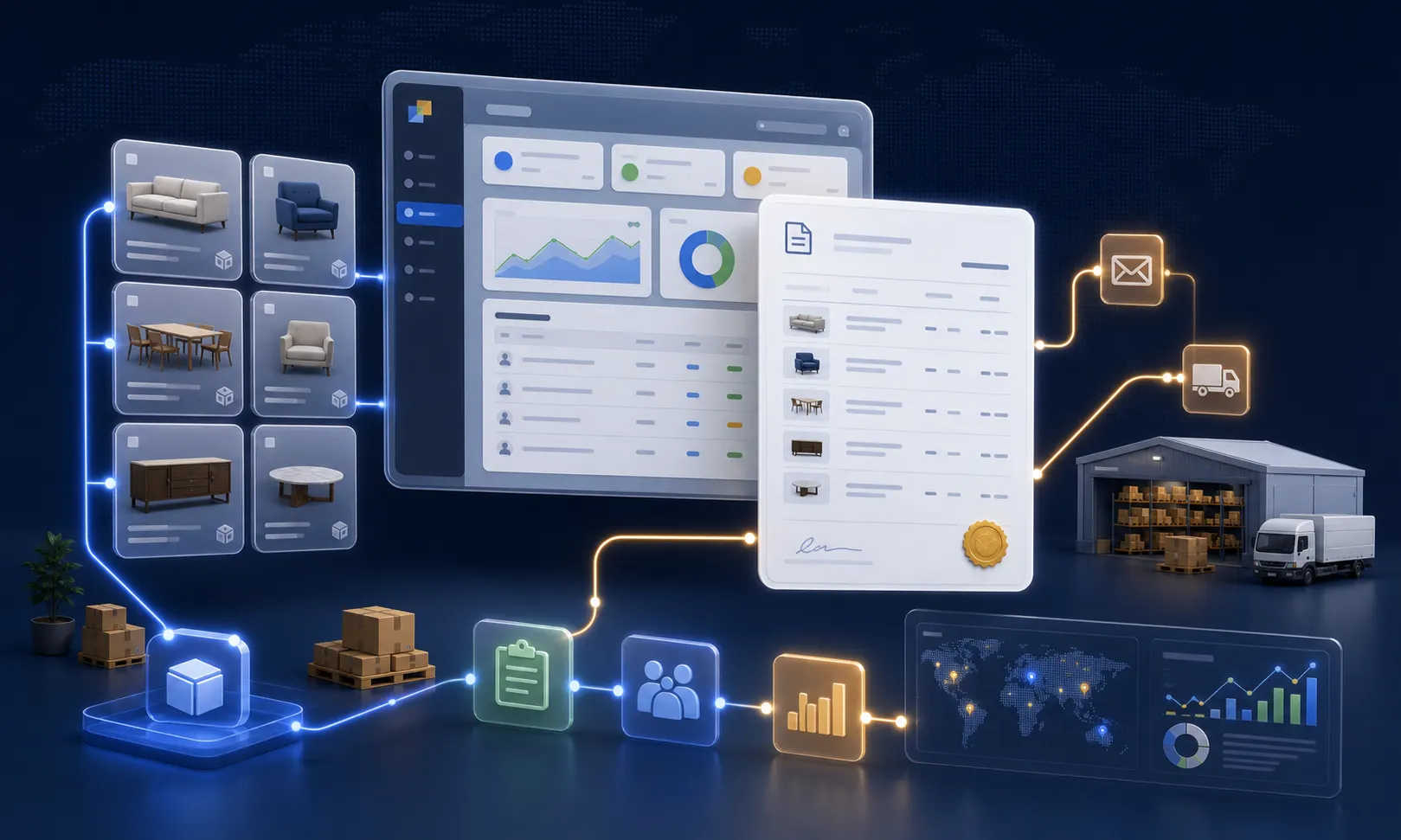
In Delbig CRM, the quote and proforma process brings customer information, product selection, price lists, discounts, currency, PDF output, WhatsApp/email sharing and visit tracking into the same workflow. Whether the sales team starts from a store conversation, a field visit or an export proforma request, the quote record becomes a solid foundation that can later turn into an order.
Quotes and proformas are managed on the same record
In most companies, a sales opportunity starts from different channels. A showroom conversation, phone request, field visit, dealer request, export proforma request or repeat pricing work should all connect to the same point: a clear, traceable and current quote record to send to the customer.
In Delbig CRM, the quote record carries the customer, products, prices, currency, discounts, notes, validity date and follow-up status together. The team does not just prepare a document; it also sees which customer, which products, which total and which stage the quote is moving through from the same place.


Where does a quote start?
Quote management should not be treated as simply preparing a price list. When a sales representative first calls the customer, when a request comes from a dealer portal or when an export customer asks for a proforma, the record connects to the same sales memory. That record can later be revised, turned into a PDF, shared as a link or moved into the order workflow when accepted.
Workflow starting from a sales conversation
- The customer or company record is selected.
- Products are added to quote rows with image, code, description and price.
- Validity date, currency, discount and shipment information are clarified.
- The quote is sent to the customer by link, PDF or email.
Workflow starting from a proforma need
- Buyer and seller information is prepared for export or corporate buyers.
- Product rows, quantities, currency and delivery terms are kept in the same document.
- A PDF output and QR-coded viewing link are prepared.
- The customer’s document opens and repeat views are tracked.
Product, price and currency become clear on each line
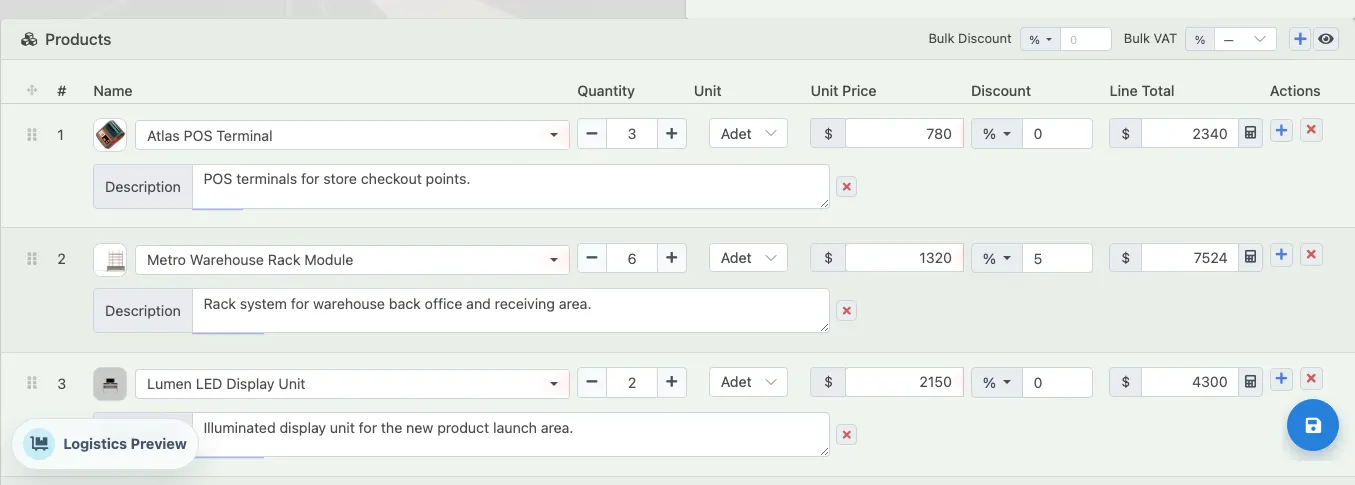
When preparing a quote, mistakes often start at the product row: wrong product, old price, missing description, forgotten discount or different currency. In the Delbig CRM quote edit screen, product name, image, quantity, unit, unit price, discount and line total are visible together. The sales team can manage a POS terminal, warehouse rack, display unit or installation service in the same document.
This structure is not only for furniture or a single industry; it also works for teams selling products, services, projects, spare parts, equipment, showroom items or wholesale goods. The important point is that product information does not scatter uncontrolled while being copied into the sales document.


The proforma output should look ready for the customer
A proforma is an official sales document that the customer uses to decide, submit for internal approval or share during import/export workflows. That is why it is not enough for the quote to be correct inside the CRM; buyer, seller, product rows, prices, validity date and totals must also look clean in the output.
When printing from a Delbig CRM quote record, product images, row descriptions, currency and totals appear clearly on the document. The PDF can be downloaded, printed or shared so the customer can view the same quote through a link.
- Buyer and seller information appears in the same document.
- Product rows are shown with image, description, quantity and price.
- Validity date, preparing user and document code are preserved.
- QR code and link connect the document to digital tracking.


Sharing and tracking give feedback to the sales team
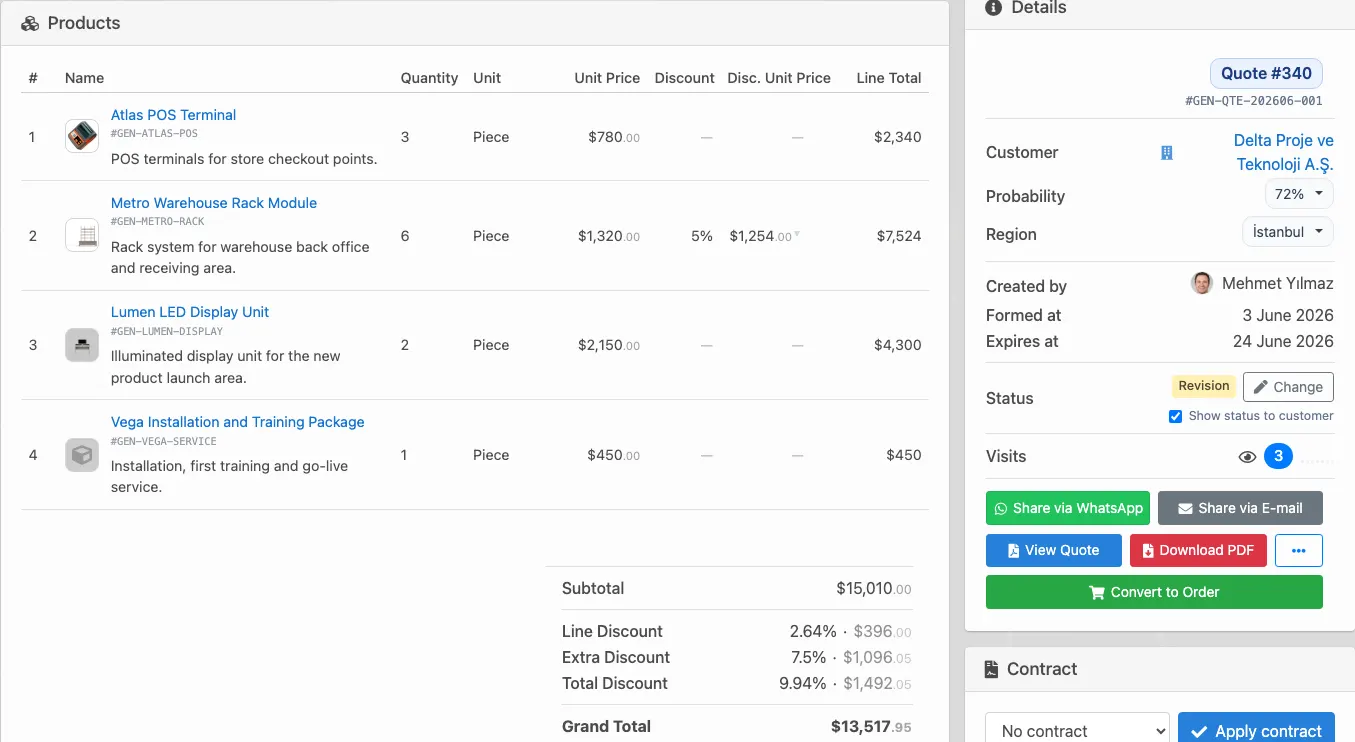
After a quote is sent to the customer, the sales representative needs to know: did the customer see it, open it again, check the PDF, and what stage is waiting for a response? In the Delbig CRM action panel, quote status, visit count, WhatsApp, email, quote view, PDF download and convert-to-order actions sit side by side.
This keeps sending and follow-up from becoming separate work. The representative can send a message, download the document, read customer interest from the visit report and move an accepted quote into the order workflow from the same record.
- The status field makes stages such as new, pending, revision or accepted visible to the sales team.
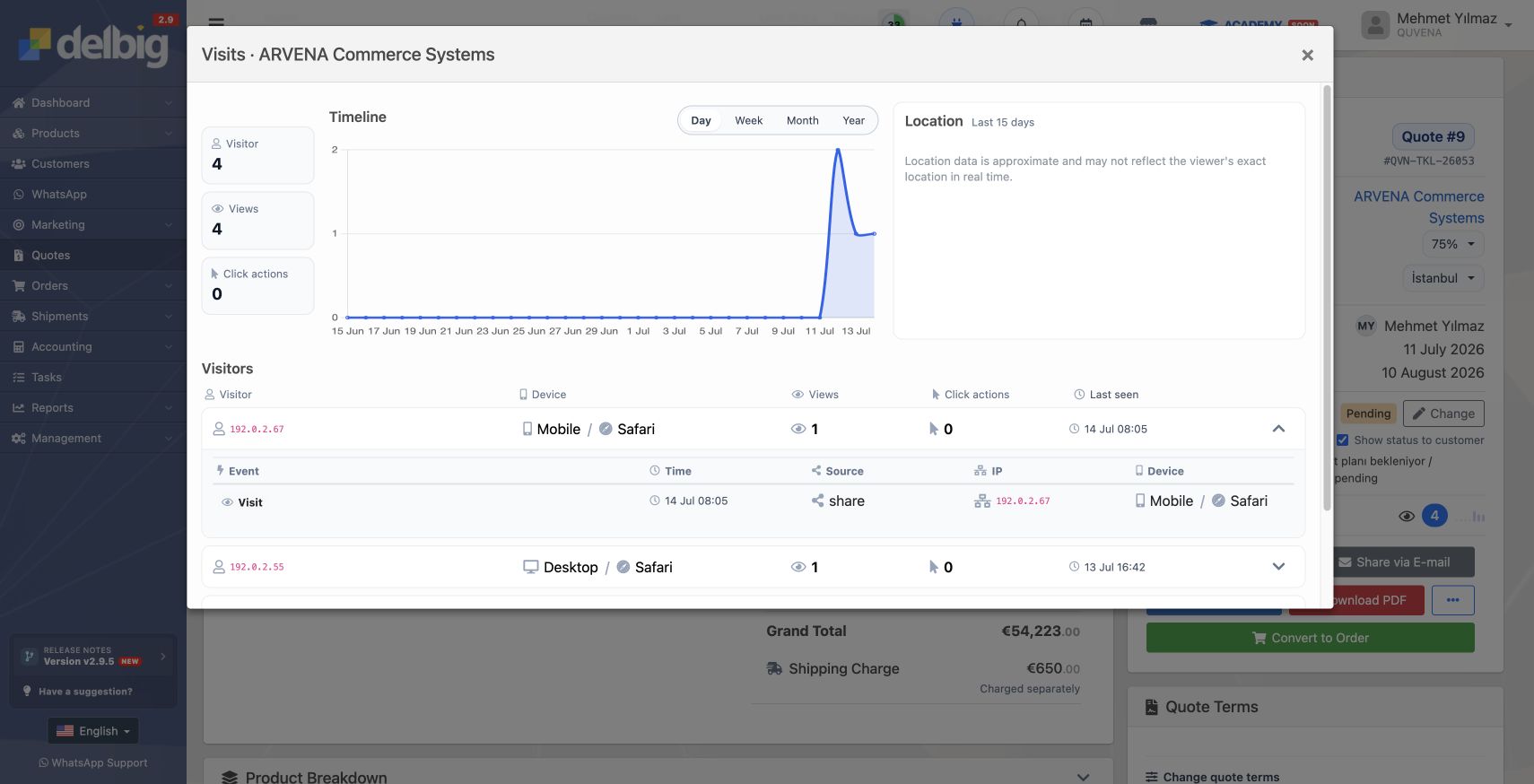
- Visit count and view information help the team understand whether the customer is genuinely engaging with the quote.
- Because WhatsApp and email actions stay on the same record, the representative does not confuse the latest sent document or follow-up note.
- The convert-to-order button speeds up the handoff from an accepted quote to operations.


The record stays together when moving from quote to order
One of the most critical points for the sales team is avoiding manual re-entry of an accepted quote into an order. In Delbig CRM, quote rows, customer information, total amount, document history and status tracking stay around the same record, so conversion to an order is more controlled when the quote is accepted.
| Need | How Delbig handles it | Impact on the sales team |
|---|---|---|
| Fast quote preparation | Product selection, quantity, price, discount and total calculation are handled on the same screen. | Quote preparation time is reduced, and a clear document can be produced while the customer is waiting. |
| Professional proforma | Buyer/seller information, document code, validity date, QR code and PDF output are prepared together. | A more organized document is shared for export or corporate approval workflows. |
| Sharing channels | WhatsApp, email, quote link, PDF and Excel outputs are managed from the same record. | The representative does not get lost across separate files and message channels after sending the quote. |
| Tracking and visibility | Status, visit count, PDF activity and last view information are tracked. | Managers track open quotes more clearly, while representatives see warmer customers more clearly. |
| Conversion to order | An accepted quote can be moved into the order workflow. | Operations start without rewriting product, customer and price information. |
Which teams is it for?
Sales and showroom teams
- They create visual, priced quotes during customer conversations.
- They share by WhatsApp or email on the same day.
- They track quote status and customer interest from the record.
Export and corporate sales teams
- They manage proforma document layout, foreign-currency prices and validity date together.
- They generate the PDF output and digital viewing link from the same record.
- They track revision and acceptance from the quote history.
Frequently asked questions
Are quote and proforma the same thing?
In daily usage they are close, but a quote usually describes the sales proposal, while a proforma is the organized output used like an official document by the customer or buyer. In Delbig CRM, both can be prepared from the same sales record.
Can the quote be sent to the customer by WhatsApp?
Yes. The quote link can be placed into a WhatsApp message. Email, PDF download and quote viewing links can also be used from the same record.
Can we see when the customer views the quote?
The quote visit report shows views, PDF opens and similar activity. This helps the sales representative choose the right follow-up time.
Can a quote be converted to an order after acceptance?
Yes. An accepted quote can be moved into the order workflow. Product, customer, price and total information can start the operation without being re-entered.
Bring your quote and proforma process into one record
Manage product, price, customer, document and sharing follow-up together in Delbig CRM.