
Shipment Tracking Software and Delivery Management
Delbig connects shipment planning with the order, item, customer and warehouse. Sales, warehouse and operations teams can read ready quantities, dispatch dates, delivery addresses and outcomes from the same workflow.
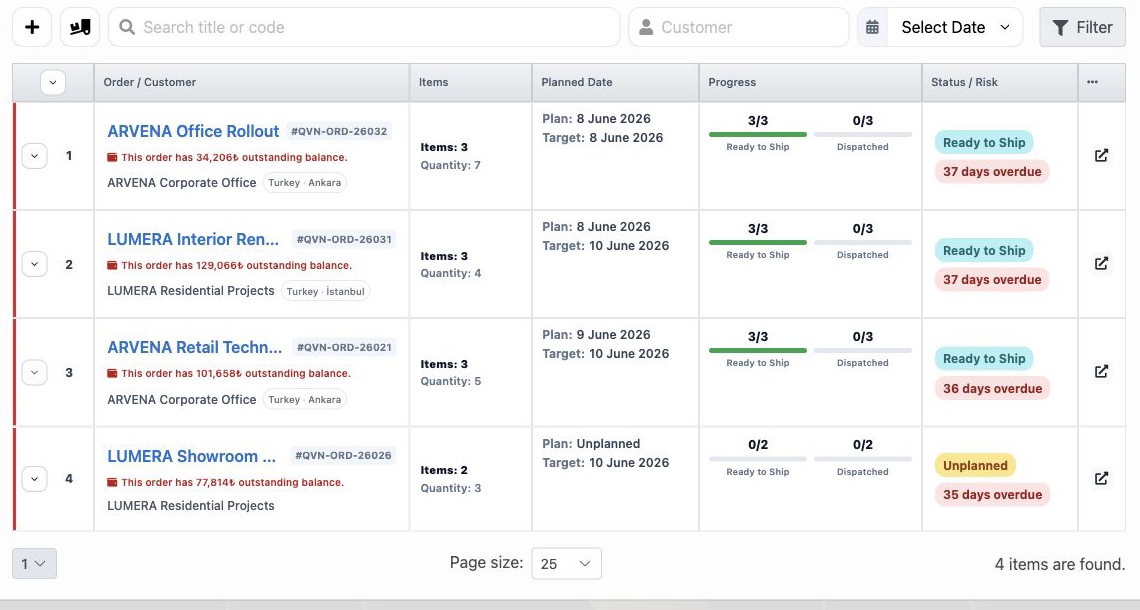
A daily shipment list connected to orders
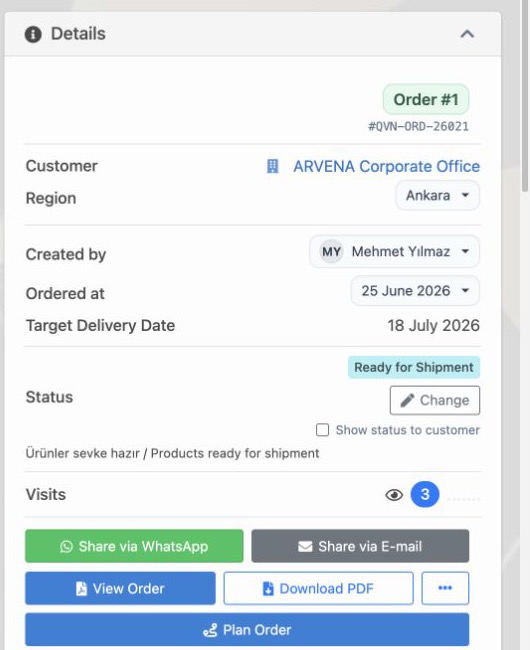
The list shows the order, customer, item count, total quantity, planned date, readiness and delivered ratio. Filters and risk states help the team identify records that need action before a delay.
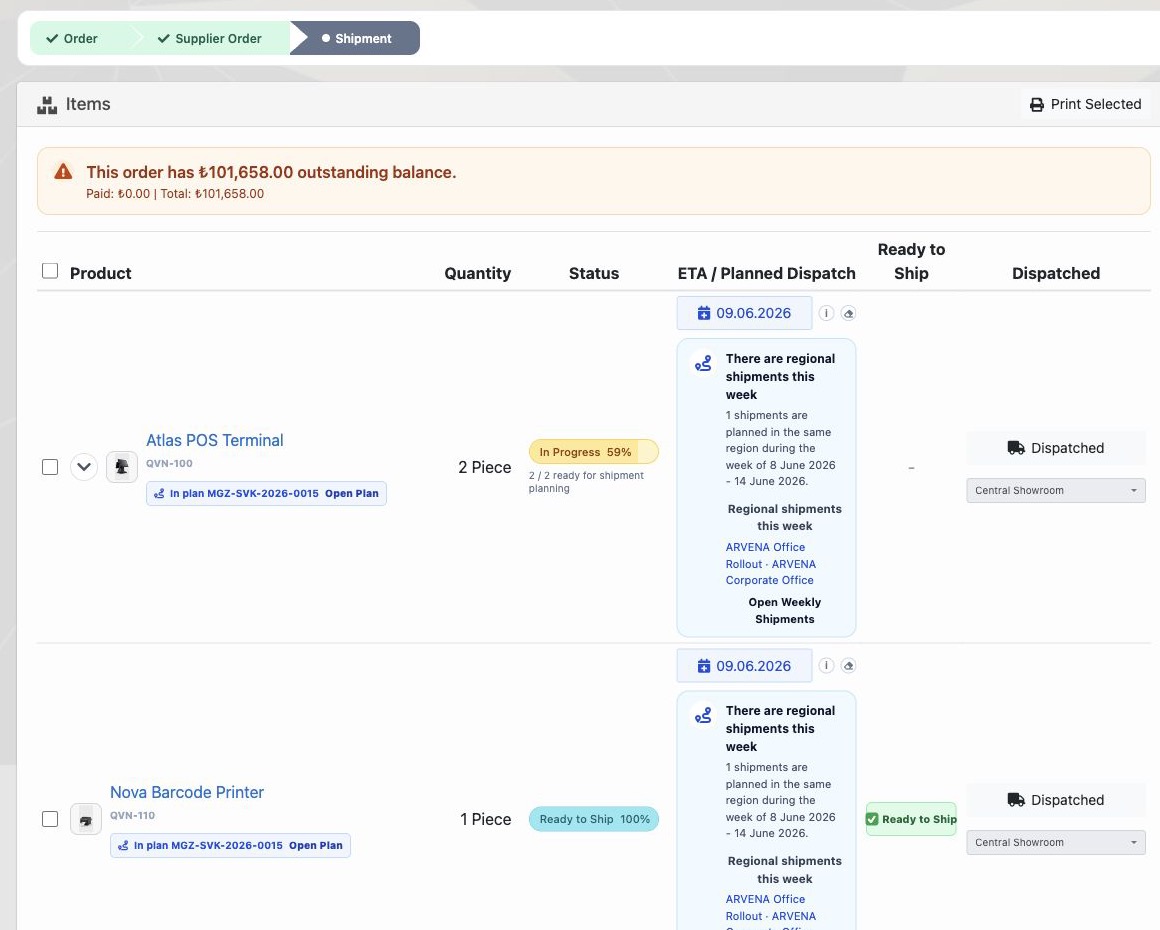
Track every item and its remaining quantity
Items in one order do not have to leave together. Delbig tracks planned, ready, dispatched, delivered and remaining quantities per line while keeping partial shipment in the order history.
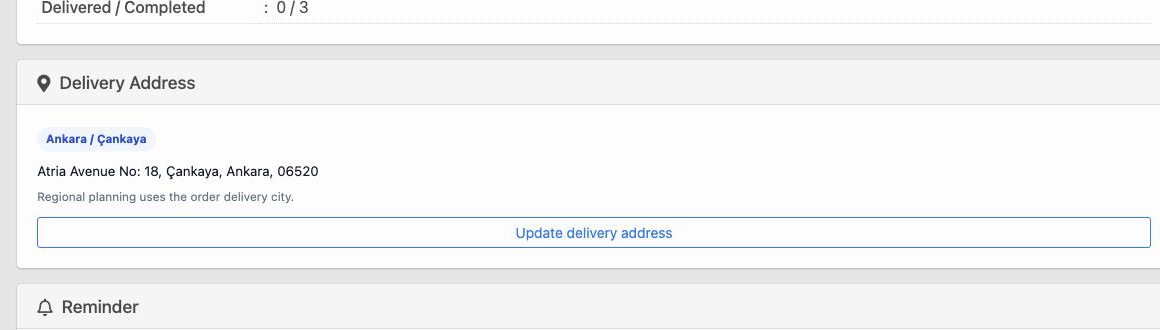
Address, region and weekly planning
City, district, address and customer details remain connected to the shipment. Teams can review regional workload and find incomplete addresses before building a delivery plan.
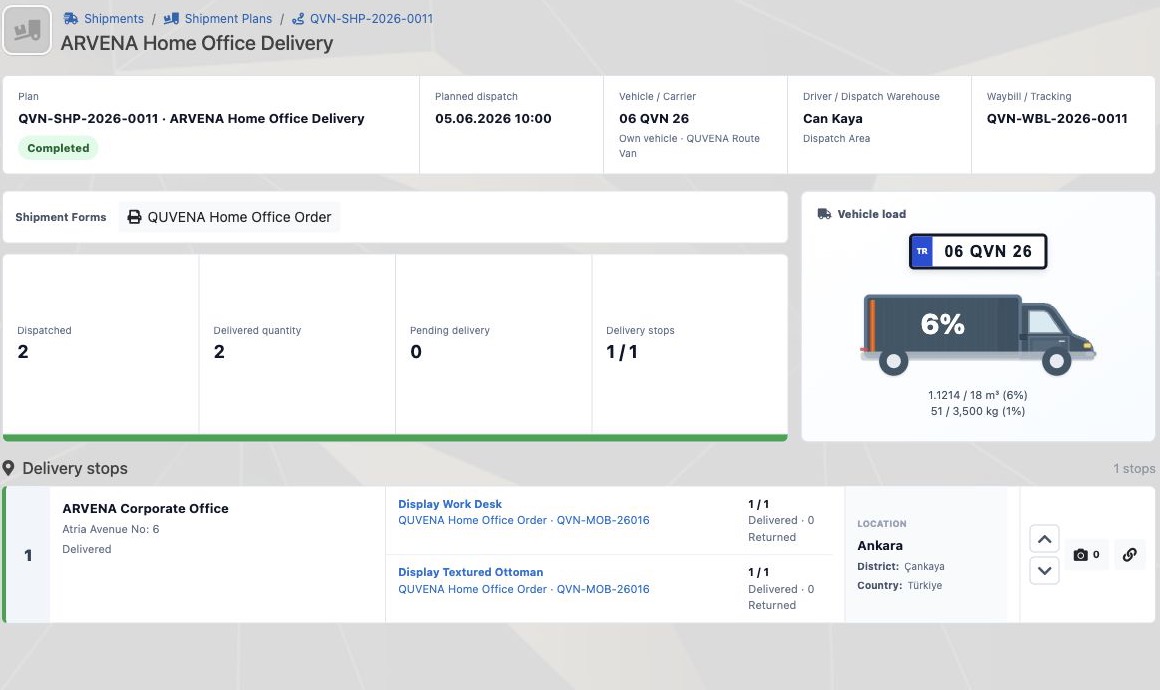
A clear summary for managers and teams
The summary brings waiting, planned, ready, dispatched and delivered quantities together so the team can see where work stopped and what needs replanning without separate sheets.
Frequently asked questions
Can partial shipment be tracked?
Yes. Dispatched and delivered quantities are recorded per item, and the remaining quantity can move to a new plan.
Is shipment connected to the warehouse?
Yes. The inventory source, warehouse issue and ready quantity can remain connected to the shipment plan.
More real product screens

Review this workflow with Delbig
Share your sales, quoting, stock or operation flow with us; we will map the right Delbig setup for your team in a short meeting.