
A real showroom sales workflow
The same record moves from product selection to delivery while the customer is in the store
Delbig does more than prepare a fast quote. Product selection on a tablet or computer, customer records, visual quotes, stock checks, orders, delivery and after-sales notes stay connected in one customer history.
Customer record
Contact details, interests, budget and next follow-up are recorded.
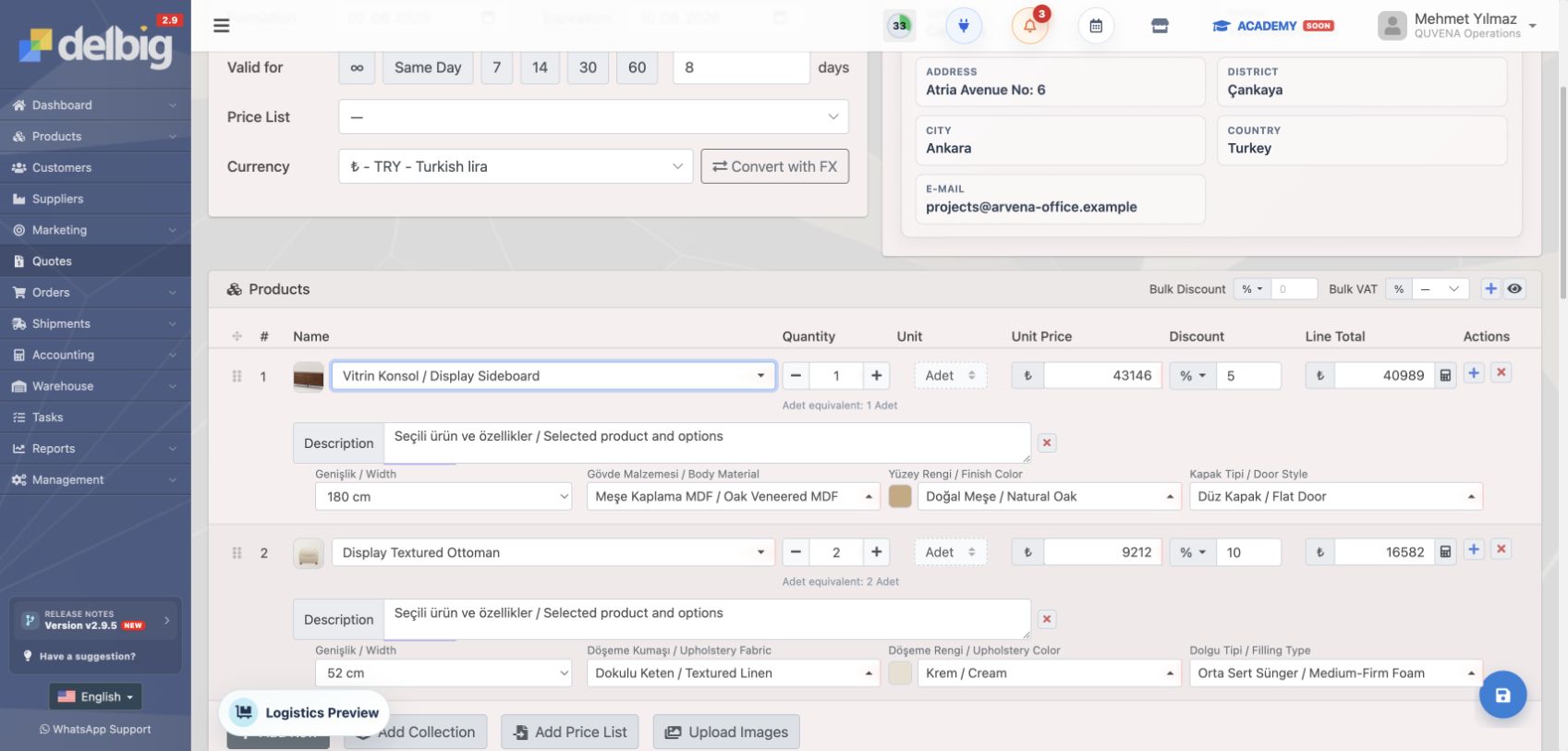
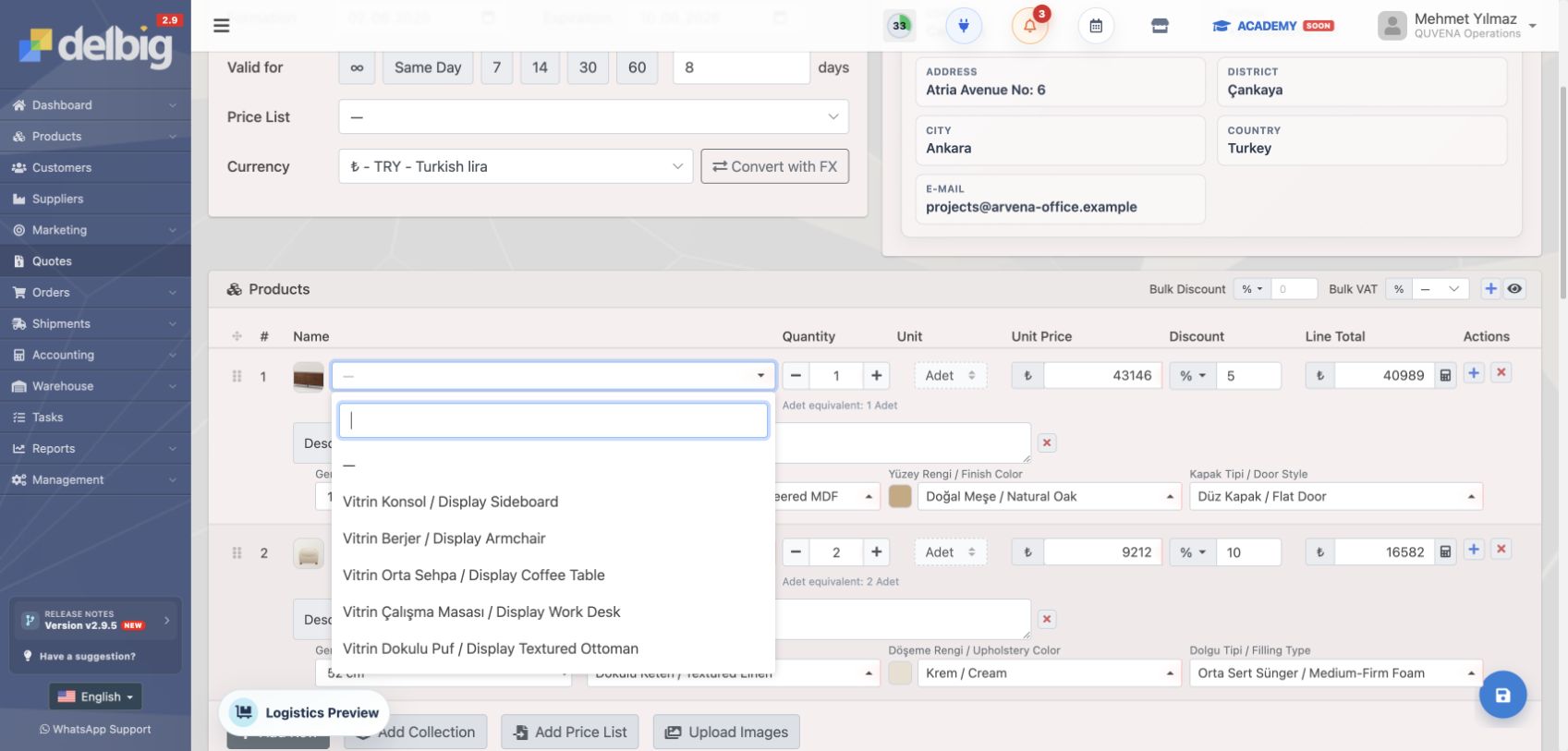
Product selection on a tablet or computer
Products, prices, fabric, color and dimensions stay visible together.
Quote sharing
Use PDF, WhatsApp, email or a digital quote link.
Stock and order
Accepted products continue into order and stock checks without re-entry.
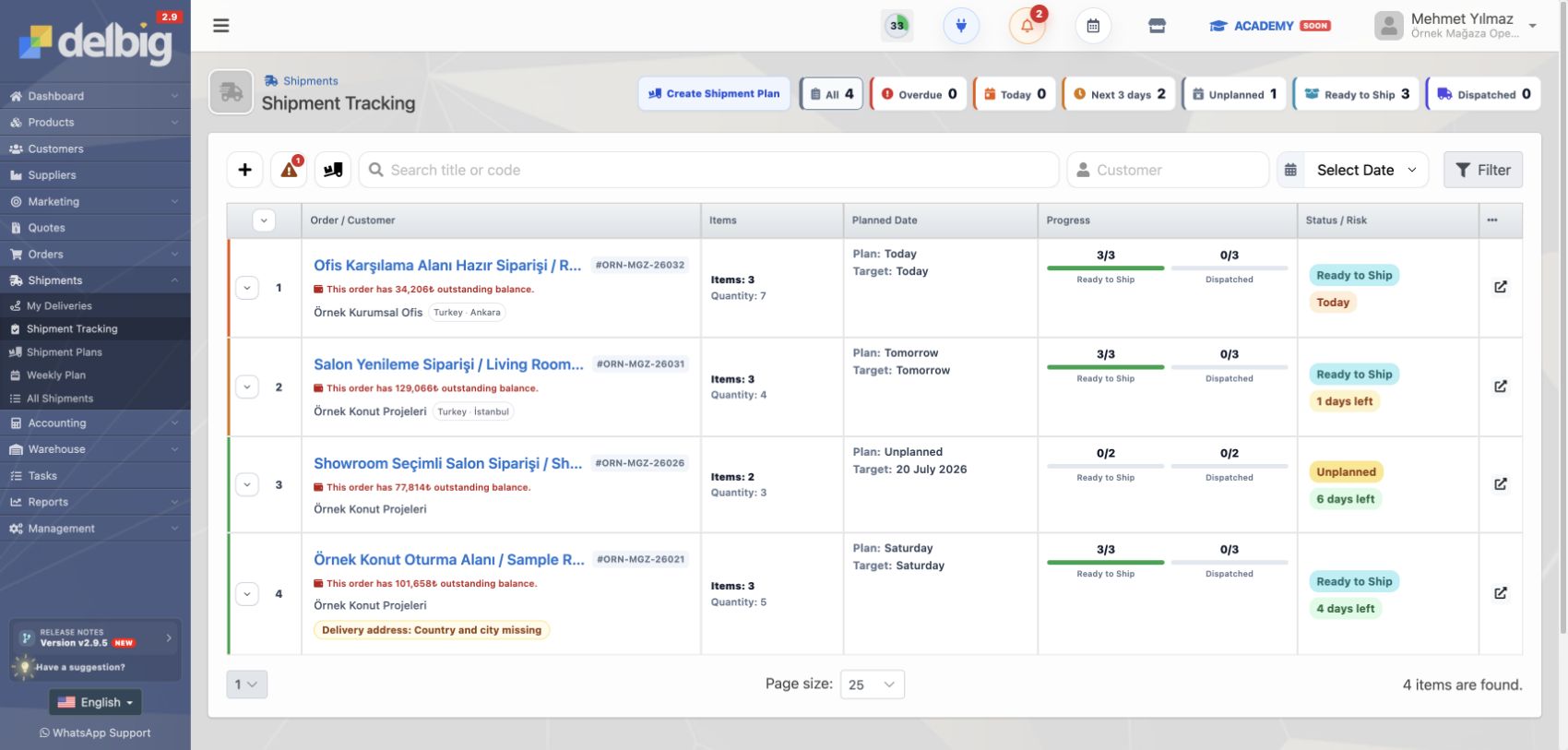
Delivery, installation notes and customer history
Delivery plans, installation-related notes, open work and after-sales history remain visible.
Product selection → quote → order → delivery and follow-up
Click to enlarge. These examples use the English Delbig CRM interface.
Delbig CRM
Furniture Store Management Software
Help showroom teams prepare visual furniture quotes while customers wait and keep store sales follow-up organized.
What this workflow covers
- Help showroom teams select products, prepare visual quotes and follow customers while they are in the store.
- Keep customer cards, quote history, store stock and next actions together for retail sales follow-up.
- Reduce repeated WhatsApp and spreadsheet work between the store, warehouse and sales team.
Furniture store management software for showroom sales
Furniture store management software should keep customer conversations, product selection, visual quotes, price lists, stock visibility and delivery follow-up in one workflow.
Furniture showroom workflow
How should furniture store software organize showroom sales?
In showroom sales, product selection, visual quoting, stock visibility, delivery planning and follow-up need to move quickly while the customer is in the store. Furniture store software or store management software should keep the team out of scattered WhatsApp notes, spreadsheets and personal reminders.
The customer conversation starts on one card
Contact information, interested products, budget, notes and the next follow-up date should stay on the same customer card. The conversation should not depend on one salesperson remembering the details.
Product selection turns into a visual quote quickly
While searching products in the showroom, the representative should see visuals, dimensions, fabric, color and price together. Selected products can then move into a visual quote before the customer leaves.
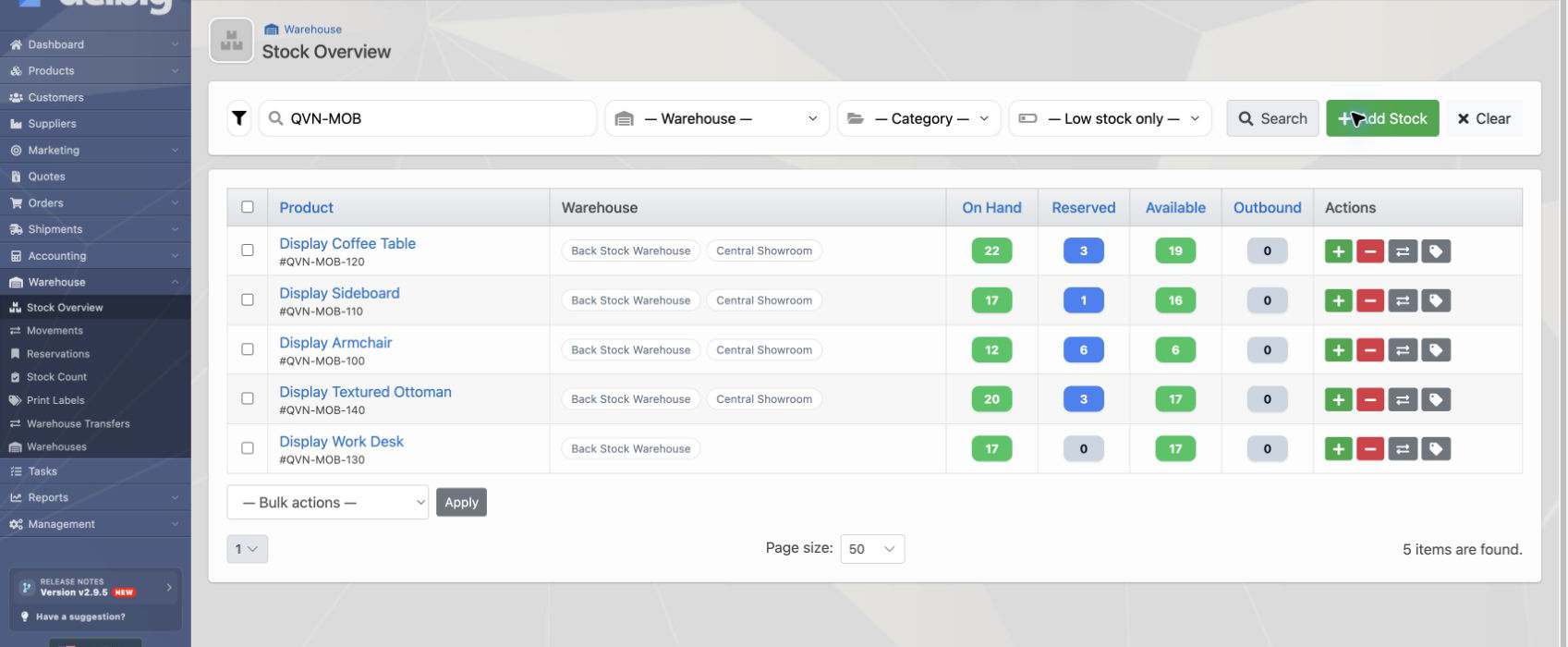
Stock and delivery details are checked during the sale
One common showroom problem is not knowing when the product can be delivered. Delbig connects warehouse and shipment data to the sales workflow so the team can make more realistic delivery promises.
Follow-up, revisions and reports stay visible to managers
Customers who received a quote, orders waiting for revision and sales waiting for delivery should not disappear into separate lists. Store managers need to see follow-up status, team performance and open work from one system.
Furniture store software questions
What is furniture store software?
Furniture store software helps showroom teams keep customer conversations, product selection, visual quotes, price lists, inventory, order conversion and delivery follow-up in one sales workflow.
Is furniture store software different from POS or accounting software?
Yes. POS or accounting software focuses on checkout, account and finance records. Furniture store software should support the sales decision while the customer is in the showroom with product, price, quote, follow-up, inventory and delivery context.
How can quotes, inventory and delivery be tracked together in a furniture store?
Delbig CRM connects customer cards, product and price data, quote lines, stock visibility, orders and shipment steps in the same operational chain so the store team can see the after-sales side of each promise.
Review this workflow with Delbig
Share your sales, quoting, stock or operation flow with us; we will map the right Delbig setup for your team in a short meeting.