
Add-on Module
Production Tracking Software and MRP System
An add-on module for companies that need production orders, BOM/recipes, routes, stations, material requirements, production barcode, progress and cost tracking connected with Delbig sales, stock and procurement flows.
390 USD / yr + VAT
Added to the main package
Short Answer
What is Delbig production tracking software and MRP?
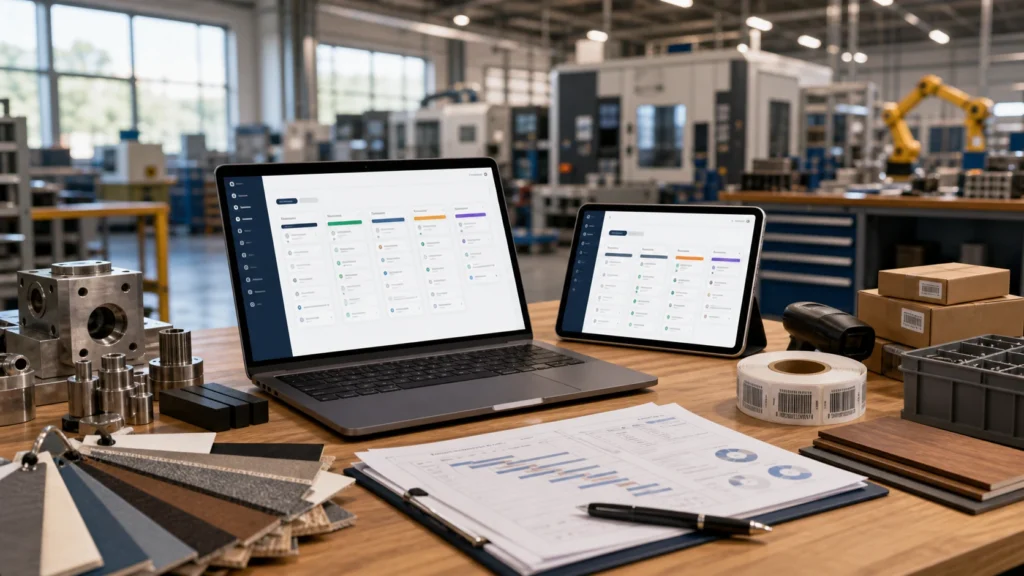
It adds a production tracking layer on top of your main Delbig package. It helps convert sales or internal demand into production plans, manage BOM lines, routes, stations, barcodes, material requirements, quality events and cost visibility.
Manufacturers with real production
Use it when orders need production orders, BOM, routes, stations and progress tracking.
Manufacturing companies
Useful for models, options, materials, semi-finished goods, outsourced steps and production stages.
Companies with material visibility needs
Fits companies that need to see stock, warehouse, procurement and material requirements before starting production.
Not mandatory for every producer
If you only track quotes, CRM and export shipment, Manufacturer Operations may be enough without MRP.
BOM / Recipe Proof
Production decisions become clearer when the recipe and material structure are visible
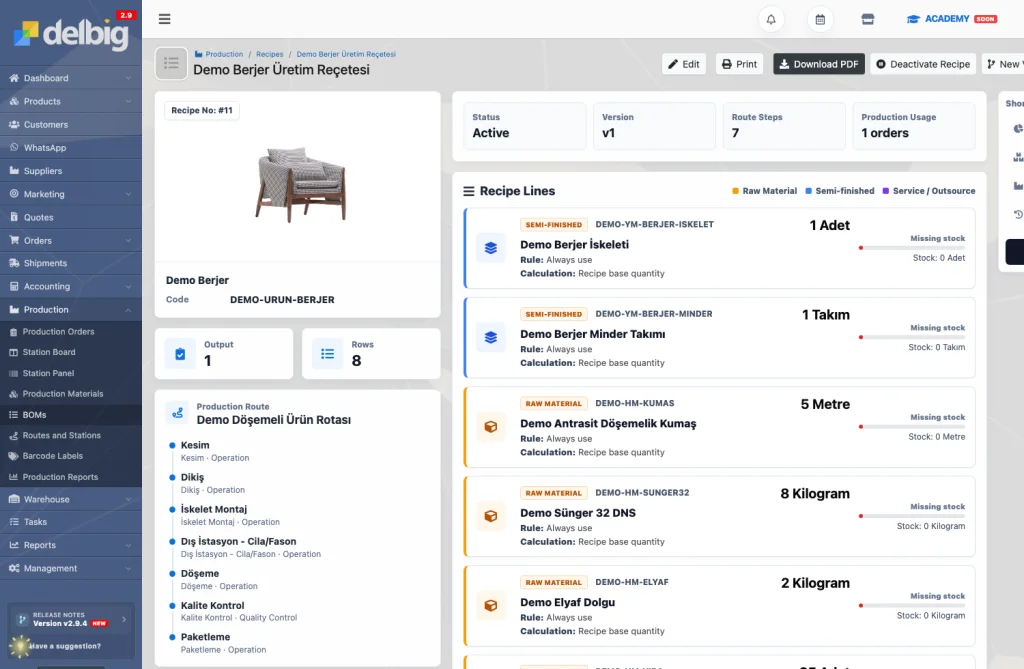
Before a work order moves forward, the team should see which product will be produced, which BOM will be used, which materials are required and whether stock is sufficient.
- BOM lines can separate raw material, semi-finished product and outsourced service rows.
- Quantity, unit, material type and stock sufficiency are reviewed before production starts.
- Route and station information can be connected to the same production recipe.
End-to-End Production Flow
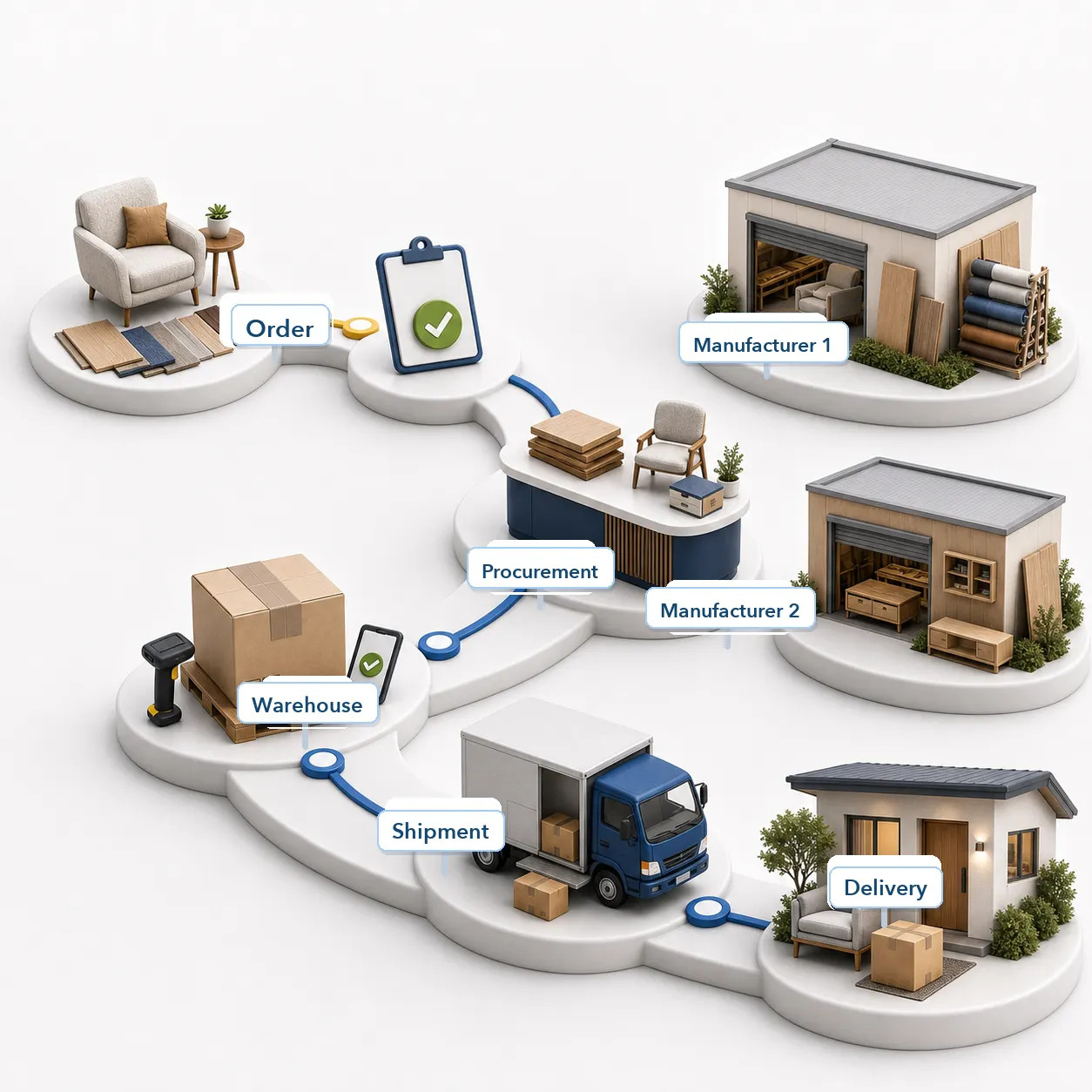
Production is tracked from order to delivery, not only at the station
A production order should progress in the same chain as the customer order, BOM, material requirement, stock, purchasing, route steps and shipment. Otherwise status becomes scattered across notes, calls and separate lists.
The Delbig Production / MRP approach keeps station progress in the same operational context as sales and procurement decisions.
Module Scope
What is included in the Production / MRP module?
The production infrastructure is based on production orders, BOM, routes, stations, planning, barcode, materials, quality and reporting. The page scope follows this real product foundation.
Production orders
Create, plan, release, cancel and follow production orders from sales orders or manual demand.
BOM / recipe
Manage material lines, component type, quantity, warehouse and version logic for each product.
Routes and stations
Track production stages, station order, internal/external stations and station board progress.
Material requirements
Make required material, stock usage and procurement needs more readable before production.
Production barcode and labels
Use unit-level barcode, label template and station scan flows.
Quality and rework
Connect quality checks, waiting, rework and completion events to production records.
Stock-production link
Track material issue, production output, warehouse and stock movements with production plans.
Production reports
Give managers visibility into status, station load, completion, delay and performance.
Supporting Screens
Requirement analysis and station detail complete the production decision
BOM and station board provide the main visibility. Production order detail and station detail support requirement analysis, barcode flow, step progress and production materials.
Requirement analysis
Missing materials, purchase needs or sub-production requirements can be evaluated before production starts.
Station detail
Barcode, active step, route status and station progress help the shop-floor team update the production order from the same screen.
Example Flow
How does a production process move in Delbig?
- Order or demand is created. Sales order, dealer demand or manual production need becomes the source.
- BOM is selected. Material lines and route are chosen for the product.
- Production plan is opened. Ready lines are moved to a production order with target dates.
- Materials are checked. Stock, warehouse, procurement or outsourced needs become visible before production.
- Stations progress. Units are updated step by step through barcode/label and station board flow.
- Result is reported. Completion, quality/rework events, stock impact and cost are reflected in management reporting.
Positioning
How is Delbig Production / MRP different from generic MRP or ERP?
Generic MRP/ERP tools usually focus on factory planning, material requirements and capacity. Delbig Production / MRP is a production tracking layer connected with quote, order, dealer demand, stock, procurement, shipment and cost flows inside Delbig.
The strength for a Delbig user is that production moves with the sales order and material context in the same system.
Generic MRP / ERP
Production planning, material requirements, capacity and factory management are handled in a wider ERP scope.
Delbig Production / MRP
Connects sales orders, BOM, work orders, stations, barcode, material, stock, procurement and cost with Delbig operations.
Related Pages
Which modules should be reviewed with Production / MRP?
MRP is added only if production tracking is real. It is not a standard suggestion for a buy-sell store.
Dealer Portal
If dealer orders should become production orders or plans, review Dealer Portal together.
API / Integration
If production, stock, product or order data must match external systems, plan integration.
If production updates or delivery communication should connect with customer conversations, review WhatsApp.
Pricing configurator
Select the main package and MRP module to see the yearly total.
Module Fee
Production / MRP module price
390 USD / yr + VAT is shown as the current annual fee. This module is added on top of the selected main package when needed.
The price is not hardcoded on this page; when the WooCommerce product price changes, this amount is updated automatically.
Help
Frequently asked questions
Who is the module suitable for?
Manufacturers that need production orders, BOM, routes, stations, barcode, material requirements and production cost tracking.
Is Production / MRP included in the main package?
No. Because not every manufacturer wants production tracking, it is positioned as an add-on module.
Does it include BOM and routes?
The source application includes BOM, BOM lines, routes, route steps, internal/external stations and station board infrastructure.
Can barcode and production labels be used?
Barcode/label tracking can be planned through production unit and label template logic.
Is it needed for Store Operations?
Not for general buy-sell stores. It is reviewed separately if the store has its own workshop or production flow.
Does it replace a full ERP?
It should be viewed as a production layer connected to Delbig sales, stock, procurement and cost workflows.
Make production visible from order to cost
If production orders, BOM, routes, stations, materials and cost need to be connected with your sales flow, select Production / MRP on the pricing page and review the total.