
Collect orders through a dealer panel
Give dealers an ordering panel that uses the products and prices you assign
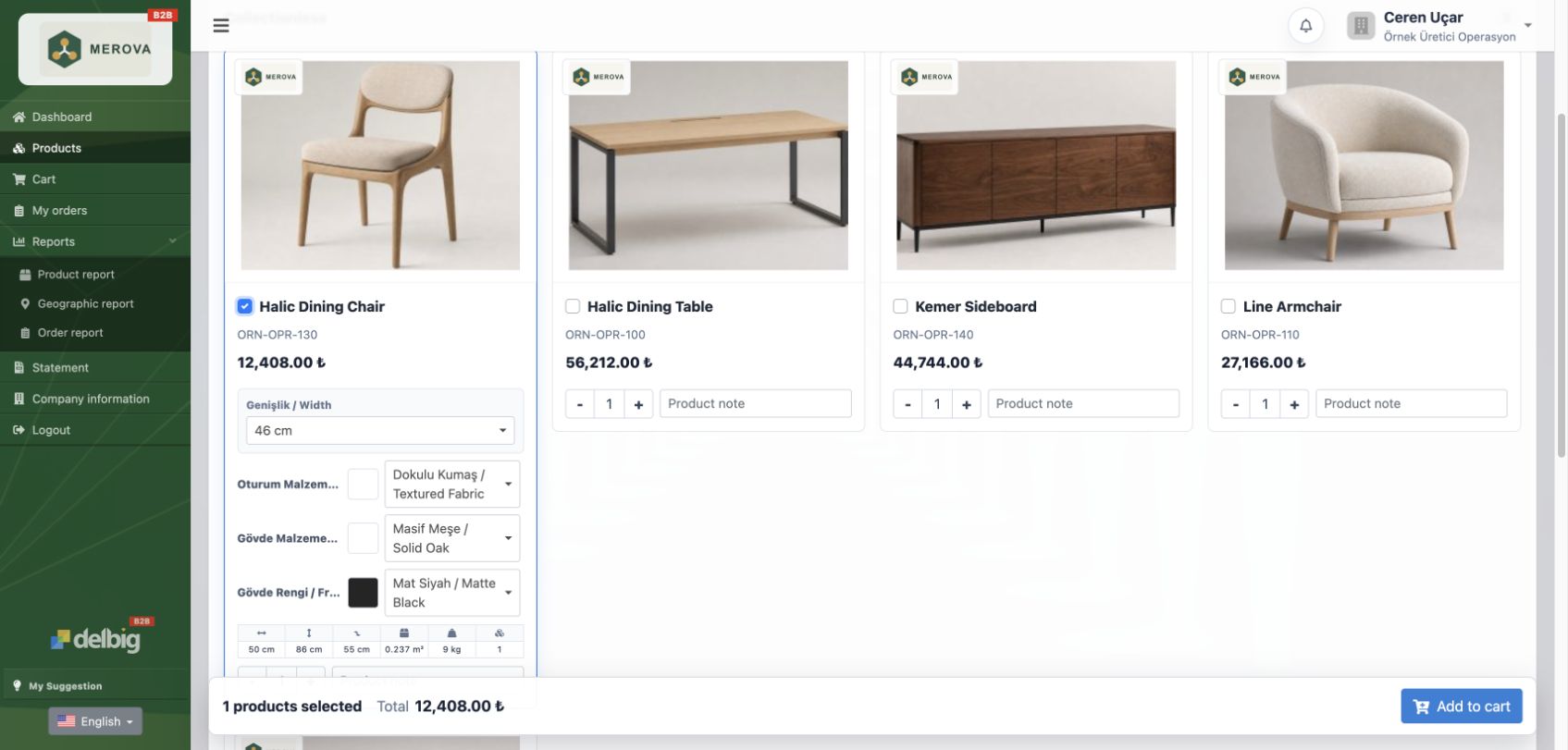
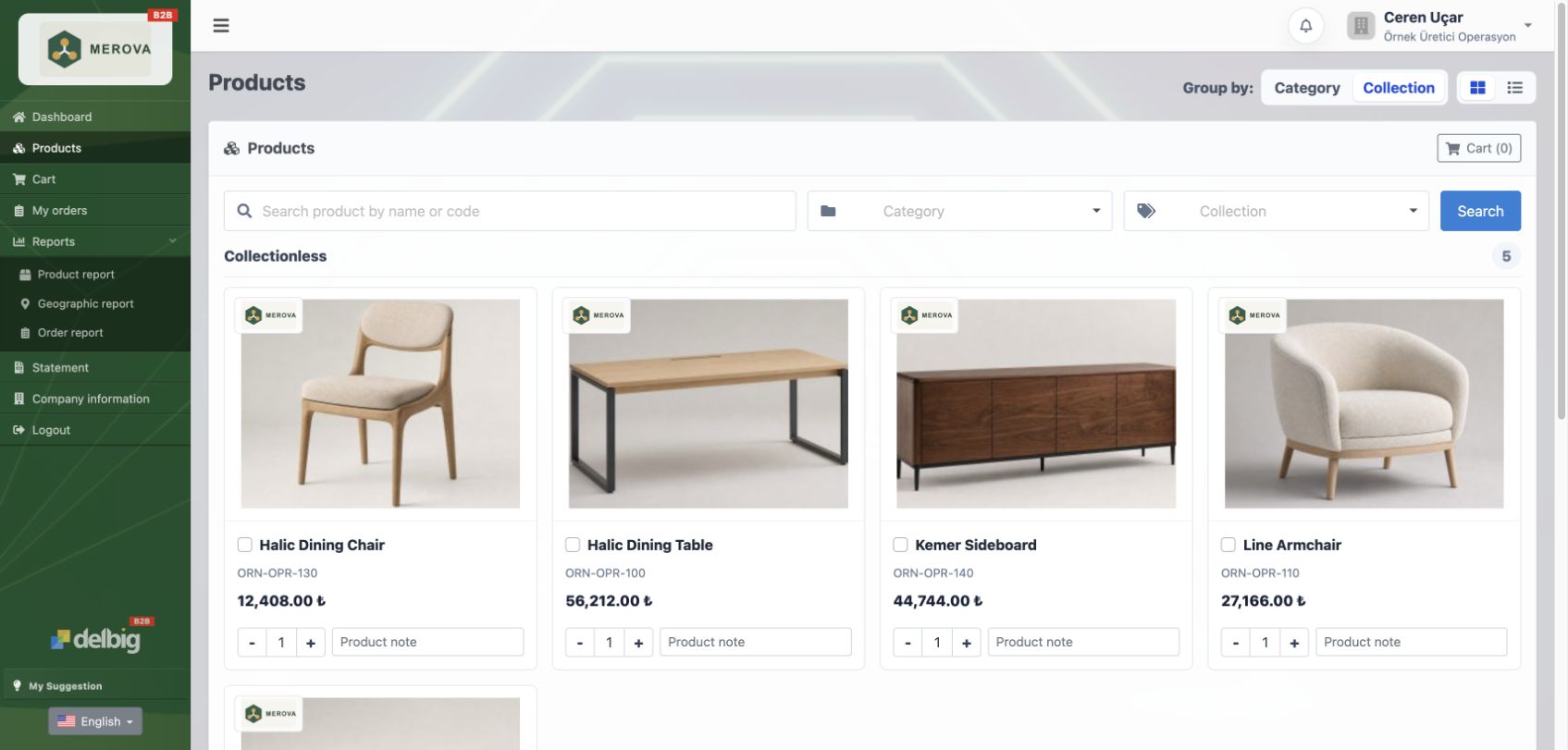
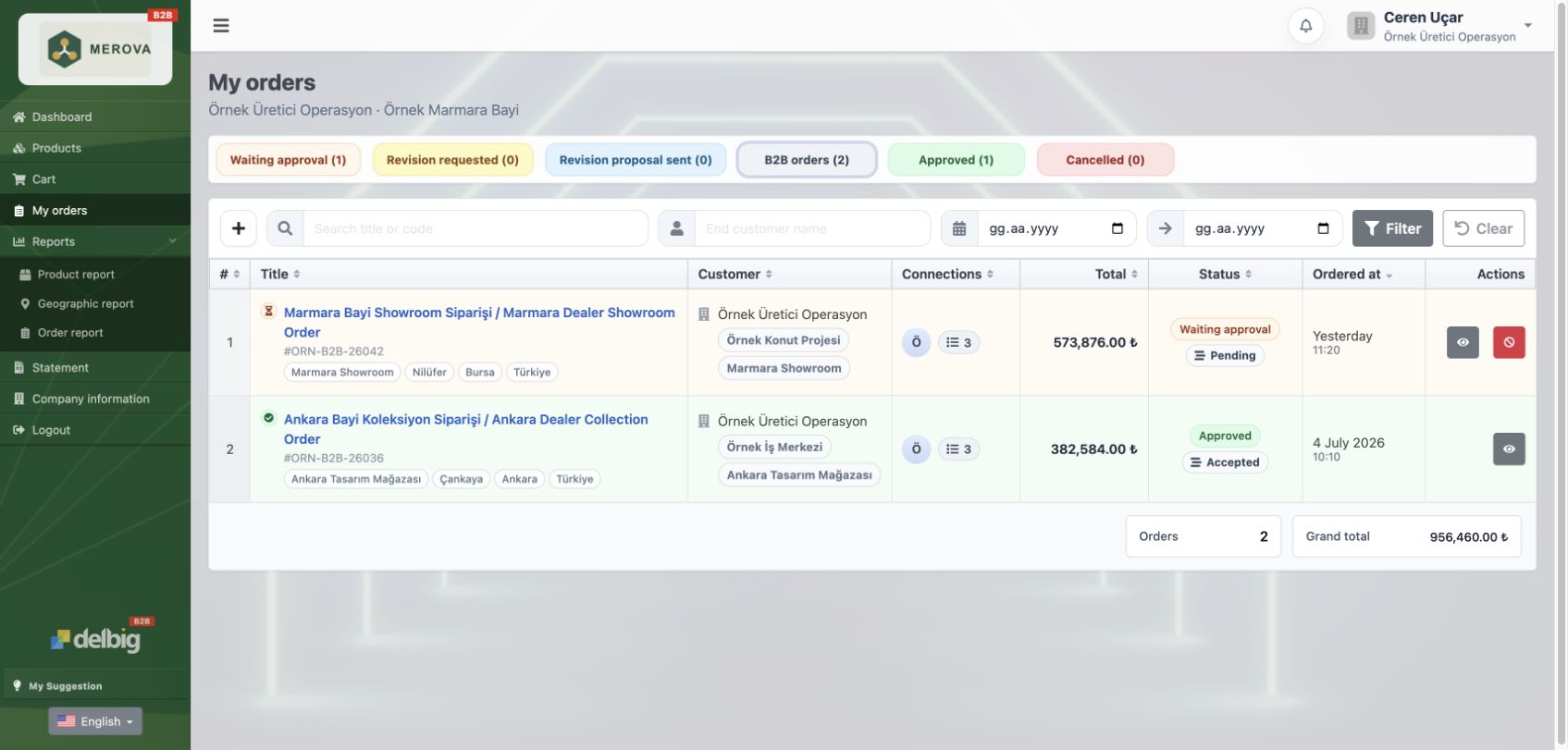
A dealer or business customer signs in with their own email. They see the products and prices linked to the price list you assigned, choose quantities and send the order directly to your factory.
Give the dealer a panel
Dealers sign in with their own email instead of placing orders by phone or WhatsApp.
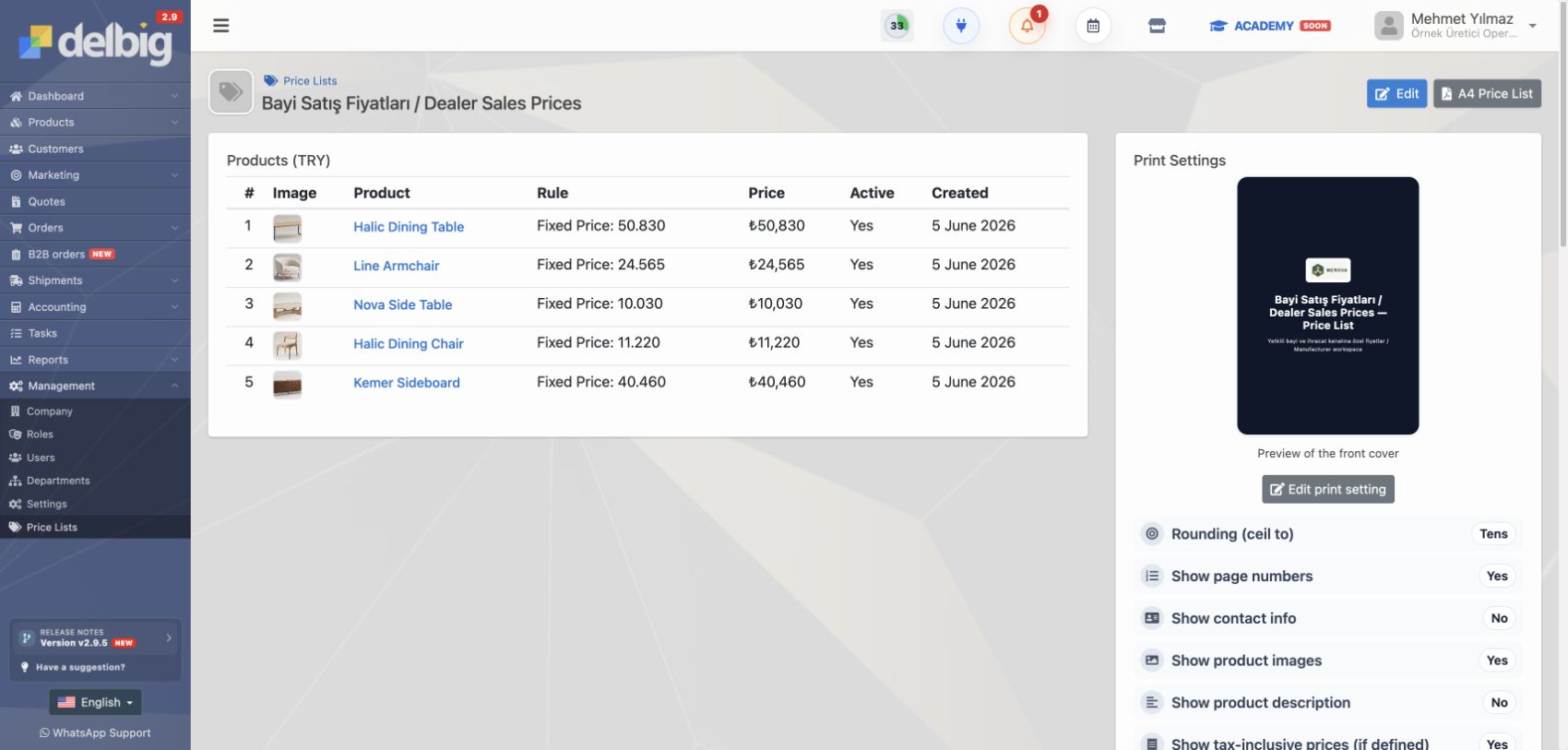
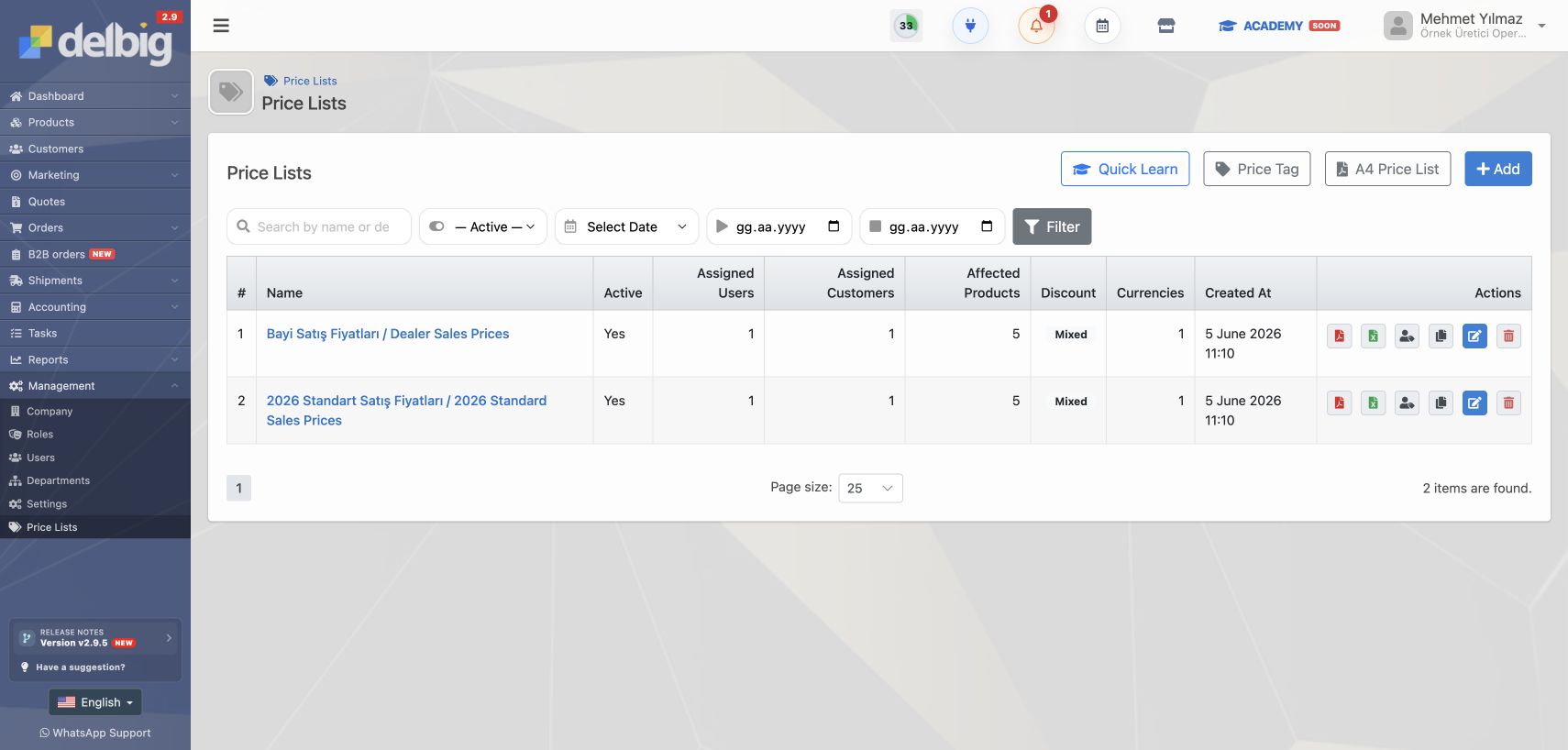
You set products and prices
The dealer sees only products and prices linked to the price list assigned on the customer record.
The dealer prepares the order
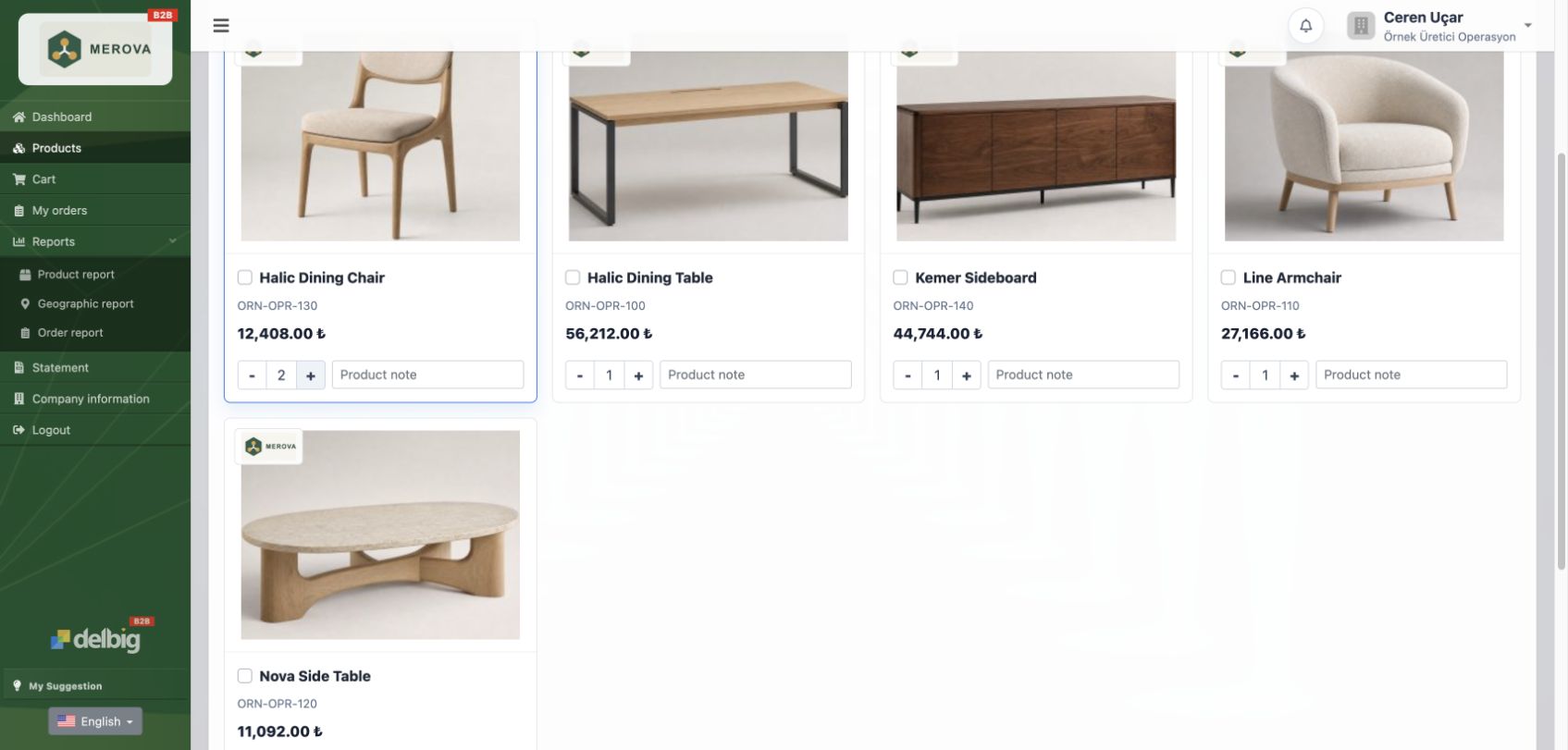
They choose products, quantities and optional line notes, then send the order to your factory.
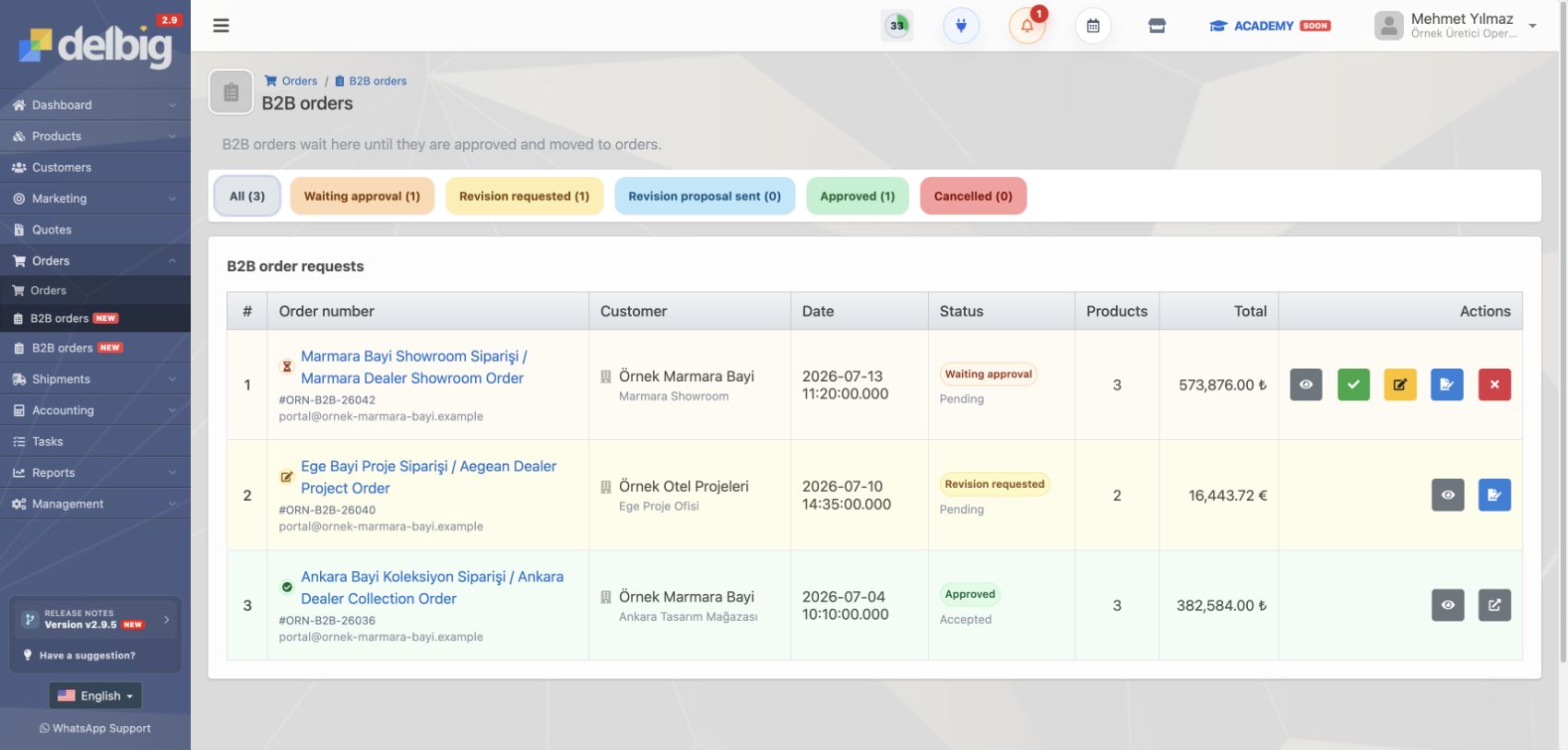
The order reaches your factory
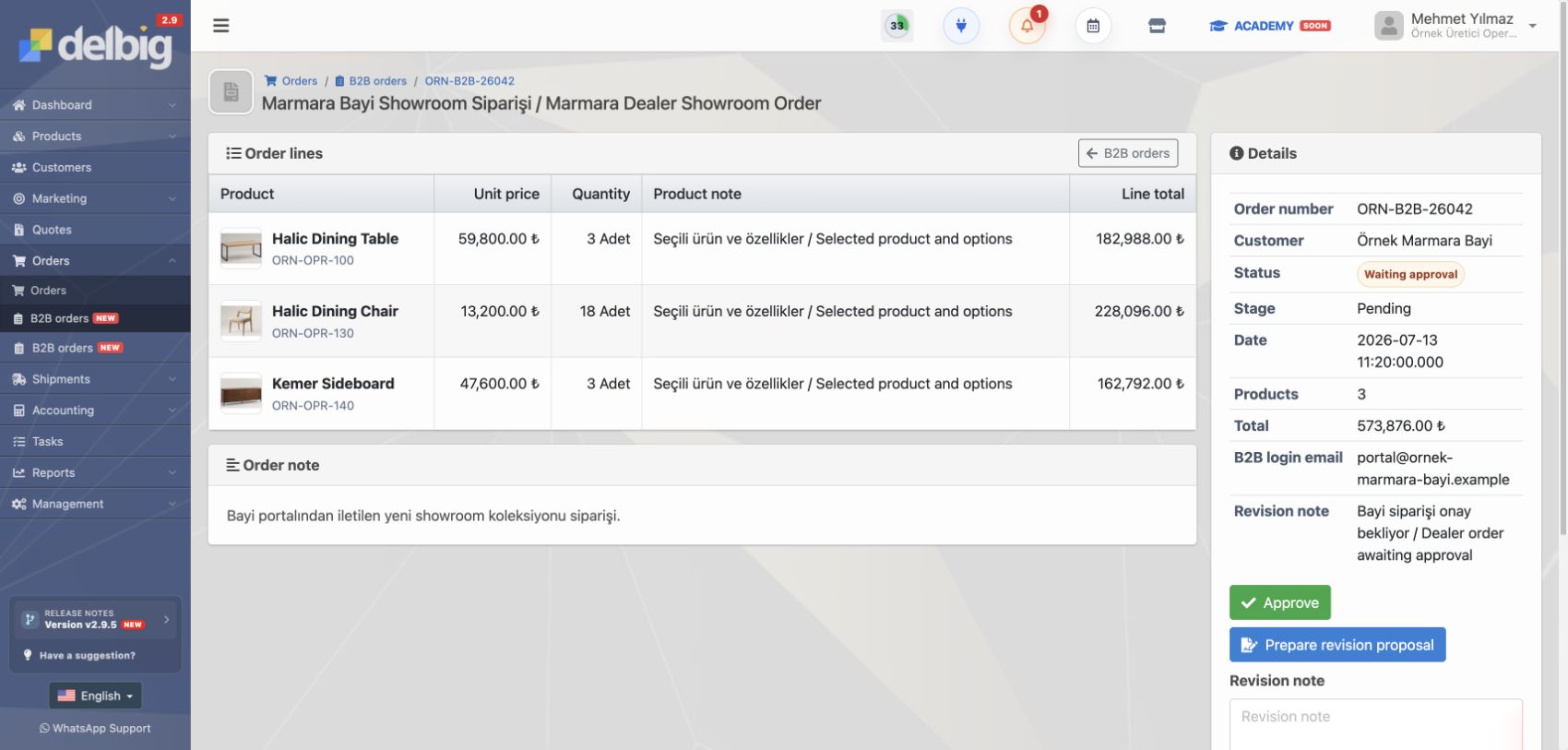
It stays out of normal orders and waits in the B2B Orders screen.
Review and convert it
Approve, revise, request a revision or reject it. An approved dealer request becomes a normal order.
Delbig CRM
B2B Dealer / Customer Portal
Give dealers and customers a B2B portal where they can view products, switch between producer accounts, create orders and let your team approve portal requests separately in Delbig CRM.
What this workflow covers
- Let dealers and customers view their catalog, prices, cart, order history and account summary from a controlled portal.
- Define portal access, price lists, product currency and store scope from the customer card.
- Receive B2B order requests in a separate approval queue before they become internal sales orders.
How does B2B dealer portal software collect dealer orders?
A B2B dealer portal lets dealers see authorized products, prices, carts, order history and account summaries from one screen. Your internal team then reviews incoming portal orders in a separate Delbig CRM approval queue.
More real product screens
Review this workflow with Delbig
Share your sales, quoting, stock or operation flow with us; we will map the right Delbig setup for your team in a short meeting.