Raporlama ve Ekip Performansı: Satış, Sipariş, Müşteri, Tahsilat ve Takip Aksiyonlarını Birlikte Ölçün

Raporlama yalnızca geçmişte ne olduğunu gösteren bir tablo değildir. Delbig CRM’de ürün, sipariş, müşteri, kullanıcı, ziyaret, fırsat ve tahsilat raporları; yöneticinin ekiple aynı dili konuşmasını ve gerekli aksiyonları daha hızlı başlatmasını sağlar. Kritik fark, raporun sadece sunulması değil, takip edilmesi gereken konuların hatırlatma, görev ve sonraki aksiyona dönüşebilmesidir.

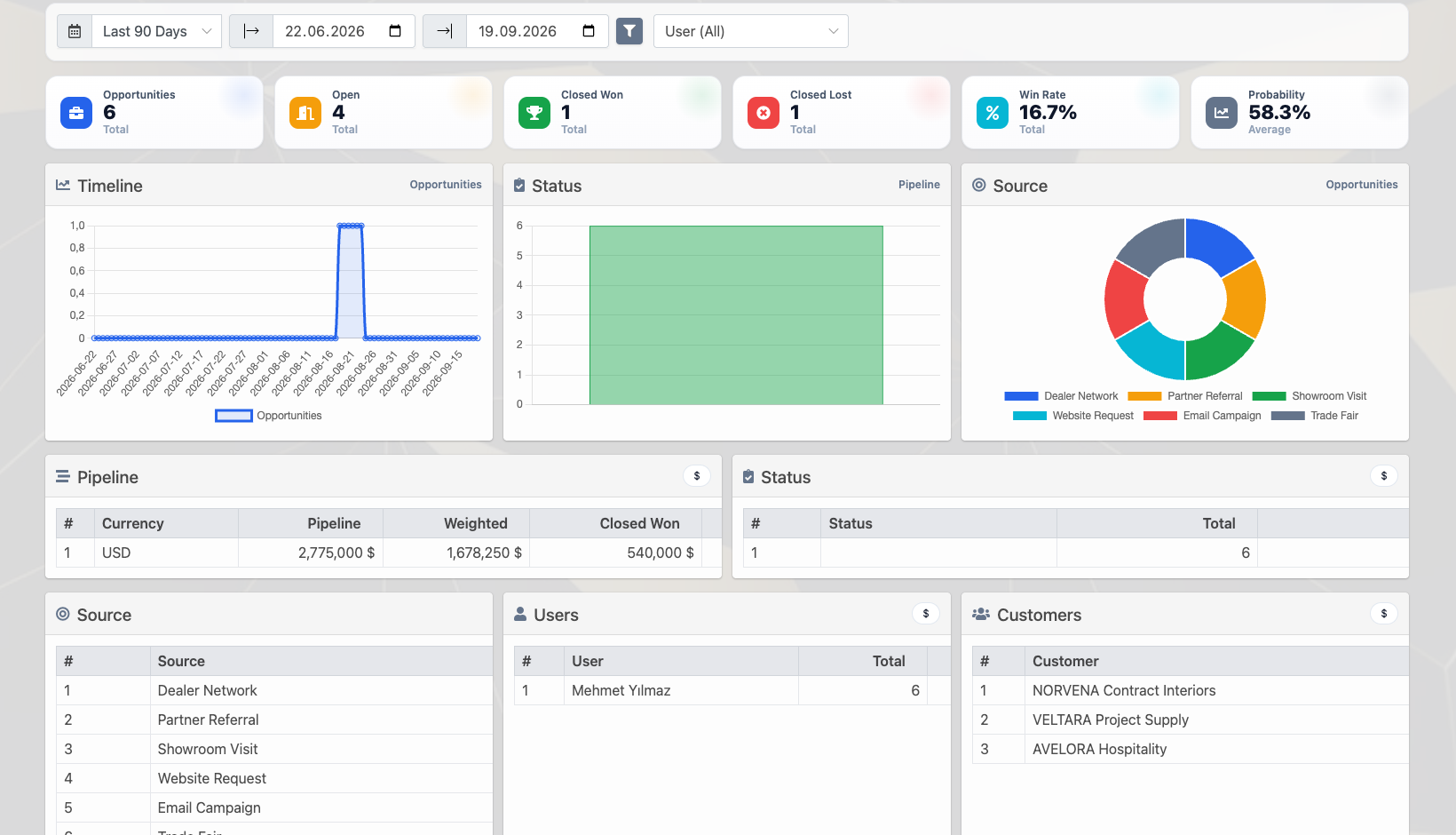
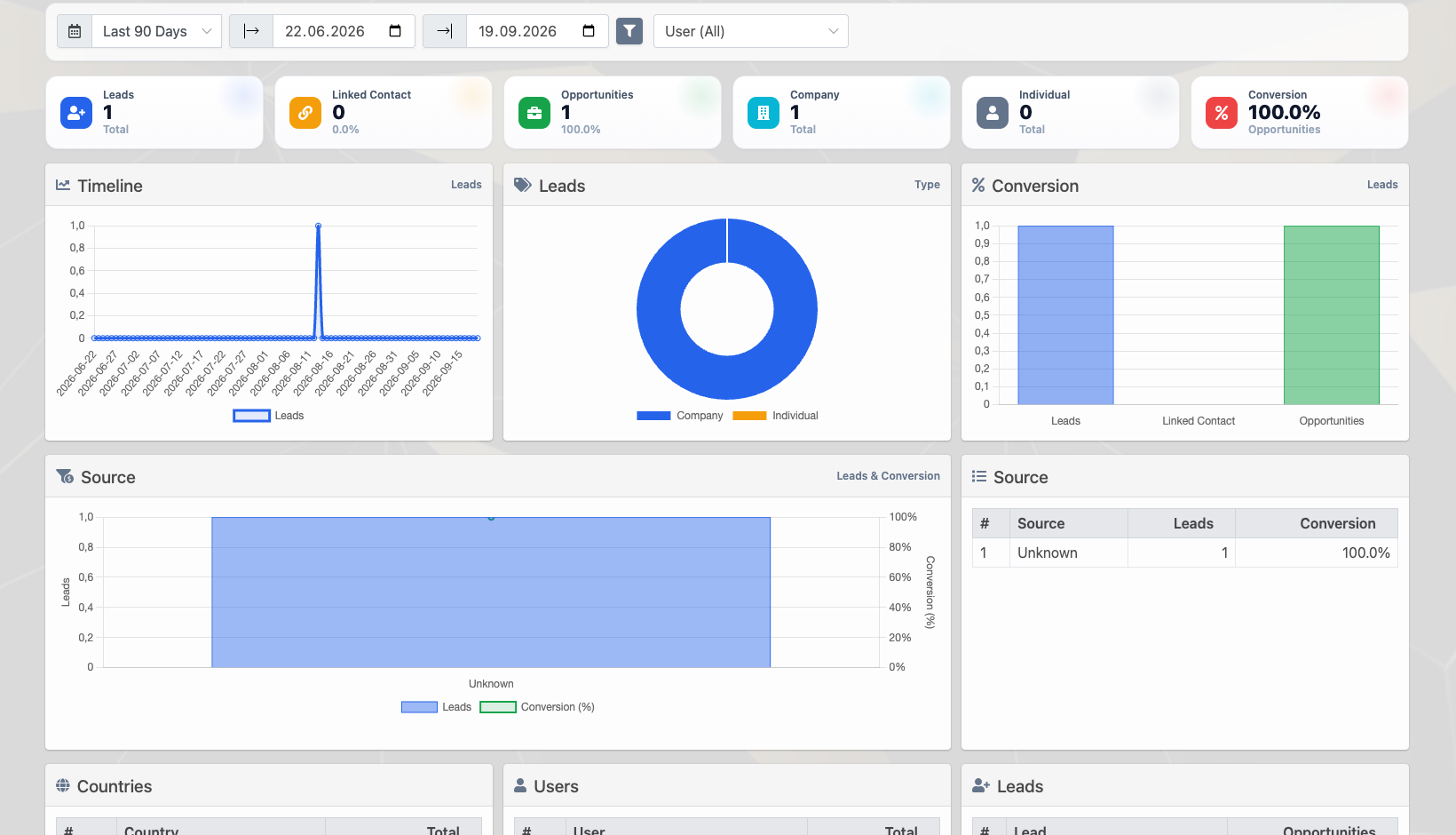
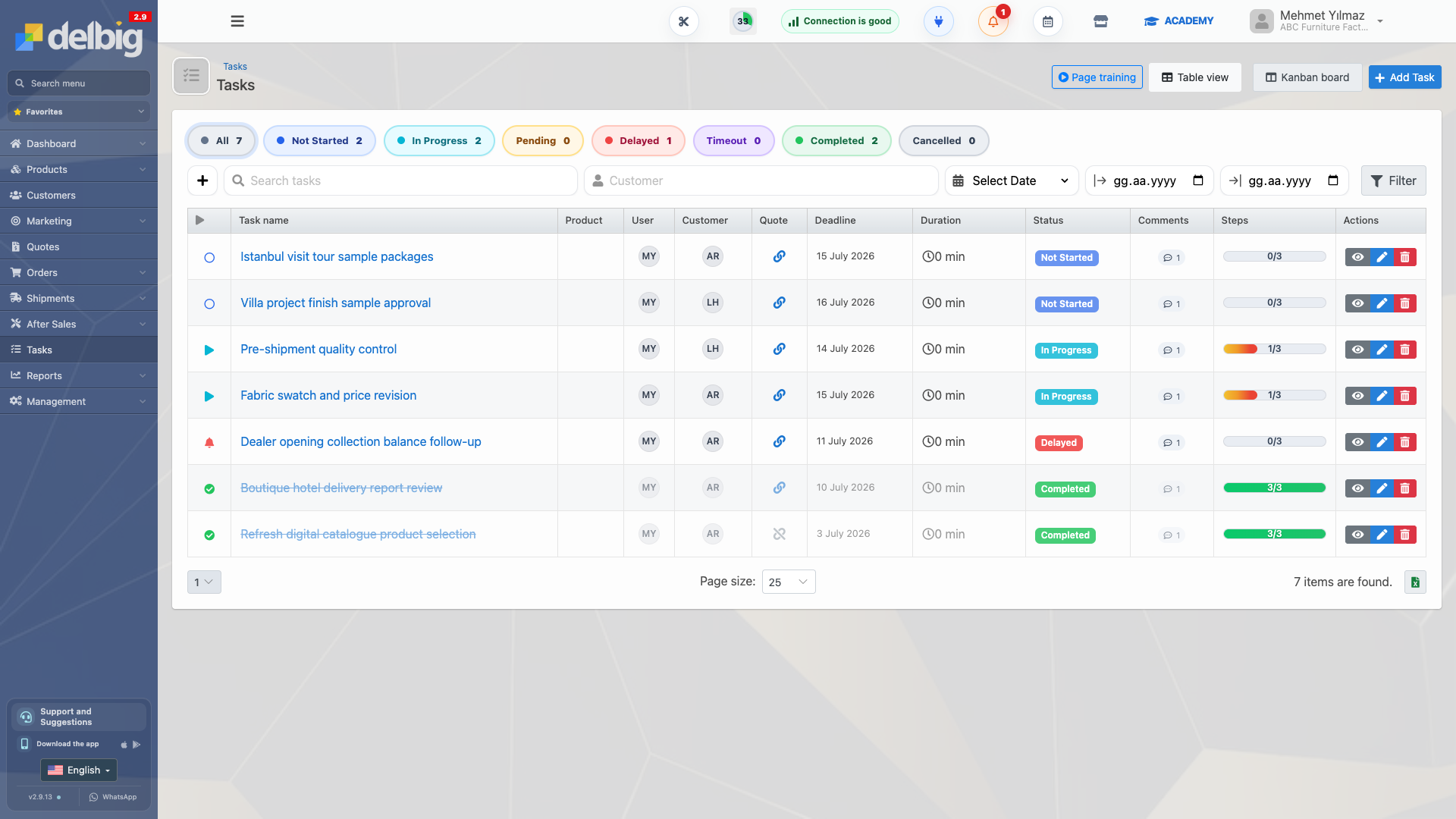
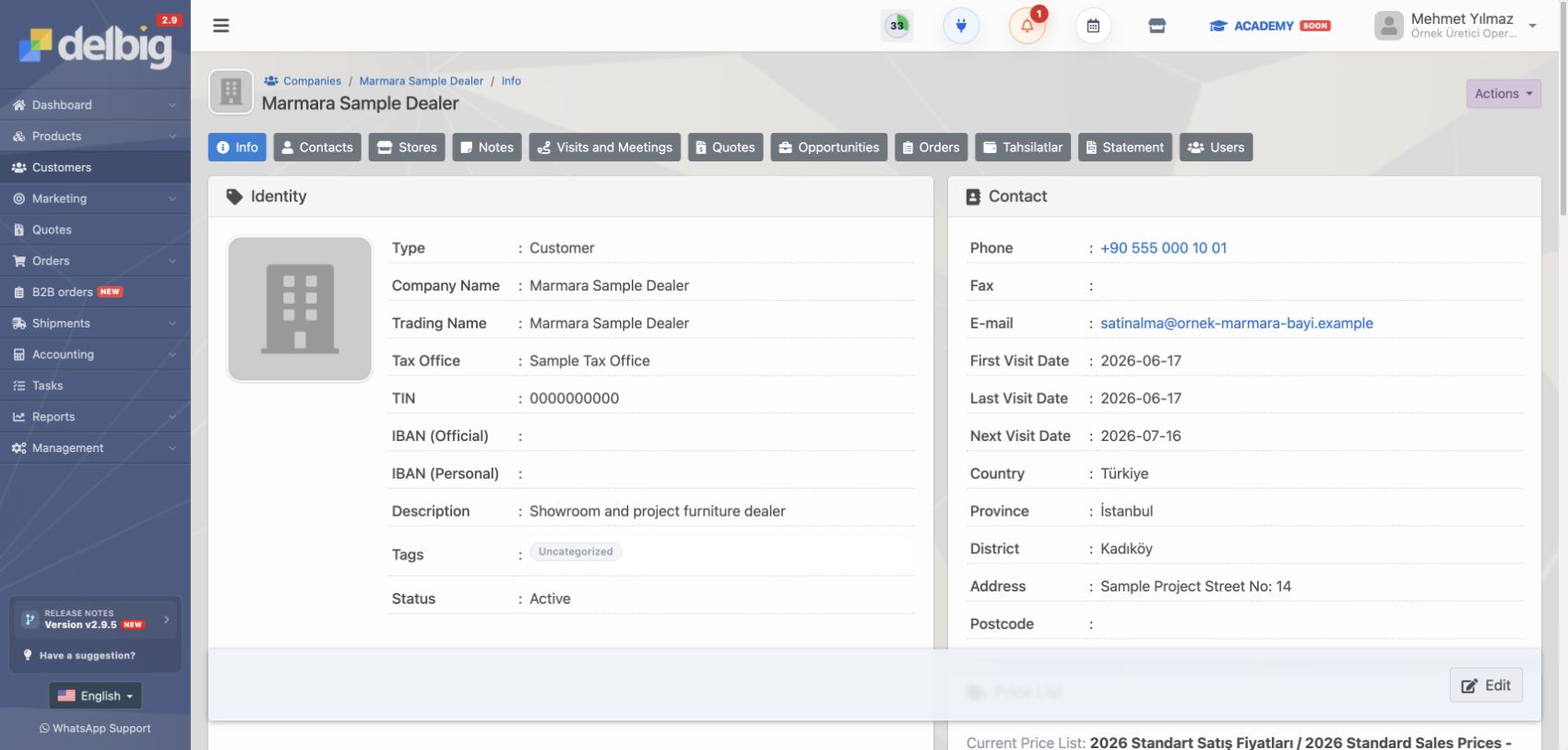
Raporlama ve ekip performansı için CRM dashboard, KPI grafikleri, görev ve hatırlatma görseli
Raporlama ve ekip performansı görselini büyüt

Rapor yalnızca sonuç tablosu değil, yönetim ekranıdır

Satış ve operasyon ekiplerinde rapor ihtiyacı çoğu zaman aynı sorularla başlar: Hangi ürün daha çok siparişe dönüyor, hangi kullanıcı daha çok teklif hazırlıyor, hangi müşteri tekrar takip bekliyor, hangi sipariş açık bakiye taşıyor, hangi tahsilat gecikiyor? Bu sorular ayrı ayrı Excel dosyalarından veya farklı ekranlardan okunursa yönetici aksiyona geçmekte gecikir.

Delbig CRM raporları ürün, müşteri, sipariş, kullanıcı, fırsat, ziyaret ve tahsilat bilgilerini aynı veri yapısından besler. Böylece ekip yalnızca rakamı değil, rakamın bağlı olduğu müşteri, teklif, sipariş, kullanıcı ve sonraki takip adımını da görebilir. Rapor ekranı bu yüzden günlük karar alma alanı gibi çalışır.

Delbig CRM ürün performans raporunda ürün, kategori, sipariş adeti, minimum, maksimum ve ortalama fiyat alanları
Ürün performans raporu hangi ürünlerin siparişe döndüğünü, kategori bilgisini ve fiyat aralığını aynı tabloda gösterir.

Kullanıcı ve ekip performansı tek bakışta okunur

Performans takibi yalnızca satış temsilcisini karşılaştırmak için kullanılmamalıdır. Doğru raporlama, iş yükünün nerede biriktiğini, hangi kullanıcının daha fazla açık bakiye taşıdığını, kimde takip bekleyen müşteri bulunduğunu ve hangi ekibin siparişe dönüşümde güçlenmesi gerektiğini gösterir.

Delbig’de kullanıcı bazlı raporlar teklif sayısı, sipariş sayısı, ortalama sipariş tutarı, iskonto oranı, kalan bakiye ve toplam tutar gibi alanları birlikte okuyabilir. Yönetici bu tabloyu haftalık toplantıda performans konuşmak için, satış lideri ise takip planını düzenlemek için kullanabilir.

Delbig CRM kullanıcı satış sıralamasında teklif, sipariş, ortalama sipariş, iskonto, kalan bakiye ve tutar alanları
Kullanıcı satış raporu ekip performansını teklif, sipariş, ortalama sipariş, kalan bakiye ve toplam tutar üzerinden görünür hale getirir.

Müşteri, ziyaret ve tahsilat raporları takip disiplinini güçlendirir

CRM raporlamasında en değerli bilgilerden biri müşteriye tekrar ne zaman dönüleceğidir. Ziyaret raporunda tamamlanan ve planlanan görüşmeler, son ziyaret tarihi ve sonraki ziyaret tarihi görüldüğünde ekip müşterinin yalnızca geçmiş kaydını değil, sıradaki temas noktasını da takip eder.

Tahsilat ve nakit akışı raporları da aynı şekilde günlük kararları etkiler. Alınan ödemeler, planlanan ödemeler, açık bakiye ve ödeme zamanı satış ekibinden finans ekibine kadar herkesin aynı durumu okumasını sağlar. Özellikle vadeli çalışan firmalarda raporun sipariş ve müşteri kaydıyla bağlantılı olması, tahsilat takibini ayrı bir dosya olmaktan çıkarır.

Bir müşteri raporunda yalnızca toplam satış tutarını görmek yeterli değildir. Son ziyaret, planlanan ziyaret, açık tahsilat, bekleyen teklif, fırsat aşaması ve sipariş durumu birlikte okunmalıdır. Delbig bu verileri müşteri geçmişiyle bağlantılı tuttuğu için rapor ekranı takip listesinin doğal devamı haline gelir.

  • Müşteri bazında son ve sonraki ziyaret tarihi izlenebilir.
  • Planlanan görüşmeler kullanıcı veya müşteri üzerinden raporlanabilir.
  • Tahsilat raporları sipariş ve müşteri kayıtlarıyla birlikte değerlendirilebilir.
  • Açık bakiye, planlanan ödeme ve gerçekleşen ödeme aynı yönetim bakışına bağlanır.
Delbig CRM müşteri ziyaret raporunda ziyaret, tamamlandı, planlanmış, son ziyaret ve sonraki ziyaret tarihleri
Müşteri ziyaret raporu son ziyaret ve sonraki ziyaret tarihlerini göstererek takip disiplinini güçlendirir.
Delbig CRM nakit akışı raporunda alınan ödemeler, planlanan ödemeler ve aylık tahsilat görünümü
Nakit akışı raporu alınan ve planlanan ödemeleri aylık olarak gösterir; tahsilat takibi müşteri ve sipariş kayıtlarıyla birlikte okunur.

AI destekli hatırlatma ve görevler raporu aksiyona çevirir

Standart ERP veya CRM sistemlerinde rapor çoğu zaman yöneticiye bir çıktı verir ve iş orada biter. Delbig’de amaç yalnızca raporu göstermek değildir; raporda görünen sinyali takip edilebilir aksiyona çevirmektir. Geciken tahsilat, uzun süredir kapanmayan teklif, yaklaşan müşteri ziyareti, bekleyen sipariş veya düşük dönüşüm gösteren kullanıcı gibi konular sistem içinde hatırlatma ve görev akışına bağlanabilir.

AI destekli yaklaşım burada raporu yorumlamaya yardımcı olur. Yönetici veya ekip, rapor içinden hangi kayıtların takip edilmesi gerektiğini daha hızlı fark eder; gerekli olduğunda ilgili kullanıcıya görev açabilir, sonraki temas tarihini belirleyebilir veya müşteriye dönüş planını netleştirebilir. Böylece rapor “geçen ay ne oldu?” sorusundan çıkıp “bugün ne yapmalıyız?” sorusuna cevap verir.

Rapor sinyali Delbig’de okunabilecek bağlam Aksiyona dönüşme şekli
Uzun süredir dönüşmeyen teklif Müşteri, teklif sahibi, tutar, son hareket ve bekleme süresi birlikte görülür. Satış temsilcisine takip görevi veya müşteri arama hatırlatması oluşturulabilir.
Yaklaşan veya geciken tahsilat Sipariş, müşteri, kalan bakiye, ödeme yöntemi ve planlanan tarih birlikte değerlendirilir. Finans veya satış ekibine tahsilat takip görevi açılabilir.
Ziyaret zamanı gelen müşteri Son ziyaret, planlanan ziyaret ve sorumlu kullanıcı raporda görünür. Yeni ziyaret planı, görüşme notu veya müşteri takip görevi oluşturulabilir.
Düşük dönüşüm gösteren kullanıcı Teklif sayısı, sipariş sayısı, ortalama sipariş ve iskonto davranışı birlikte okunur. Yönetici ekip görüşmesi, eğitim, görev dağılımı veya hedef takibi planlayabilir.
Açık sipariş veya operasyon riski Sipariş durumu, sevkiyat, stok, tedarikçi veya teslimat bilgisiyle birlikte okunur. Operasyon ekibine kontrol görevi, sevkiyat planı veya müşteri bilgilendirme aksiyonu verilebilir.

Özel rapor ihtiyacı olan firmalar için uyarlanabilir yapı

Her firma aynı raporu istemez. Bir firma kullanıcı bazlı satış performansına, başka bir firma tahsilat ve açık bakiye raporuna, başka bir firma ise ürün veya sipariş karlılığına daha fazla önem verebilir. Delbig’in raporlama yapısı mevcut standart raporların yanında özel rapor taleplerine de uyarlanabilir.

Bu yapı özellikle farklı satış ekipleri, bayi ağı, showroom, saha satış, proje bazlı satış veya tedarikçiyle çalışan operasyonlar için önemlidir. Firma kendi karar mekanizmasına göre görmek istediği alanları, filtreleri, tarih aralıklarını ve kullanıcı kırılımlarını talep edebilir.

Frequently asked questions

Kullanıcı bazlı rapor alınabilir mi?

Evet. Delbig’de kullanıcı bazlı satış ve performans raporları teklif sayısı, sipariş sayısı, ortalama sipariş, iskonto, kalan bakiye ve toplam tutar gibi alanlarla takip edilebilir.

Tahsilat raporu siparişlerle birlikte okunabilir mi?

Evet. Tahsilat ve nakit akışı raporları müşteri, sipariş, ödeme yöntemi, planlanan tarih ve gerçekleşen ödeme bilgisiyle birlikte değerlendirilebilir.

Raporlardan görev veya hatırlatma oluşturulabilir mi?

Evet. Raporlarda görülen geciken tahsilat, takip bekleyen müşteri, yaklaşan ziyaret veya kapanmayan teklif gibi kayıtlar görev ve hatırlatma akışına bağlanabilir. AI destekli yaklaşım bu sinyallerin daha hızlı fark edilmesine yardımcı olur.

Özel rapor talep edilebilir mi?

Evet. Standart raporların dışında firmanın ihtiyaç duyduğu kullanıcı, müşteri, ürün, sipariş, tahsilat veya operasyon kırılımlarına göre özel rapor talepleri değerlendirilebilir.

Raporları ekibiniz için aksiyona dönüştürün

Satış, müşteri, sipariş, tahsilat ve kullanıcı performansını Delbig CRM’de ölçün; takip gerektiren işleri görev ve hatırlatmalarla görünür hale getirin.

Request a meeting View pricing

Reporting and Team Performance: Measure Sales, Orders, Customers, Collections and Follow-Up Actions Together

Reporting is not only a table that shows what happened in the past. In Delbig CRM, product, order, customer, user, visit, opportunity and collection reports help managers speak the same language with the team and start the right actions faster. The key difference is that reports are not only presented; the items that need attention can turn into reminders, tasks and next follow-up actions.

Reporting and team performance visual with CRM dashboard, KPI charts, tasks and reminders
Enlarge reporting and team performance visual

A report is not only an output table; it is a management screen

Sales and operations teams usually ask similar reporting questions: which products convert into orders, which user prepares more quotes, which customer needs another follow-up, which order has an outstanding balance, and which collection is getting late? If these questions are read from separate spreadsheets or disconnected screens, management loses time before taking action.

Delbig CRM reports use the same data structure for products, customers, orders, users, opportunities, visits and collections. The team can see not only the number, but also the customer, quote, order, user and next action behind that number. That makes the reporting screen a daily decision workspace.

Delbig CRM product performance report with product, category, order count, minimum, maximum and average price fields in English
The product performance report shows which products turn into orders, their category and price range in the same table.

User and team performance becomes easier to read

Performance reporting should not be used only to compare sales representatives. A good report shows where workload is accumulating, which user carries more outstanding balance, which customers are waiting for follow-up and where the team needs stronger conversion support.

In Delbig, user-based reports can read quote count, order count, average order amount, discount rate, outstanding balance and total amount together. A manager can use this table in weekly meetings, while a sales lead can use it to organize follow-up plans.

Delbig CRM user sales standings with quotes, orders, average order, discount, outstanding balance and amount in English
The user sales report makes team performance visible through quote count, order count, average order, outstanding balance and total amount.

Customer, visit and collection reports strengthen follow-up discipline

One of the most valuable pieces of CRM reporting is knowing when to contact the customer again. When completed visits, planned visits, last visit date and next visit date are visible, the team follows not only customer history but also the next touchpoint.

Collection and cash flow reports affect daily decisions in the same way. Received payments, planned payments, outstanding balance and payment timing help sales and finance teams read the same situation. For companies working with due dates and installments, keeping the report connected to orders and customers removes the need for a separate manual file.

Seeing only total customer revenue is not enough. Last visit, next planned visit, open collection, waiting quote, opportunity stage and order status should be read together. Since Delbig keeps this data connected to customer history, the report becomes a natural continuation of the follow-up list.

  • Last and next visit dates can be tracked by customer.
  • Planned meetings can be reported by user or customer.
  • Collection reports can be evaluated together with order and customer records.
  • Outstanding balance, planned payment and received payment connect to the same management view.
Delbig CRM customer visit report with visits, completed, planned, last visit and next visit dates in English
The customer visit report shows last and next visit dates, strengthening follow-up discipline.
Delbig CRM cash flow report with received payments, planned payments and monthly collection view in English
The cash flow report shows received and planned payments by month; collection tracking can be read with customer and order records.

AI-supported reminders and tasks turn reports into action

In standard ERP or CRM systems, a report often gives management an output and stops there. Delbig’s goal is not only to display reports; it is to turn reporting signals into trackable actions. Late collections, quotes that have not closed for a long time, upcoming customer visits, pending orders or users with low conversion can be connected to reminders and task workflows inside the system.

The AI-supported approach helps the team interpret reports faster. A manager or user can notice which records need attention, create a task for the relevant user, set the next contact date or clarify the customer follow-up plan. The report moves beyond “what happened last month?” and starts answering “what should we do today?”

Reporting signal Context visible in Delbig How it turns into action
Quote waiting too long Customer, owner, amount, last activity and waiting time can be read together. A follow-up task or call reminder can be created for the sales representative.
Upcoming or late collection Order, customer, outstanding balance, payment method and planned date are evaluated together. A collection follow-up task can be assigned to finance or sales.
Customer visit is due Last visit, planned visit and responsible user are visible in the report. A new visit plan, meeting note or customer follow-up task can be created.
User with low conversion Quote count, order count, average order and discount behavior can be read together. The manager can plan a team review, training, task distribution or target follow-up.
Open order or operational risk Order status can be read with shipment, inventory, supplier or delivery information. The operations team can receive a control task, shipment plan or customer update action.

Adaptable structure for custom reporting needs

Every company does not need the same report. One company may focus on user-based sales performance, another may focus on collections and outstanding balances, while another may need product or order profitability. Delbig’s reporting structure can support custom report requests in addition to standard reports.

This is especially useful for teams working with multiple sales groups, dealer networks, stores, field sales, project-based sales or supplier operations. The company can request the fields, filters, date ranges and user breakdowns that match its decision process.

Frequently Asked Questions

Can I get user-based reports?

Yes. In Delbig, user-based sales and performance reports can track quote count, order count, average order, discount, outstanding balance and total amount.

Can collection reports be read with orders?

Yes. Collection and cash flow reports can be evaluated with customer, order, payment method, planned date and received payment information.

Can reports create tasks or reminders?

Yes. Records such as late collections, customers waiting for follow-up, upcoming visits or quotes that have not closed can be connected to task and reminder workflows. The AI-supported approach helps these signals become visible faster.

Can we request a custom report?

Yes. In addition to standard reports, custom report requests can be evaluated according to the user, customer, product, order, collection or operations breakdowns your company needs.

Turn reports into action for your team with Delbig

Measure sales, customers, orders, collections and user performance in Delbig CRM; make follow-up work visible with tasks and reminders.

Request a meeting View pricing