
Add-on Module
Dealer Portal and B2B Dealer Ordering System
An add-on module for manufacturers and distributors that want to connect dealer catalog, dealer cart, B2B order requests, approvals, revisions and dealer account visibility with Delbig.
4,750 TL / yr + VAT
Added to the main package
Short Answer
What is the Delbig Dealer Portal?
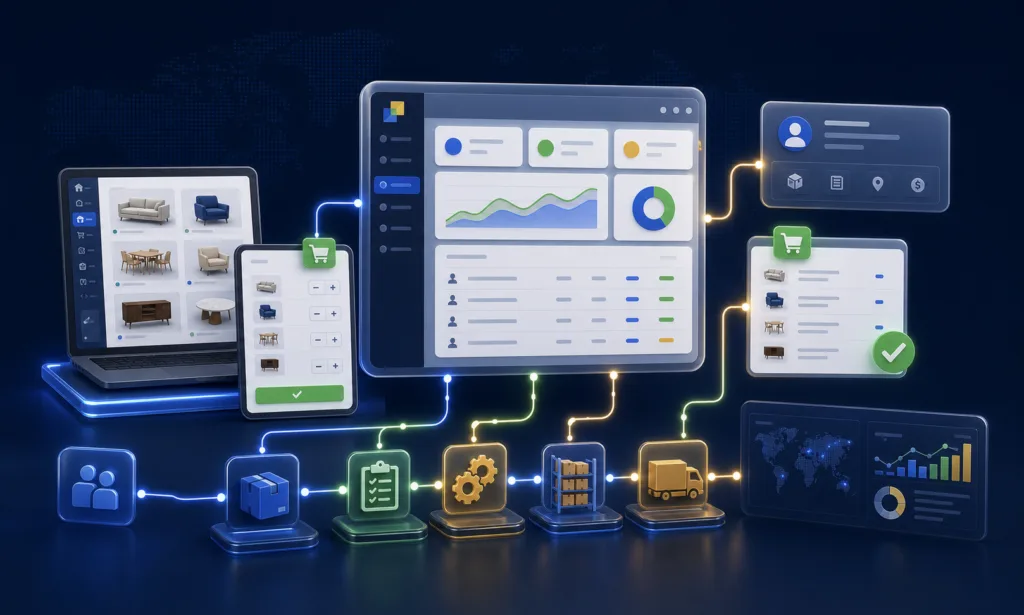
Delbig Dealer Portal opens a controlled login area for your dealers. Dealers can see assigned products, prices, cart, order requests, order status, statements and balances, while your internal team keeps the request connected to CRM, quote, order and operational records.
Manufacturers with dealer networks
When dealers select products from a portal and send order requests to the central team, this module fits naturally.
Distributors and wholesale teams
It organizes dealer groups, price lists and approval workflows where different customers work under different commercial rules.
Brands that need a B2B catalog
If dealers need to view products, choose quantities, add notes and submit requests, the catalog/cart flow becomes important.
Not mandatory for every producer
If you have no dealer network or all orders are managed directly by your sales team, this module does not need to be added.
Workflow Proof
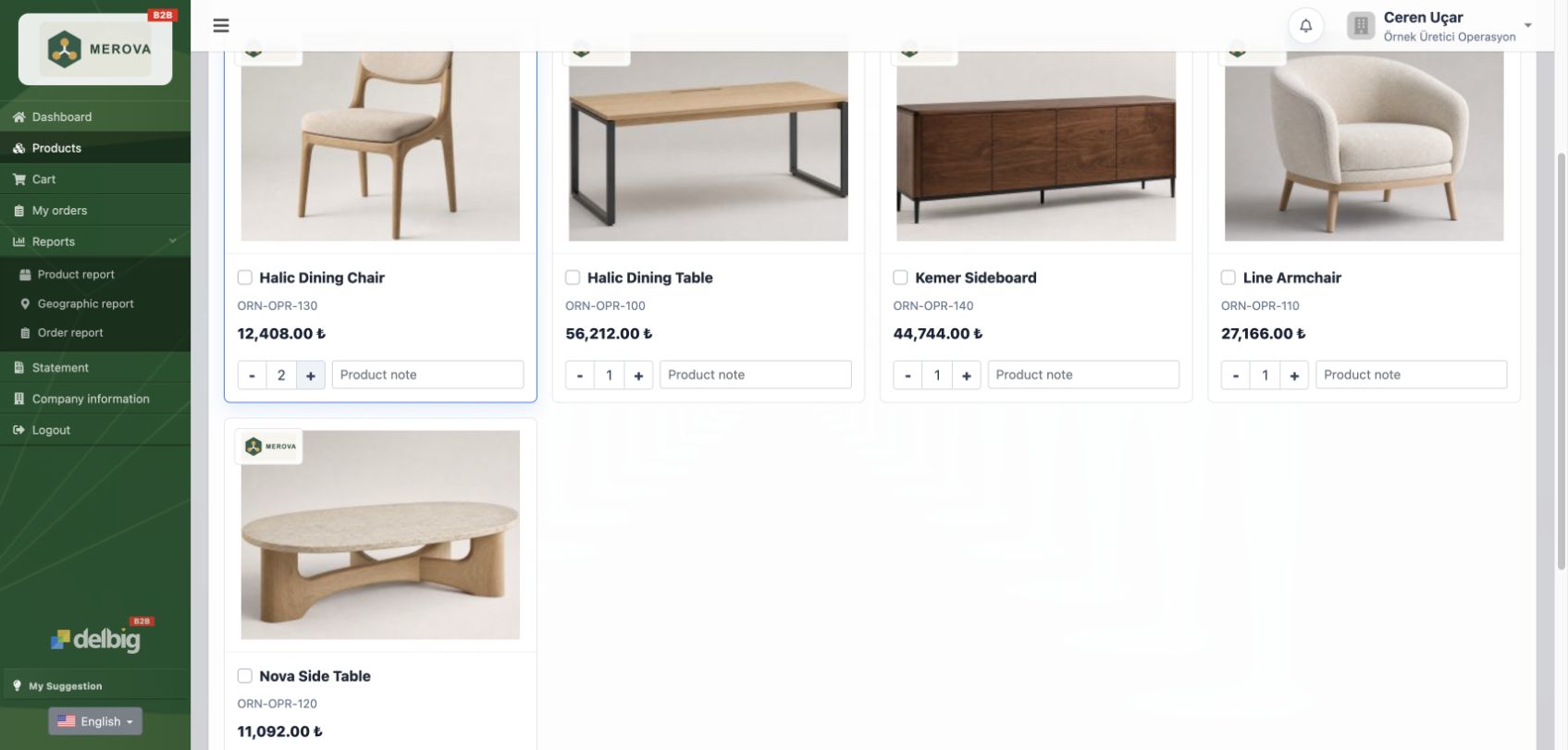
The dealer selects products, sees prices and creates an order request from the cart
Dealer orders arriving by phone, WhatsApp or Excel often create missing products, wrong prices and forgotten notes. The portal turns this into a visible product card, price, quantity, product note and cart workflow.
- Dealers view authorized products, select items and check dealer prices on the same screen.
- Quantities and product notes become a cart request before the central team reviews it.
- The central team can approve, revise or cancel the incoming request.
Short Answer
A dealer request should become an operational record, not a scattered message
A dealer order is not only a product name and quantity. The system should answer which dealer asked for which products, which price list applies, whether there are notes, whether the request is approved and how the balance looks.
When this information stays in messages, the dealer cannot track status and the internal team cannot prioritize the operation clearly. Delbig connects the dealer request with central approval and order tracking.
Module Scope
What features are included in the Dealer Portal module?
The module adds a dealer login area and B2B order workflow on top of the selected main package. With Manufacturer Operations, quote, catalog, price list, dealer order and central approval become easier to connect.
Dealer login
Dealers enter the portal with assigned users and only see the areas they are allowed to access.
Dealer product catalog
Product visuals, options, descriptions and price visibility can be arranged according to your dealer structure.
Cart and order request
Dealers add products to cart, enter quantity and notes, then send the request to the central team.
Approval and revision flow
The central team can approve a dealer order, request a revision or move it to cancellation.
Dealer statement and balance
Depending on your business model, statement and balance visibility can be shown in a controlled way.
Dealer price lists
Different price visibility can be planned by dealer group, customer type or currency.
Access permissions
Which dealer can see which product, company, store or order information can be managed separately.
Central operation link
Dealer requests can be linked with Delbig order, CRM and operational records.
Workflow Proof
Dealer orders and central approval stay in the same workflow
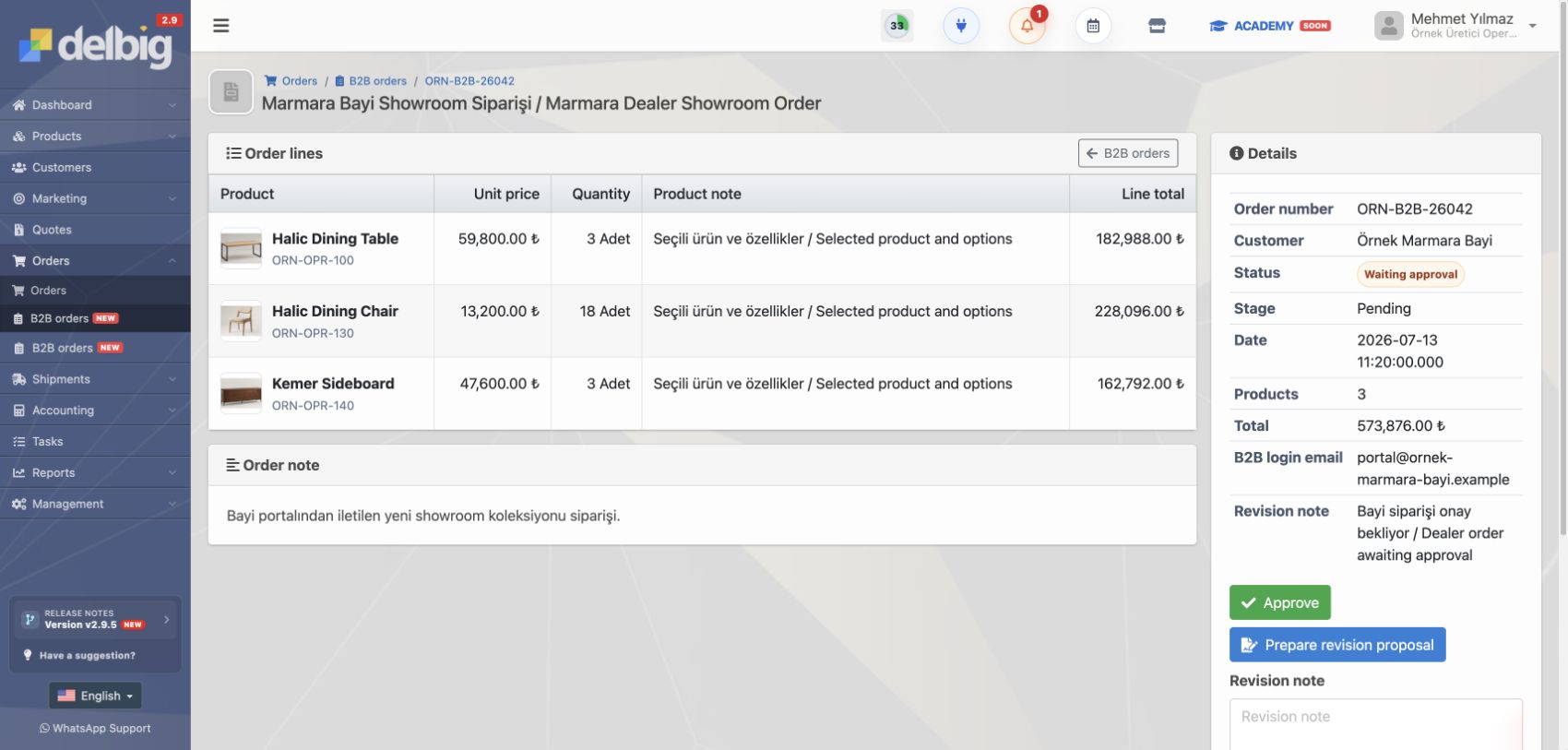
The portal is not just a login screen. Dealer order history, the central approval queue and the B2B order detail work together.

Portal order history
Dealers can follow submitted requests from their own screen and separate waiting, revised, approved or cancelled orders.

Central order queue
Incoming B2B requests stay separate from normal orders; the central team can approve, revise, propose a revision or cancel them.

B2B order detail
Product rows, dealer information, totals, notes and central decisions stay visible in one B2B order record.
Example Flow
How does a dealer order move in Delbig?
- Dealer logs in. The dealer reaches catalog, cart, order and finance visibility according to permission.
- Products are selected. Quantities and notes are entered from product cards and added to the cart.
- Order request is sent. The request arrives in Delbig as a B2B order.
- Central team reviews it. The request can be approved, revised or cancelled.
- It connects to operation. Approved dealer requests are linked with order and follow-up processes.
- Dealer tracks status. Order, balance and related information become easier to read from the portal.
Positioning
How is Delbig Dealer Portal different from a generic B2B e-commerce tool?
Generic B2B e-commerce tools usually focus on storefront, product display and online ordering. Delbig Dealer Portal keeps dealer requests close to CRM, price lists, order approval, central operation and account visibility.
It should not be sold as a standalone main package. It is usually added on top of Manufacturer Operations for producers and distributors with dealer networks.
Generic B2B e-commerce
Storefront, product display, cart and sales channel are the priority. CRM and operational connection often require separate work.
Delbig Dealer Portal
Dealer requests are managed together with catalog, price list, B2B order, central approval, statement and Delbig operation records.
Related Pages
Which modules should be reviewed with the Dealer Portal?
Dealer Portal is added only when needed. The strongest fit is usually manufacturers and distributors with dealer networks.
Production / MRP
If dealer orders need to trigger production orders, BOM, routes or production cost tracking, review MRP as a separate module.
API / Integration
If website, custom dealer infrastructure, product/price sync or external systems are involved, plan integration together.
If dealer or customer communication needs WhatsApp templates, Meta connection and conversation tracking, review WhatsApp.
Pricing configurator
Select the main package and optional modules to see the yearly total before checkout.
Module Fee
Dealer Portal module price
4,750 TL / yr + VAT is shown as the current annual fee. This module is added on top of the selected main package when needed.
The price is not hardcoded on this page; when the WooCommerce product price changes, this amount is updated automatically.
Help
Frequently asked questions
Who is the Dealer Portal suitable for?
Manufacturers, distributors, wholesale brands and companies that receive regular orders from dealers. It is not a standard need for pure retail store operations.
Is Dealer Portal a main package?
No. Dealer Portal is an add-on module. It is added on top of a suitable main package when a dealer network exists.
Can dealers see prices?
Price visibility can be planned by company policy, dealer group, price list, currency or customer type.
Does a dealer request become an order directly?
The request is tracked as a B2B order in Delbig. The central team can approve, revise or cancel it before connecting it to operations.
Does it replace a full B2B e-commerce site?
It can provide catalog and order flow, but it should be considered as a dealer ordering system connected with Delbig operations.
Should it be added to Store Operations?
Not for every store. If the company is only a buy-sell retail operation, Dealer Portal may not be meaningful unless a dealer/distributor structure exists.
Open a controlled ordering portal for your dealers
If you want dealer login, product catalog, cart, B2B orders, approvals, revisions, statements and dealer price visibility inside the Delbig workflow, select the Dealer Portal module on the pricing page and calculate the total.