
Inventory Management and Warehouse Tracking Software
Inventory management is more than a single total. Delbig shows where each item is stored and separates on-hand, reserved, available and outbound quantities on the same operational record.
Separate on-hand, reserved, available and outbound stock
Sales teams see what is truly available while warehouse teams keep physical stock, reservations and outbound quantities distinct.
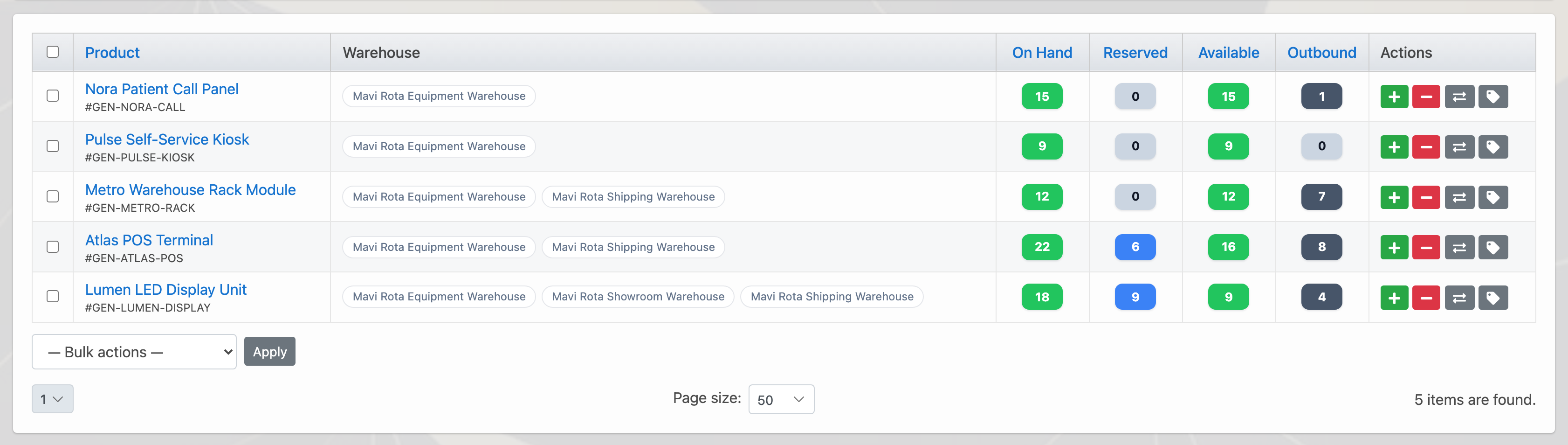
Track multiple warehouses from one workspace
Main storage, shipping, showroom and temporary locations remain separate by product and quantity without losing the consolidated view.
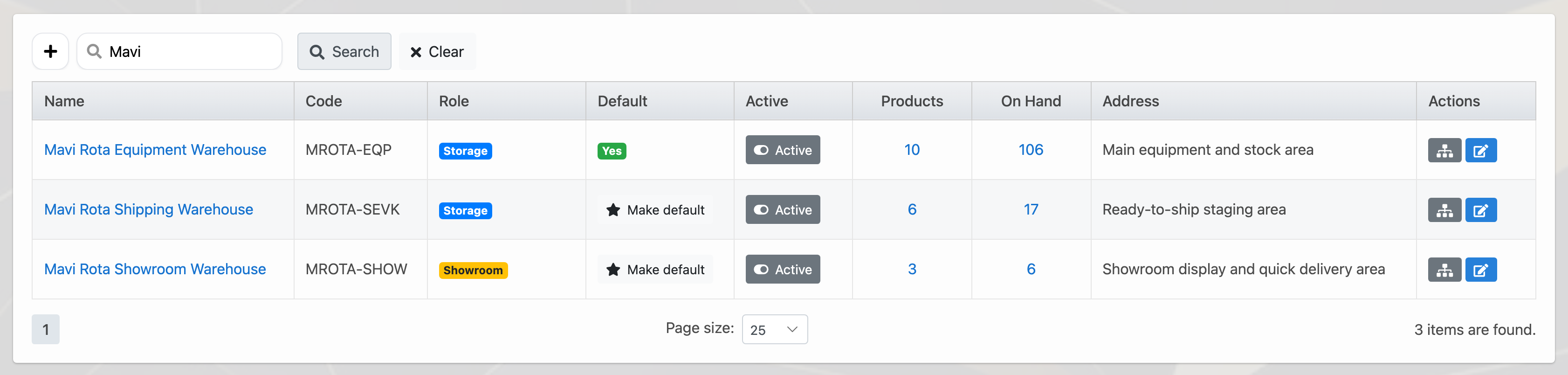
Connect movements, transfers, counts and labels
Receipts, issues and transfers create movement history. Counts and barcode/QR labels keep the physical item connected to its system identity.
Explain every stock change through its source
When a movement is linked to an order, purchase, reservation or shipment, the team can see why quantity changed without a separate spreadsheet.
Frequently asked questions
Can one product be tracked across multiple warehouses?
Yes. Quantity is separated by warehouse while the consolidated stock view remains available.
Is reserved stock separated from available stock?
Yes. Reserved quantity is shown separately so sales and warehouse teams see what is truly available.
Review this workflow with Delbig
Share your sales, quoting, stock or operation flow with us; we will map the right Delbig setup for your team in a short meeting.