
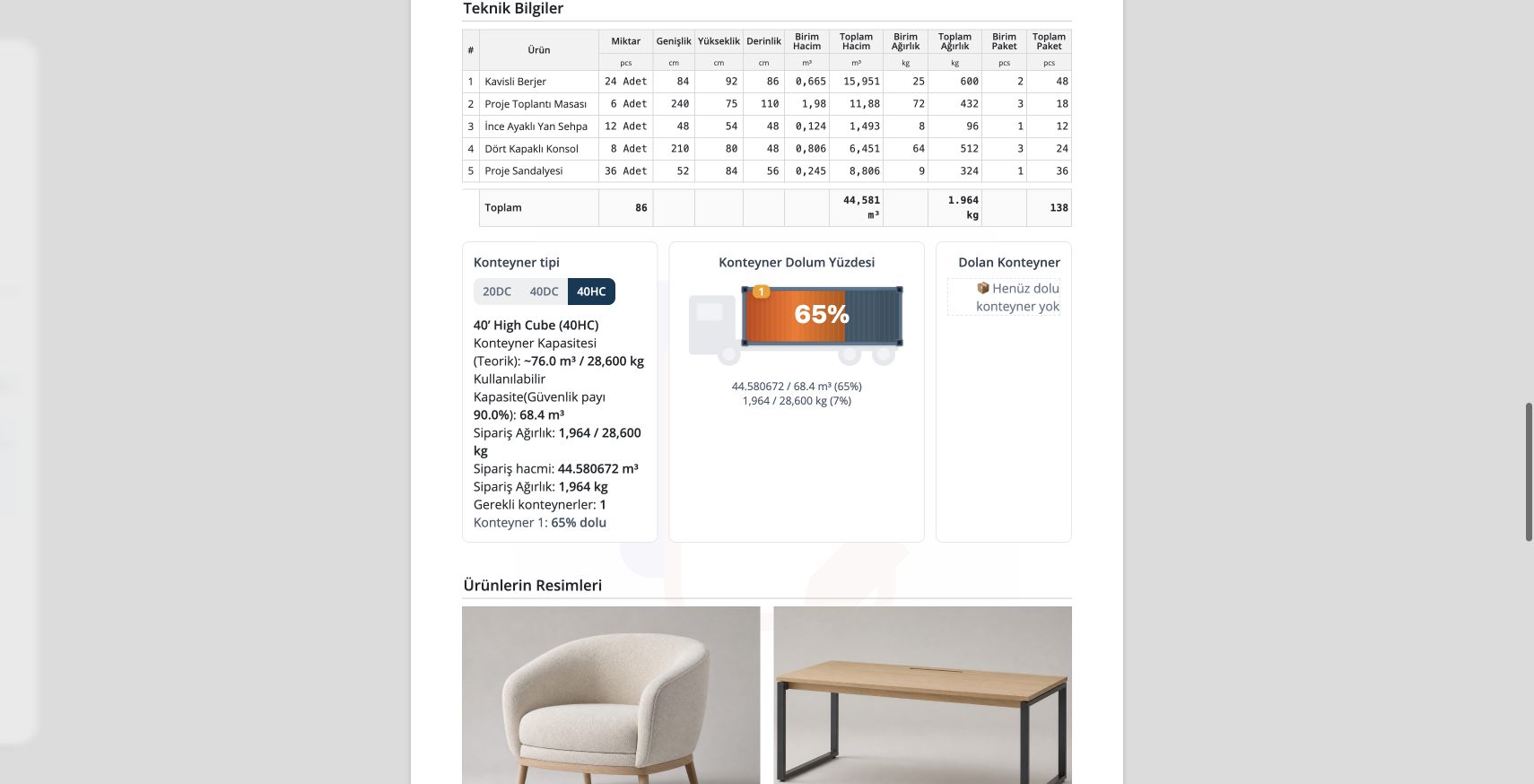
In export sales, a proforma is more than a price document. It carries product lines, dimensions, CBM, weight, package count, container calculation, PDF or Excel and Packing List outputs. Export proforma workflows should keep price, technical and loading information together. CBM, weight, packages and container calculation should be part of the sales file. Delbig connects proforma output with customer sharing, visit tracking and operational documents. In export sales, dimensions, package count, CBM, weight and container impact matter as much as price. If these details are separated from the quote, loading planning becomes difficult. Delbig can manage export proforma workflows with products, prices, customers, technical details, PDF or Excel outputs and sharing history in the same sales record. CBM shows the volume impact of products on container or transport planning. It is critical for export furniture sales and loading decisions. The document type can be separate, but using the same sales and product data reduces mistakes.
Document and operations control for export sales
Which details matter in export proforma?
How does Delbig support export sales?
Frequently asked questions
Why is CBM important?
Should Packing List be separate from proforma?
Related Delbig pages
Review this workflow with Delbig
Share your sales, quoting, stock or operation flow with us; we will map the right Delbig setup for your team in a short meeting.