
Employee details and documents in one authorised record
Employee Personnel File and Document Tracking Software
Delbig employee personnel file and document tracking software organises profile details, contracts and employee documents by type, description and expiry date in the same employee card.
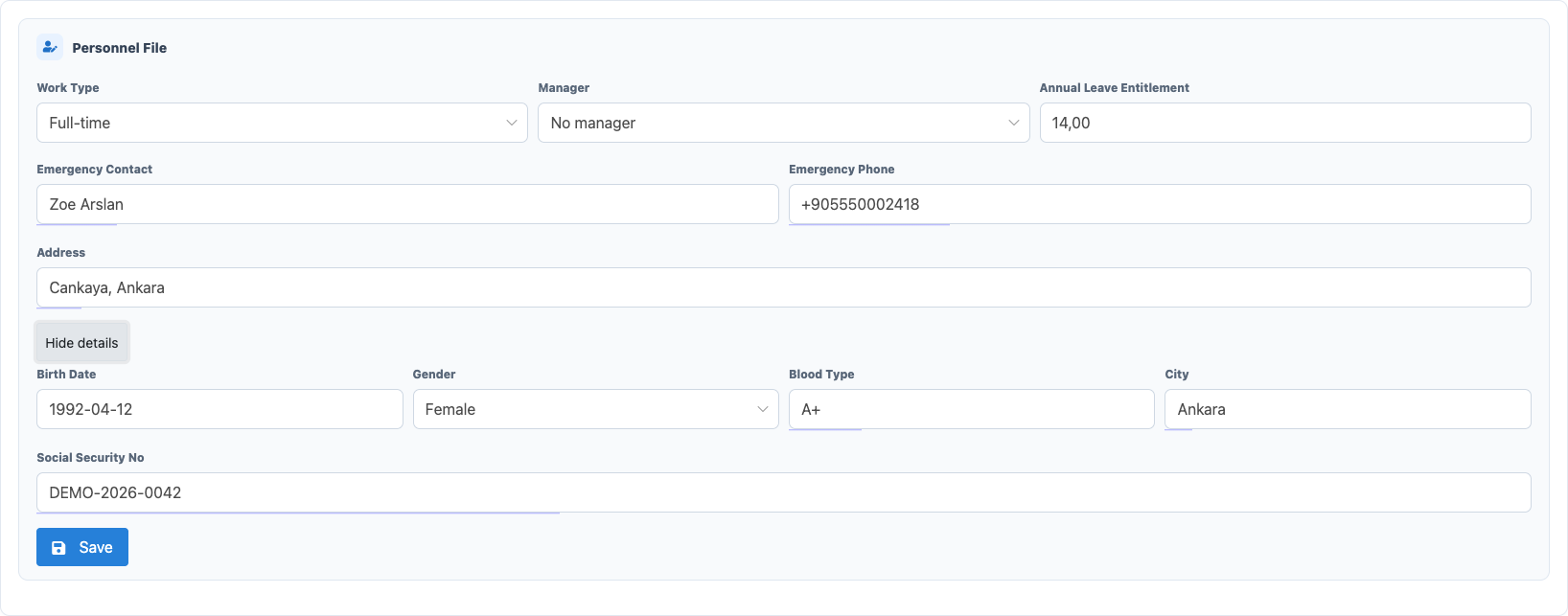
Organise personnel details in the employee card
Keep work type, manager, annual leave entitlement, emergency contact, address, birth date, city, blood type and social security number alongside the employee profile.
Classify contracts and employee documents
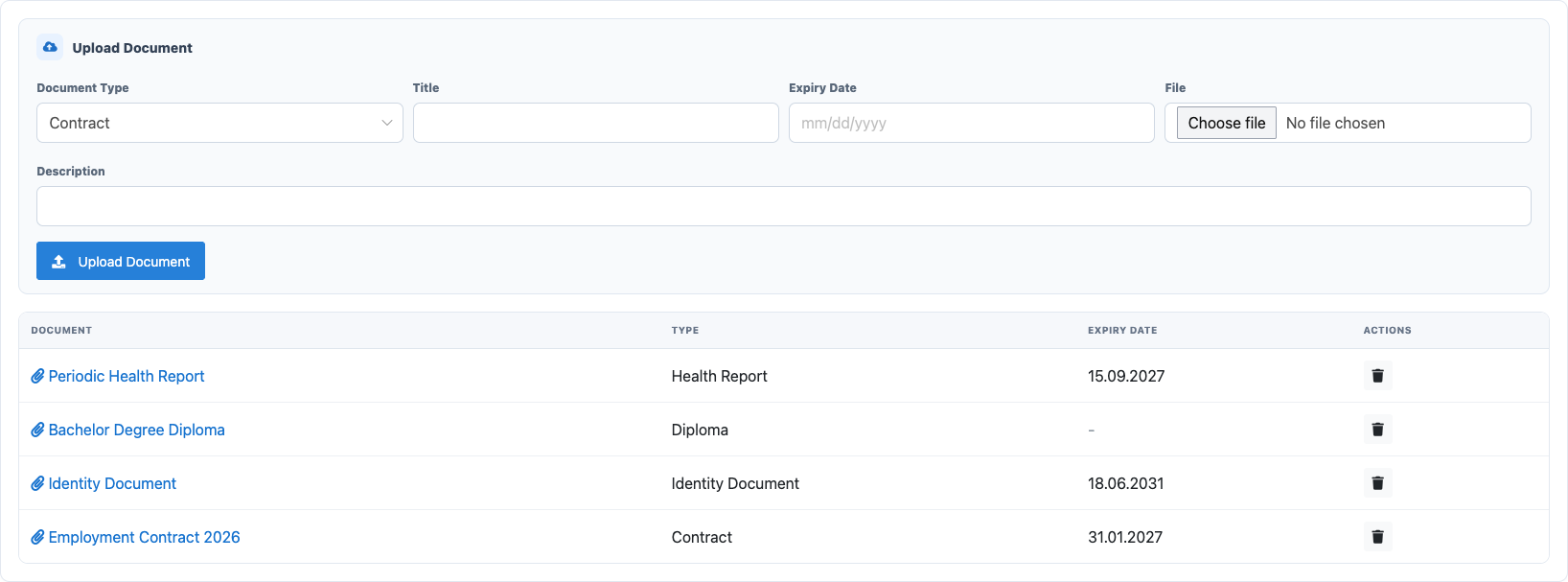
Attach contracts, identity documents, diplomas, health reports, social security documents and other records to the relevant employee with a title, description and file.

See expiry dates in the document list
The document title, type and optional expiry date remain visible in one list, making validity checks available directly from the employee card.
Control sensitive records with permissions
Profile and document viewing and editing use separate permissions. Authorised users can review the record, add or delete documents, while private PDF downloads recheck access.
Frequently asked questions
Which employee documents can be recorded?
Contracts, identity documents, diplomas, health reports, social security documents and other files can be linked to the employee.
Can document expiry dates be tracked?
Yes. An optional expiry date can be stored and shown in the document list; automatic reminders are not included here.
Does Delbig provide e-signatures or automatic missing-document reminders?
No. This page covers permission-based profile and document records. E-signatures, employee self-service and automatic missing-document workflows require separate scope.
Review your employee file and document process with Delbig
Share how you manage employee details, document types and access responsibilities; we will review the appropriate Delbig setup with your team.