
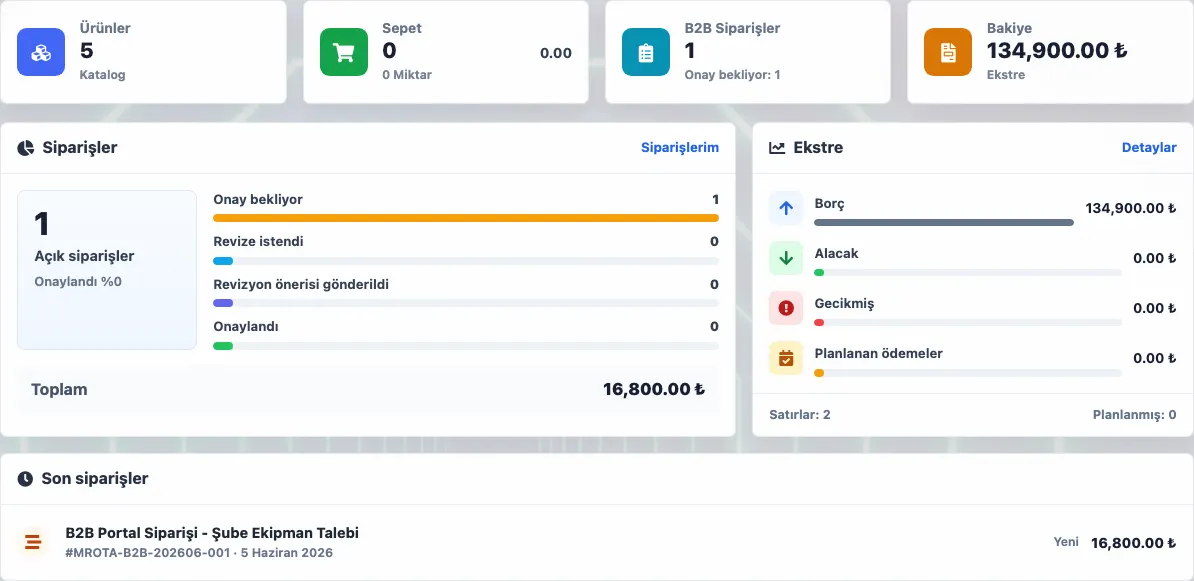
Dealer price list and B2B order management means showing each dealer the right products and prices, routing cart requests into an approval queue and connecting orders to inventory and shipment. A dealer portal does not have to show the same price to every dealer. Delbig focuses on handling dealer orders through a separate internal approval flow. After approval, product, inventory, warehouse and shipment visibility remains connected. In wholesale and dealer networks, not every customer should see the same products, prices or stock information. When permissions, price lists and product visibility are separate, negotiation and correction work increases before each order. A portal request does not always become a confirmed order immediately. The sales team checks quantity, price, stock and delivery plan, then moves suitable requests into order operations. No. Product visibility and price lists should be configured by customer or dealer authorization. Usually not. A separate approval queue is safer for price and stock control.
A dealer portal is more than a catalog
Dealers need the right product and price visibility
The internal team should approve B2B requests separately
Frequently asked questions
Does every dealer need to see every product?
Should B2B orders be approved automatically?
Related Delbig pages
Review this workflow with Delbig
Share your sales, quoting, stock or operation flow with us; we will map the right Delbig setup for your team in a short meeting.