
Supplier Price Comparison and Procurement Software
Delbig links one product to multiple suppliers and keeps supplier-specific product codes, currency-based net buy prices and price history visible within the procurement workflow.
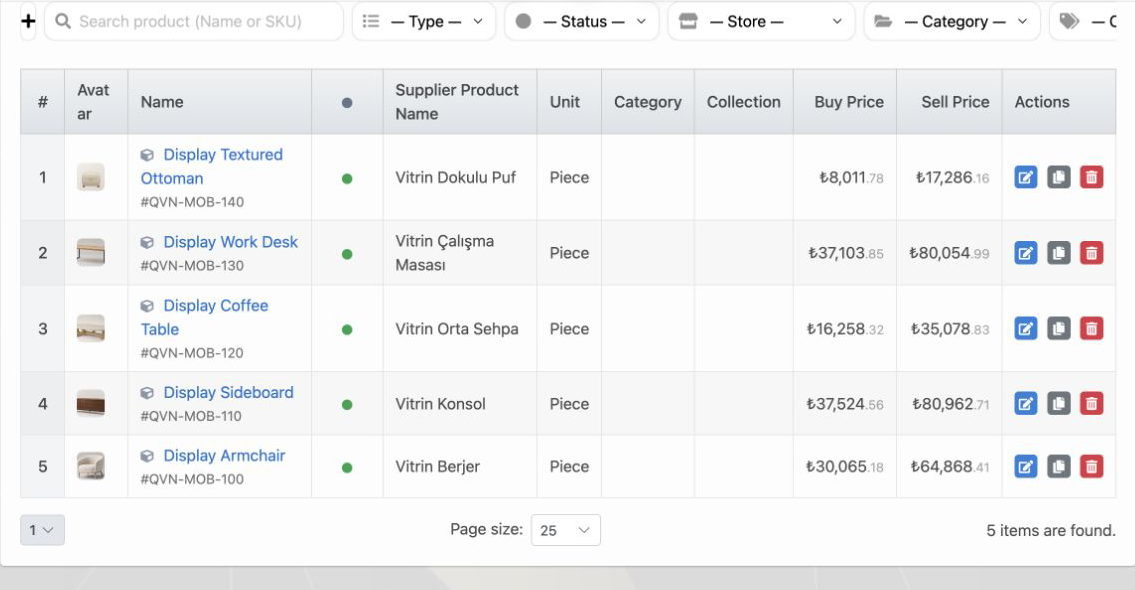
Compare suppliers and buy prices for the same product
Link multiple suppliers to a product and keep each supplier’s item name, code, default status, currency, tax, discount and net buy price in one record. This creates a consistent basis for comparing quotations.
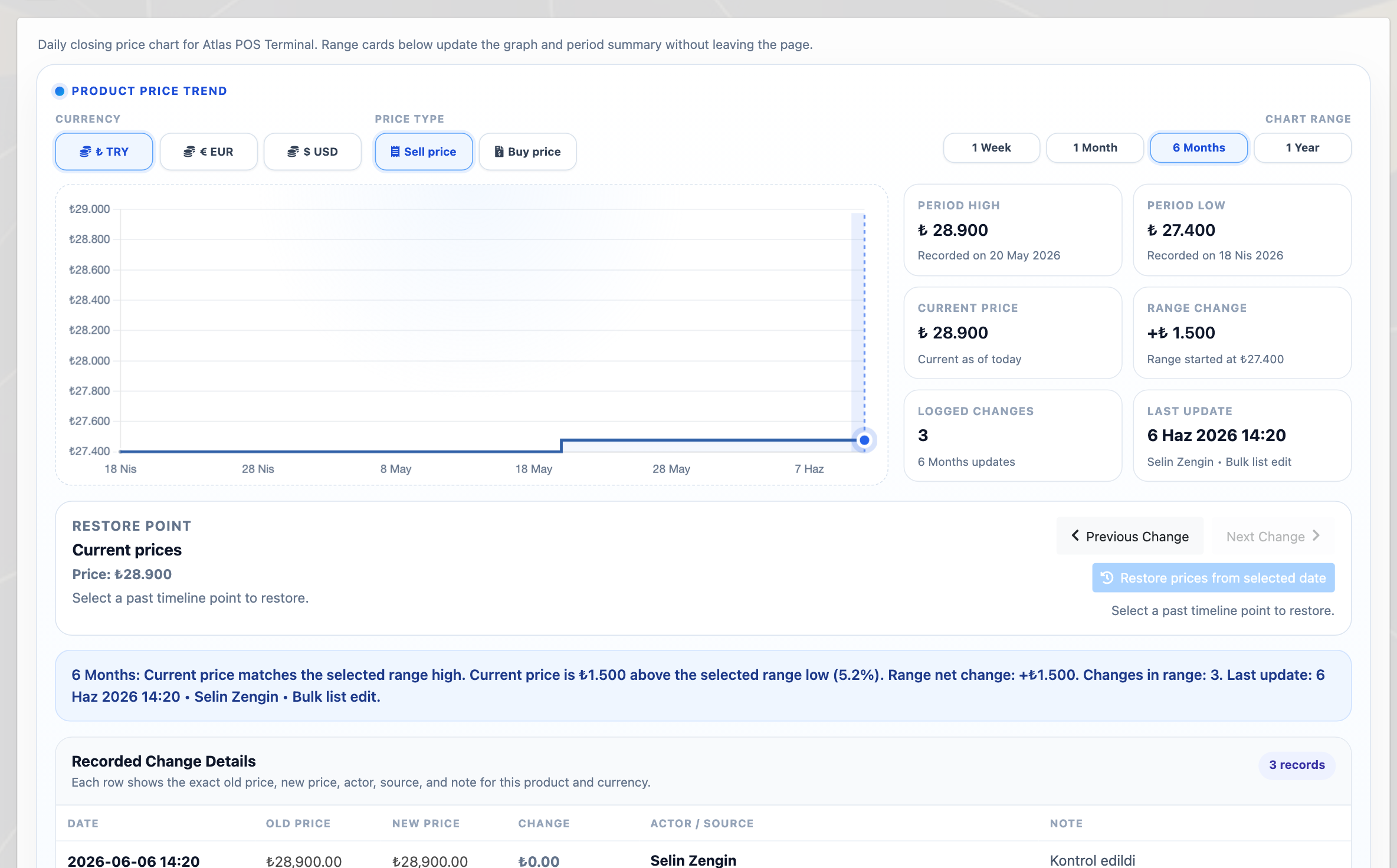
Review price-change history with its source
Old and new net buy prices, currency, change time and source remain in history, allowing procurement teams to review price movement without relying on memory or separate files.
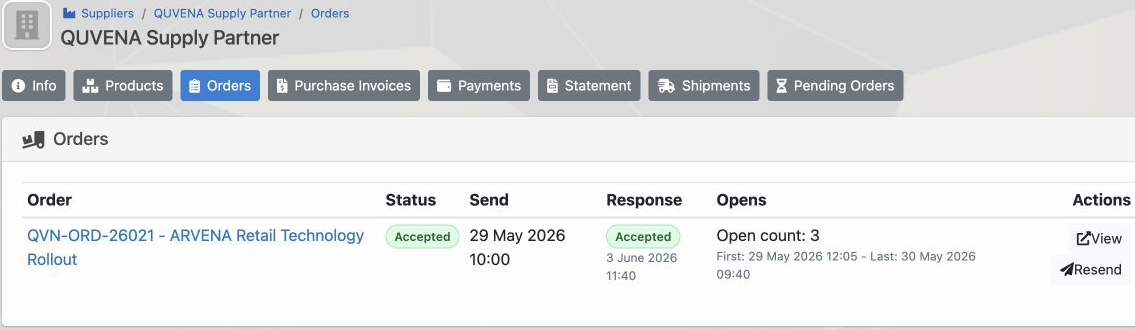
Manage orders, ETA and warehouse receiving together
Follow supplier response, expected date, received quantity and pending lines within the same purchase-order workflow.
Connect invoices with supplier finance
Connect purchase-invoice lines with warehouse intake. Payments, checks, transfers and supplier statements remain in the same account history.
Frequently asked questions
Can Delbig compare supplier prices?
Yes. Multiple suppliers, supplier-specific item codes, currencies and net buy prices can be stored for the same product, creating a comparable product-price record.
Does Delbig keep supplier price history?
Yes. Old and new buy prices, currency, date and change source remain in history.
Can a purchase order be received partially?
Yes. Received and pending quantities can be tracked by line.
Does Delbig create an automatic vendor scorecard?
The current scope makes prices, price history, orders, expected dates, receipts and financial records visible. This page does not promise an automatic weighted quality or on-time-delivery scorecard.
Review this workflow with Delbig
Share your sales, quoting, stock or operation flow with us; we will map the right Delbig setup for your team in a short meeting.