
Furniture price list management means keeping product prices, currencies, bulk updates, customer or user assignments and PDF/Excel outputs connected to the quote workflow. If the price list is separate from quoting, teams return to old Excel files. Delbig keeps price, product, customer and quote data in one record structure. Bulk price edits, price history, PDF and Excel outputs make sales control stronger. In furniture sales, price may change by product, collection, currency, dealer rule, campaign or customer agreement. When those values are copied manually into quotes, old prices and inconsistent customer pricing become likely. In Delbig, product records, price lists, customer assignments and quote rows move in the same workflow, so the team manages price as part of the quote-to-order process instead of as a separate table. They can at the beginning, but as products, customers, dealers, currencies and quotes grow, Excel creates control and old-price risks. Yes. The goal is to keep product, price, customer and quote rows moving from the same data structure.
Keep prices, products and quotes on one source
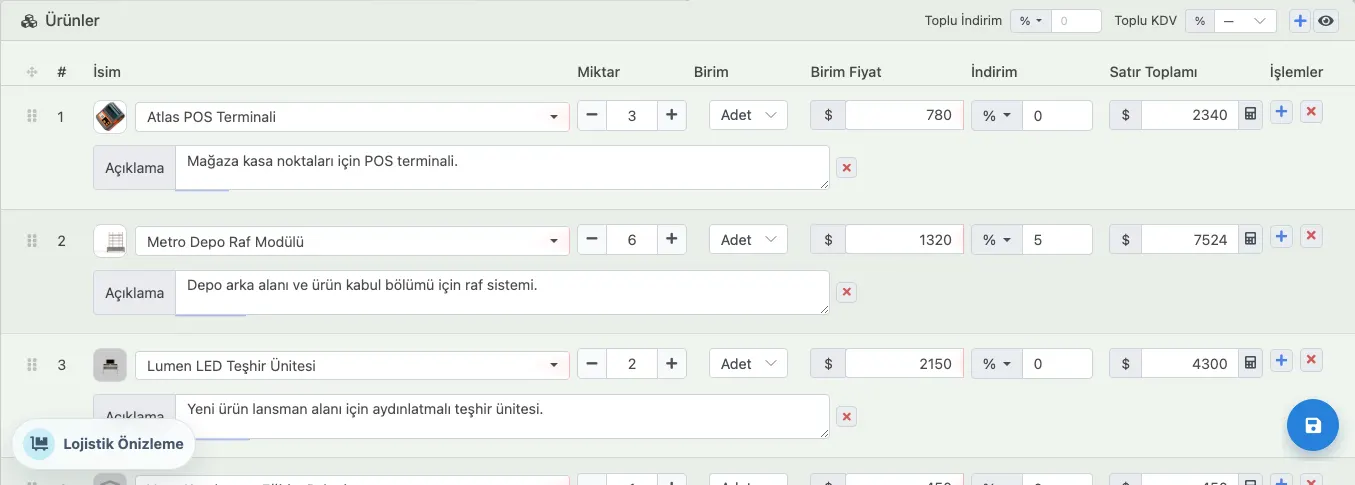
The price list should feed the quote
Delbig connects price updates to sales flow
Frequently asked questions
Can furniture price lists be managed in Excel?
Does Delbig connect price lists to quotes?
Related Delbig pages
Review this workflow with Delbig
Share your sales, quoting, stock or operation flow with us; we will map the right Delbig setup for your team in a short meeting.