
Furniture Order Tracking Software: One Workflow from Quote to Shipment
A furniture order can start from an accepted quote, a direct sales order, or a dealer request coming through the B2B portal. Delbig CRM makes that record trackable on the same screen across products, customers, suppliers, warehouses and shipment steps.
Where does a furniture order start?
There is not just one starting point for orders in furniture companies. A quote prepared in a showroom or at a fair can become an order when accepted. If the products are already clear, the sales team can open a direct order. For dealer-based companies, the order can arrive through the B2B portal and then be approved internally into the sales order flow.
Converting a quote into an order
- When the visual quote sent to the customer is accepted, products, prices and customer details move into the order record.
- The sales team continues without losing quote history, sharing links or customer notes.
- Order status is tracked inside the same customer history.
Direct order or B2B portal
- The showroom, phone sales or field team can create a direct order.
- A dealer or corporate customer can select products and submit an order request through the B2B portal.
- The portal order appears as a pending approval record; the team can approve, request a revision or cancel it.


The order process should be as easy to understand as ordering a pizza
A furniture order can be operationally complex, but tracking it in the system should not look complex. After the order is received, the team should see which product will be fulfilled from stock, which will be produced, which will be sourced externally and when it will be delivered to the customer.
In Delbig, the order workflow keeps quote, order, supplier order and shipment steps connected. This helps the sales representative, warehouse owner and manager quickly understand where the process stands from the same order record.


| Stage | What it means in a furniture company | Information tracked in Delbig |
|---|---|---|
| Order received | A quote was accepted, a direct sale was entered, or a B2B portal order arrived. | Customer, products, quantities, prices, responsible user and order date. |
| Sourcing decision | The product will be reserved from stock, produced internally or sourced externally. | Stock fulfillment, quantity waiting in procurement and quantity ready in warehouse. |
| Supplier order | If a store-based company sources the product externally, a supplier order is sent. | Supplier, sent date, response status, ETA and received warehouse quantity. |
| Warehouse receiving | The sourced product becomes ready for shipment and is received into the warehouse. | Warehouse receiving, source-ready quantity and purchase invoice link when needed. |
| Shipment plan | A delivery plan is made from warehouse to customer. | Planned dispatch date, ready-to-ship markers and dispatch/delivery statuses. |
From stock, production or supplier?
Not every product in a furniture order has to follow the same path. One item can be reserved from showroom or main warehouse stock, another can be sent to production, and another can be expected from a fabric, panel, tabletop or accessory supplier.
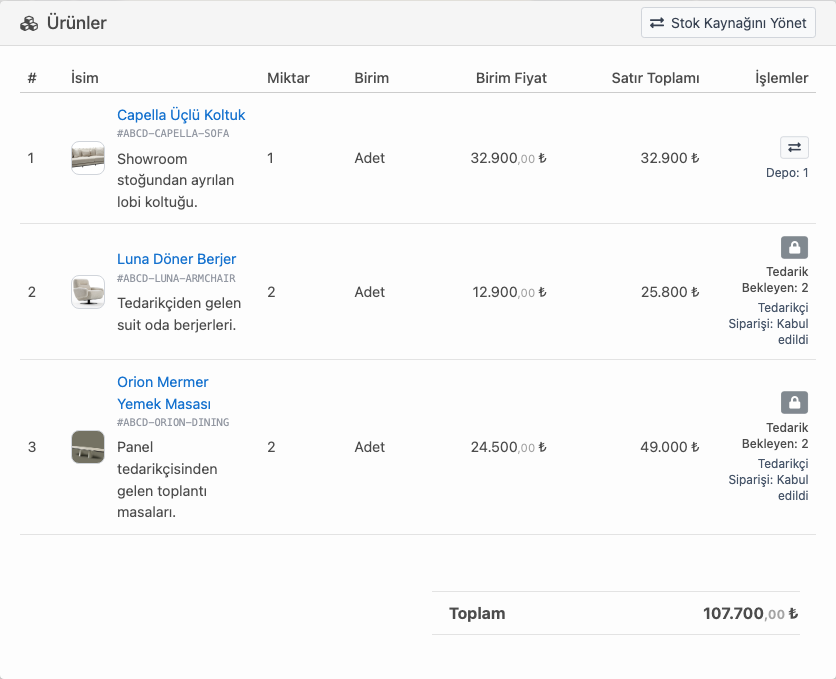
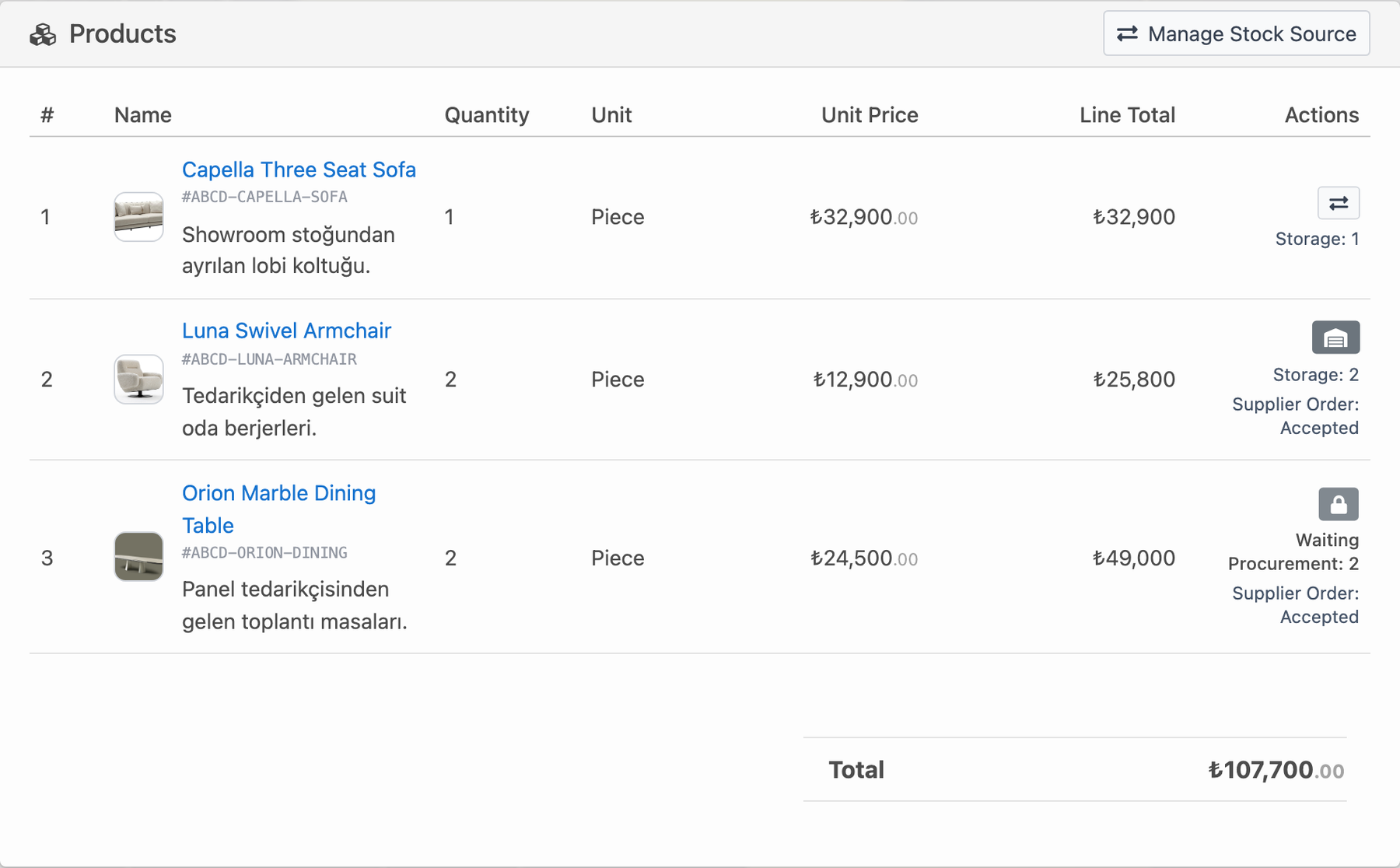
Delbig keeps this distinction visible on order product lines. Stock-reserved products, products waiting for procurement and products with accepted supplier orders can be seen separately by line. This reduces the “where is the product?” question, especially for stores, showrooms and project-based furniture companies.
Supplier order, ETA and warehouse receiving in the same workflow
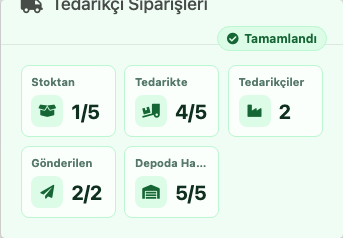
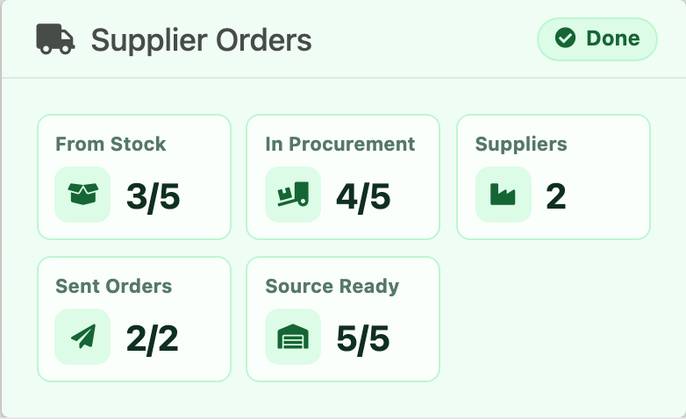
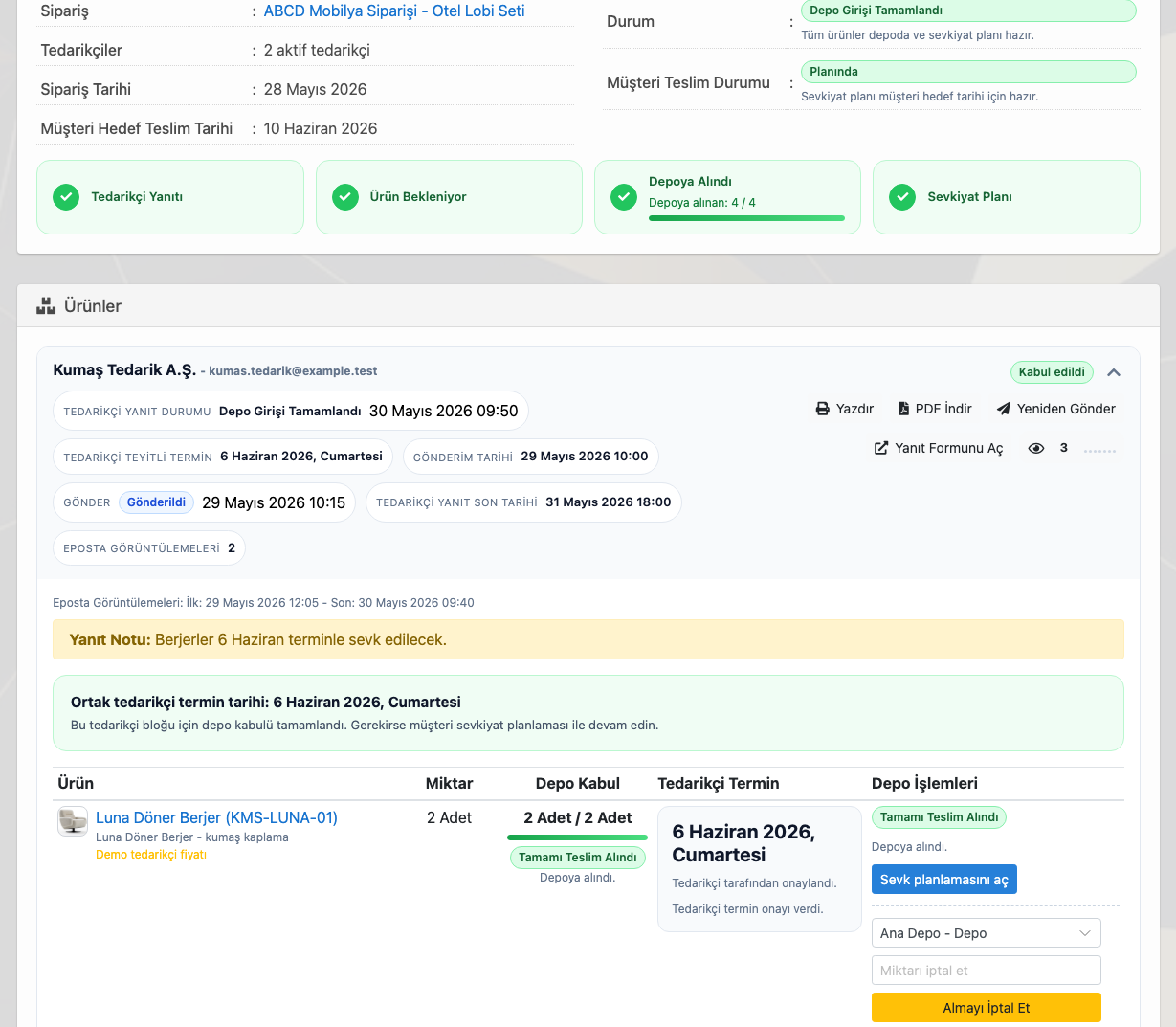
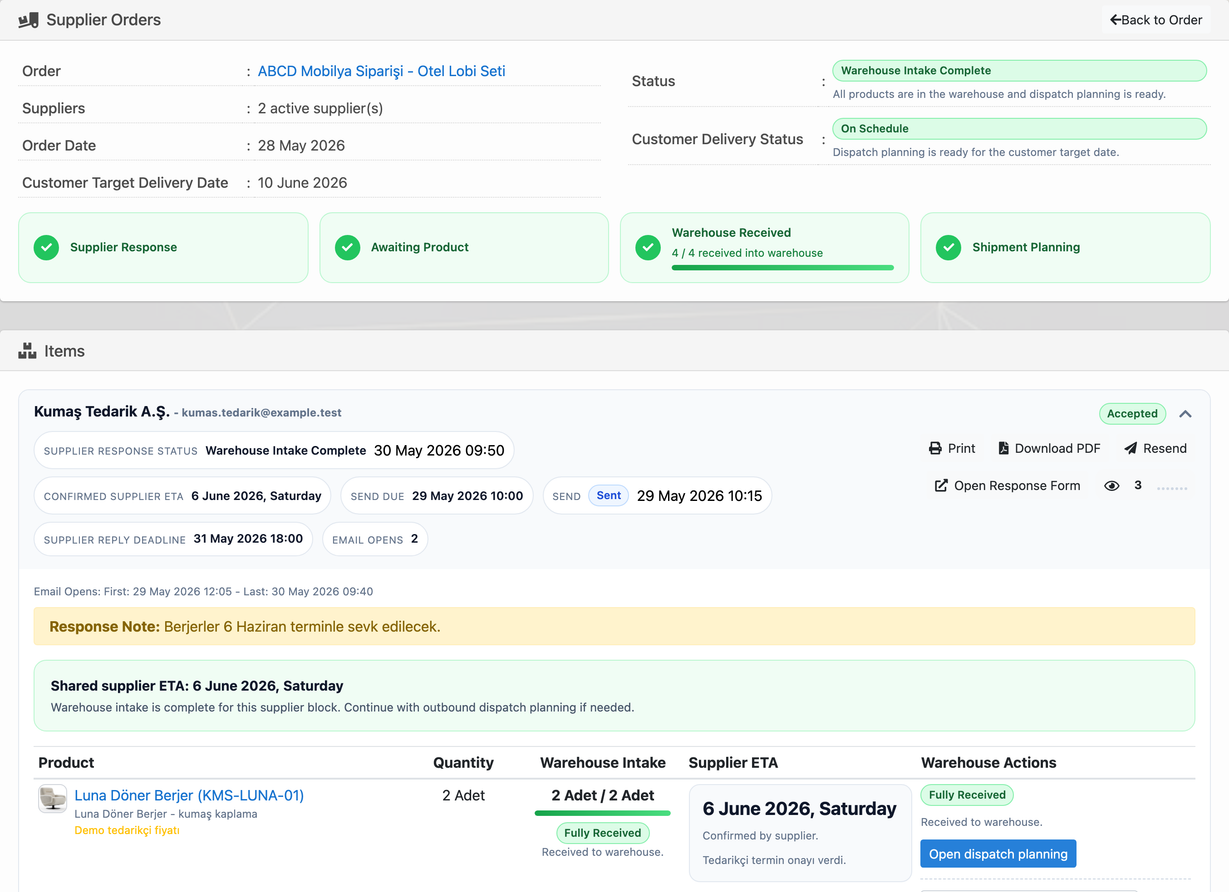
If the company sources the product externally, the process does not end with a simple “we ordered it” note. The supplier order is sent, the supplier response is tracked, the ETA is confirmed, and the received quantity is recorded when the product arrives at the warehouse. In Delbig, the supplier order screen brings these steps into one workspace.
The supplier order shows sent date, response deadline, supplier ETA confirmation, received quantity and shipment planning link together. When a purchase invoice is created, its link to the supplier order is preserved so accounting and operations stay in the same order context.
Order statuses create a shared language for the team
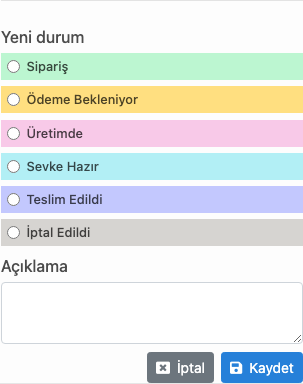
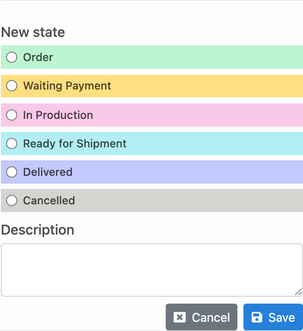
One of the biggest needs for companies looking for furniture order tracking software is using the same order statuses across the team. Statuses such as “New”, “Waiting Payment”, “In Production”, “Ready for Shipment”, “Delivered” and “Cancelled” give sales and operations a shared language.
In Delbig, order status can be updated from the action menu. This helps managers see which order is in production, ready for shipment or delivered at list and report level, while the sales team gives customers the same latest status information.
These statuses are not just colored labels. A waiting-payment order gives finance a clear follow-up, an in-production order points to operations control, and a ready-to-ship order points to warehouse and delivery planning. The team does not need to separately ask “who is holding this order?”
- Order: a record with clear customer, product, quantity and delivery expectations enters the sales workflow.
- Waiting payment: operations do not move forward before deposit, collection or payment confirmation is completed.
- In production: when the product is prepared internally, the team tracks the process as a production stage.
- Ready for shipment: the product is ready in the warehouse, so shipment or customer delivery planning becomes the priority.
- Delivered: work delivered to the customer is separated for closure and after-sales follow-up.
- Cancelled: cancelled records are evaluated separately from open order volume.
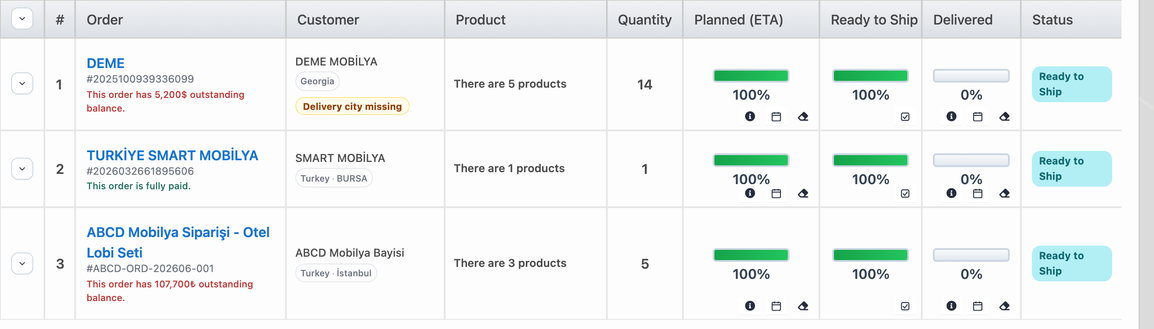
For example, when the customer calls, the sales representative can see from one record whether the order is in procurement, in production, in the warehouse or ready for shipment. Managers can evaluate pending order volume, work approaching delivery and cancelled records using the same classification.
After warehouse receiving, the customer delivery plan is made
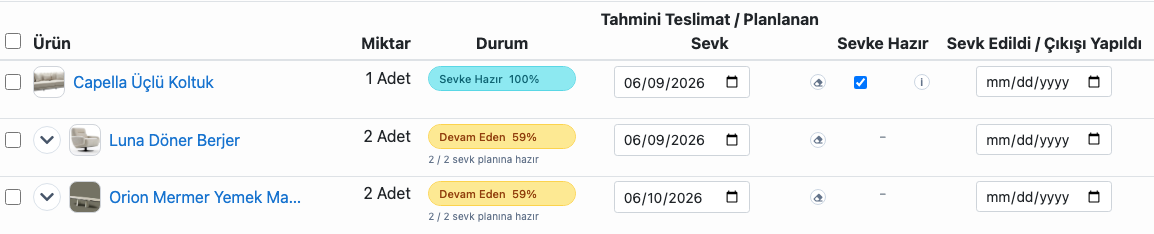
When a sourced or produced product is ready in the warehouse, the process turns to shipment. At this stage, the team tracks when the customer dispatch will happen, which products are ready to ship and what delivery date is planned.
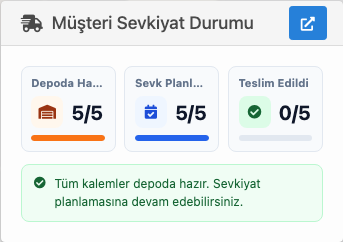
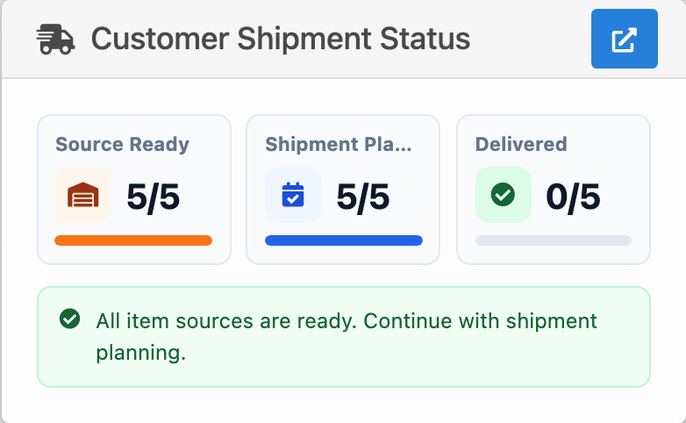
The Delbig shipment screen shows planned dispatch dates, ready-to-ship markers and dispatch/delivery statuses by product. This lets warehouse and sales teams track the same delivery promise and answer questions such as “did it arrive from the supplier, is it in the warehouse, is shipment planned?” from one screen.
Which furniture companies need this most?
Store and showroom
- The delivery promise made to the customer must be tracked from sales to warehouse.
- For sourced products, supplier ETAs and warehouse receiving dates matter.
- The salesperson should quickly see the latest order status when the customer calls.
Manufacturer, dealer network and B2B teams
- Production, supplier and shipment steps should be tracked on the same order.
- Orders coming from the dealer portal should enter approval and revision workflows.
- Managers should track pending, in-production and ready-to-ship order volume.
Frequently asked questions
Can a furniture order be tracked from a quote?
When a quote is accepted, the order can be tracked with the same products, prices and customer details. This keeps the quote file and order tracking connected.
How are orders from the B2B portal tracked?
B2B portal orders appear in the pending approval list. The team can review, approve, request a revision or cancel the order.
Can supplier orders and ETA be tracked?
Yes. Supplier order sent status, supplier response, confirmed ETA and received warehouse quantity can be tracked.
Can products received into warehouse be connected to customer shipment planning?
Products that are ready in the warehouse are tracked on the shipment planning screen with planned dispatch date and ready-to-ship information.
Teklif hazırlama tarafını ayrıca incelemek için furniture quote software sayfasına, genel sektör yapısı için furniture management software sayfasına göz atabilirsiniz.
Related solution pages
Furniture Quote Software
Ürün görselleri, fiyat, para birimi ve müşteri bilgisini kurumsal mobilya teklifinde birleştirin.

Mobilya Ürün ve Stok Takibi
Koleksiyon, görsel, fiyat, depo, rezervasyon, tedarikçi girişi ve etiket takibini birlikte yönetin.
Related solution pages
Furniture Quote Software
Combine product visuals, prices, currency and customer details in a professional furniture quote.
Furniture Product and Inventory Tracking
Manage collections, visuals, prices, warehouses, reservations, supplier receiving and labels together.
Track furniture orders together with procurement and shipment
Make your furniture sales workflow more visible in Delbig CRM, from quote to order, supplier to warehouse and warehouse to customer.