
Furniture Management Software: Bring Sales, Products and Operations Together
When customer conversations, product information, quotes, orders, inventory, warehouses, dealer orders and shipments move separately in a furniture company, the sales team loses speed. Delbig CRM brings this workflow around customer and product records, simplifying daily tracking for stores, manufacturers, export teams and companies working with dealer networks.

Why does tracking become scattered in furniture sales?
A furniture sale is not just a customer name and a price. Product image, dimensions, fabric, color, collection, delivery date, payment plan, stock availability and currency all affect the same decision. When these details are scattered across Excel files, WhatsApp messages, catalog folders and staff notes, the risk of returning to the same customer with a different price, missing product information or unclear delivery date increases.
Delbig CRM brings this scattered workflow around a single sales record. Product cards are prepared with images and technical details, customer conversations turn into quotes, accepted quotes are tracked as orders, and inventory/warehouse, supplier, shipment and B2B order steps can be connected to the same operational chain when needed.
Work organized on the sales side
- Customer, company and sales representative details
- Visual quotes, proformas and order records
- PDF output, shareable quote links and quote history
- TRY, USD, EUR dahil 15’ten fazla gerçek para birimiyle fiyatlandırma
- Status tracking for sales converted from quotes to orders
Work made visible on the operations side
- Product, category, collection, dimension and image records
- Warehouse, stock movement, stock count and stock transfer structures
- Supplier cards, supplier pricing rules and supplier orders
- Dealer or customer orders through the B2B portal
- Shipment, after-sales service and customer history links
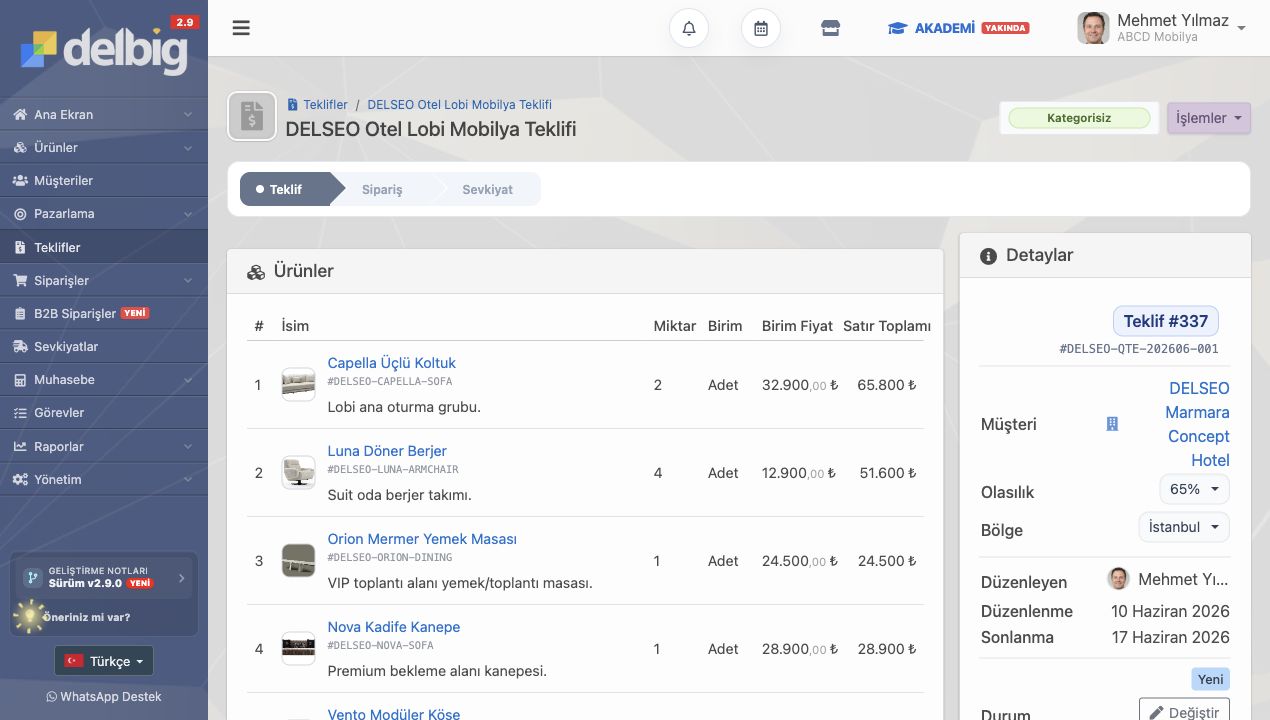
If product data is not organized, quotes and orders cannot move cleanly
In furniture companies, product data is often the heart of sales. A sofa, table, coffee table or bedroom set cannot be explained only with a name and a price; images, dimensions, set contents, category, collection, price list and descriptions help the sales team speak the same language.
In Delbig, the product card forms the basis of quotes, orders and inventory tracking. While preparing a quote, the salesperson can select products with images; managers can make sure the same product information is used consistently across the team.
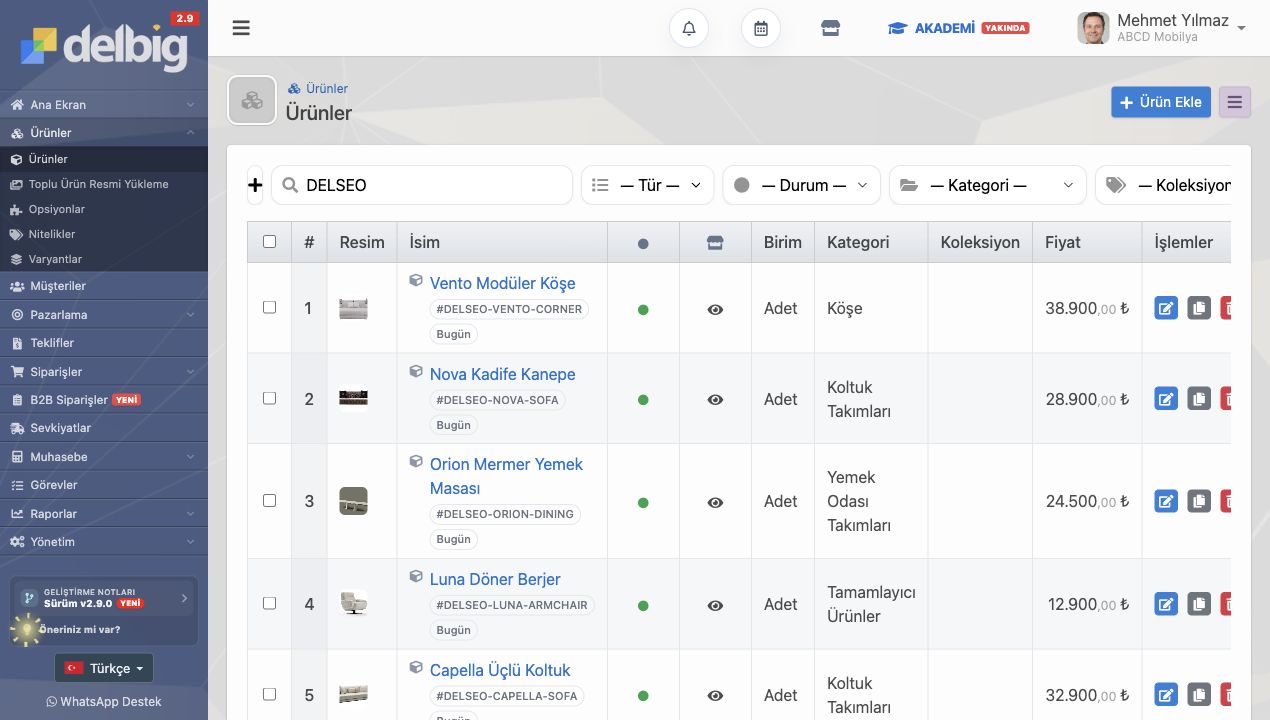
A furniture company’s daily workflow with Delbig
This structure is not about a single screen; it describes the connected working rhythm of sales and operations teams. A quote can be prepared while the customer waits in the showroom; a quote link can be shared after a fair; an accepted quote can become an order; product and delivery details can be tracked without separating them from customer history.
| Workflow | What it means in a furniture company | How it is used with Delbig |
|---|---|---|
| Product and pricing | Collection, dimensions, images, stock codes, multiple currencies and price list needs | Product cards, product prices, price lists and visual product selection |
| Quotes and proformas | Fast and professional price presentation in showrooms, fairs or export meetings | Quotes and proformas with product images, PDF output and shareable links |
| Orders and B2B | Dealer or customer product selection, order placement, revision and approval workflow | B2B portal orders, cart, order approval, revision and proposal workflow |
| Inventory and warehouse | Which product is in which warehouse, how much is reserved and when it was transferred | Warehouse, location, stock movement, stock count, transfer and order-based reservation |
| Suppliers and shipment | Lead time, cost and delivery process for products to be produced or supplied | Supplier cards, supplier orders, product receiving, shipment and operational alerts |
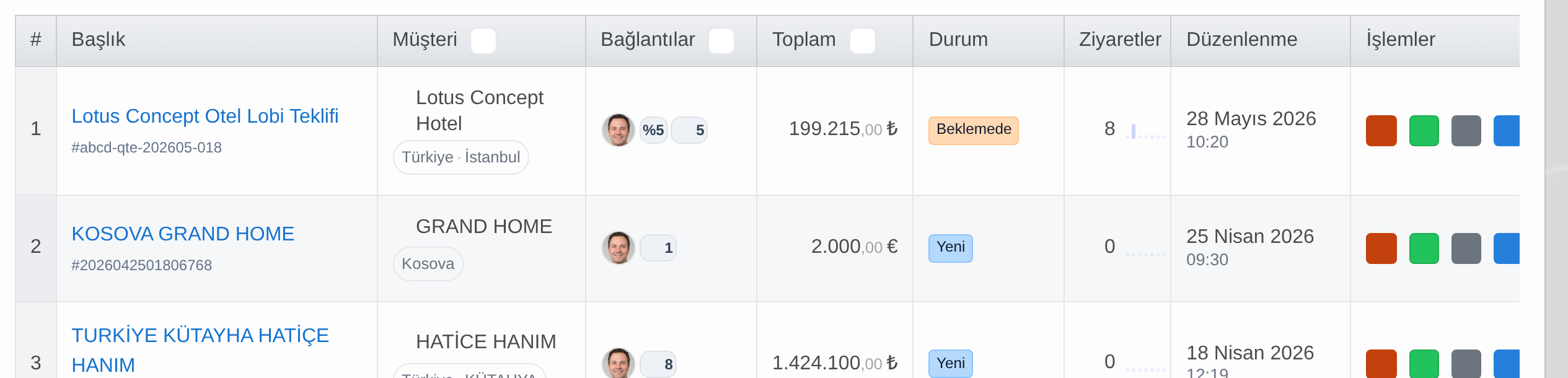
Track what happens after the quote, too
In furniture sales, sending the quote is only the beginning. Questions such as whether the customer opened the quote, how many times they viewed it, which representative is following up, and whether the quote is pending or accepted define the sales team’s timing. In Delbig, the quote list keeps customer details, total amount, status, visits and actions visible around the same record.
Stores, manufacturers, export teams and dealer networks use the same system differently
For a showroom, the most critical need may be giving the customer a fast quote while they wait. For a manufacturer, product, inventory, supplier order and shipment steps may matter more. For companies working with dealer networks, allowing customers or dealers to place orders through the B2B portal reduces the sales team workload.
Showroom and store
- Products are selected with the customer.
- A visual quote is prepared.
- PDF and quote links are shared.
- The sales team sees customer history in the same record.
Manufacturer and operations team
- Collections and product cards are organized.
- Inventory, warehouse and supplier information is tracked without separating it from sales.
- Shipment and after-sales processes are connected to customer history.
- Managers monitor pending quotes and order volume.
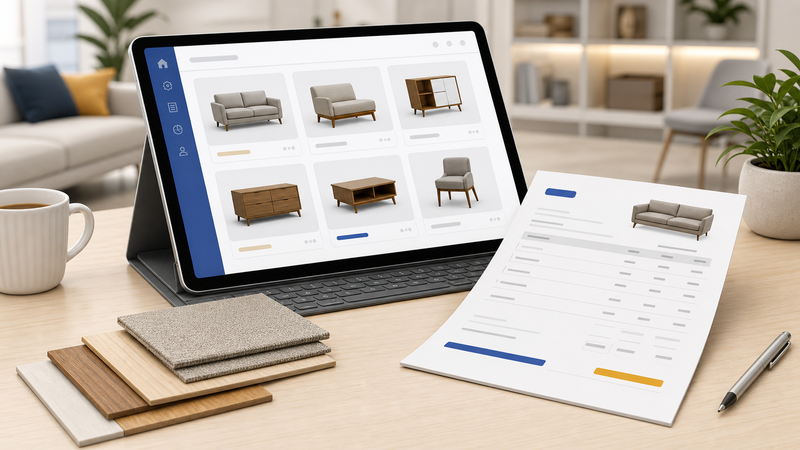
Prepare visual quotes in minutes
Product images, pricing, currency and customer details come together in the same quote, ready to send as a PDF or shareable link.

Track orders from sale to delivery
When a quote is accepted, the process is tracked together with the customer history so pending, approved and near-delivery work does not get lost.

Keep product, inventory and warehouse data in the same record
Collection, category, pricing, inventory and warehouse data move together with the product cards used by the sales team.

Complete showroom sales while the customer is waiting
During a store or trade-show conversation, a branded quote can be prepared while the product selection is being made, and sales team performance stays recorded.
Why should B2B ordering and dealer management be considered separately?
When furniture dealers or corporate customers can view products through the B2B portal instead of asking by phone, the order process becomes more structured. Products, cart, orders, reports and customer-specific currency can be configured as a separate portal workflow.

Collect B2B dealer orders in one workflow
Dealers and corporate customers can review products through the portal and join the order workflow.

Keep supplier and shipment steps visible
Supplier orders, product receiving, shipment and after-sales steps can be tracked without separating them from the quote or order record.
How do inventory, warehouse and supplier workflows fit in?
In a furniture company, inventory is not just a quantity number. Warehouse, location, count, transfer, order reservation, incoming supplier products and shipment steps should be considered together. Delbig CRM aims to track these areas without separating them from the sales record, so the product discussed with the customer stays connected to the internal operation.
Frequently asked questions
What can be tracked with furniture management software?
Customer details, product and collection records, quotes/proformas, orders, B2B orders, stock movements, warehouse records, supplier orders, shipment steps and after-sales processes can be tracked. The modules to enable should be selected according to the company workflow.
Is Delbig only a furniture quote software?
No. Quote preparation is the most visible and fastest area of benefit, but the system has a CRM structure that also supports broader operational areas such as products, customers, orders, B2B portal, inventory/warehouse, suppliers and shipment.
Can dealers place orders through B2B?
Yes. In a B2B portal setup, users can view products, create a cart, place orders and participate in revision or approval workflows. This structure is especially valuable for furniture companies that receive orders from dealer networks or corporate customers.
Can export-focused furniture companies use it?
Evet. Ürün görselleri, ölçüler, hacim, ağırlık, proforma düzeni ve 15’ten fazla gerçek para birimi desteği ihracat müşterisine daha profesyonel teklif sunmayı kolaylaştırır.
Simplify your furniture sales process with Delbig
Prepare showroom, fair and export quotes with product images, then send them quickly as a PDF or link.