
Customer and Sales Tracking: One Customer History from Meeting to Order
Customer tracking is not just a business card, phone list or last call date. Delbig CRM brings the customer card, contacts, notes, visits, sales opportunities, quotes and order steps into the same customer history. The sales team can see who the customer is, what they are interested in, which stage is waiting and which action should be taken next from one record.
The customer card is the shared memory of the sales team
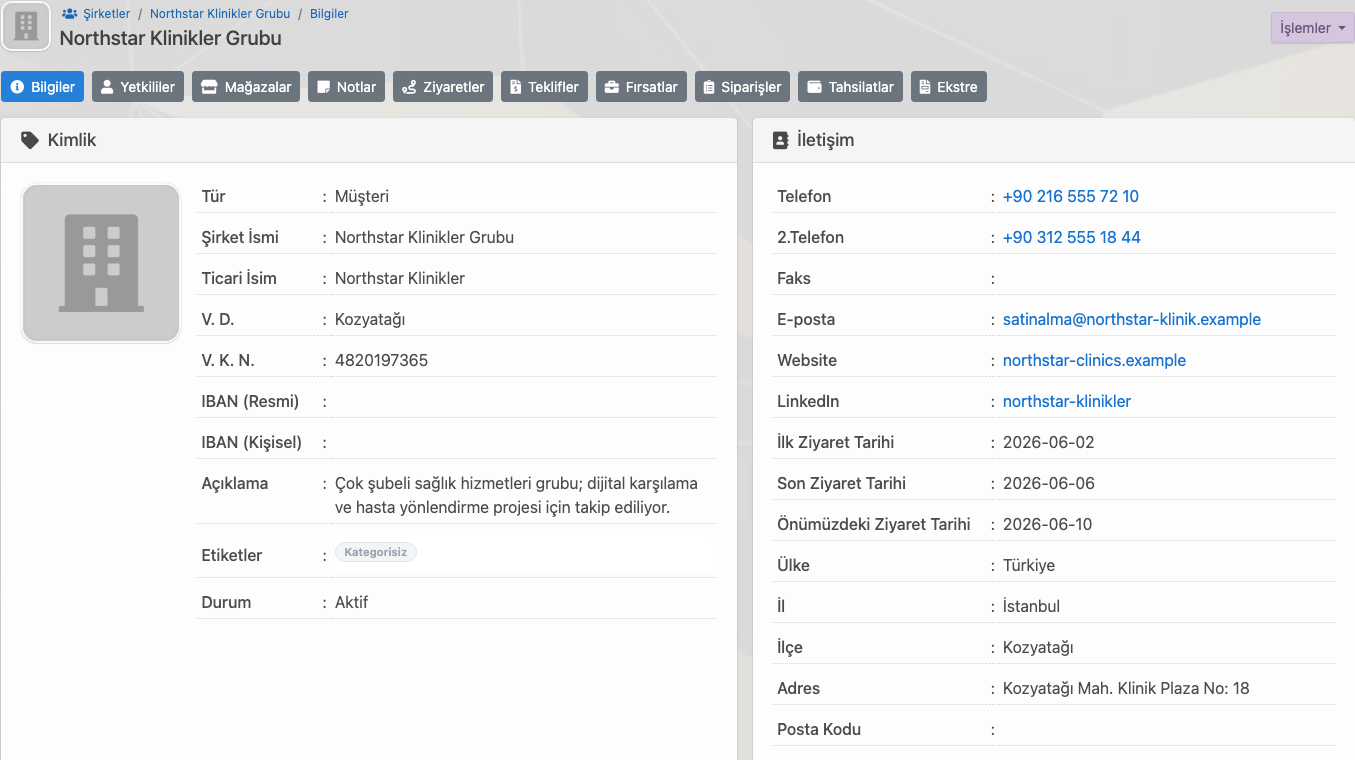
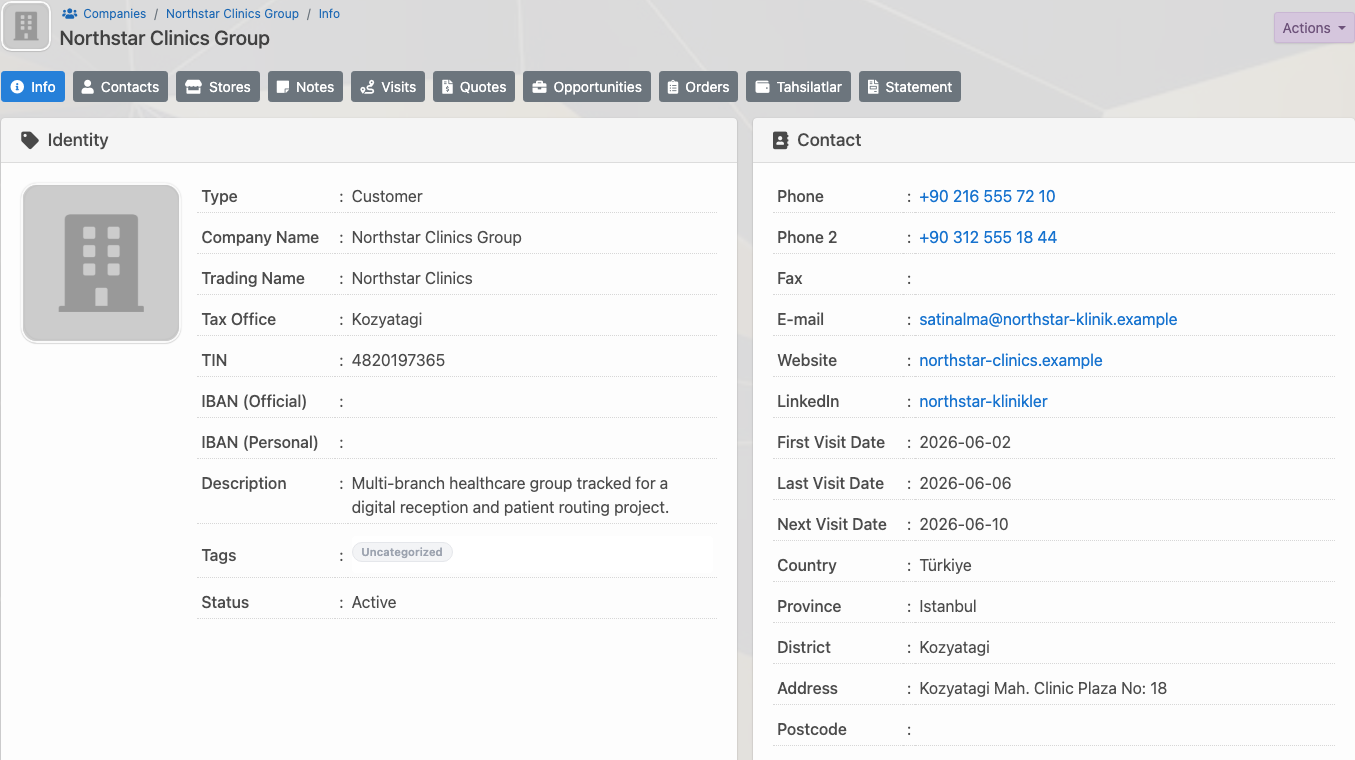
The biggest problem in sales tracking is customer information sitting differently with different people. If one representative has call notes, another has WhatsApp messages, the manager has an Excel list and accounting has payment details, the team cannot look at the same customer in the same way. In Delbig CRM, the customer card brings this information into one reference point.
The customer card shows company or person details, contact channels, sector, responsible users, last visit date, next meeting date and customer-related tabs together. When a representative opens the customer, they see not only the phone number but also the context of the sales process.
| Tracked information | How it appears in Delbig | Contribution to the sales team |
|---|---|---|
| Customer identity | Company name, person details, country, city, tax and contact fields are kept on the customer card. | Sales, operations and management use the same customer record. |
| Ownership | The sales representative and supporting users can be tracked on the customer. | The question of who owns the customer is reduced, and handover between team members becomes easier. |
| Follow-up timing | Last visit, next visit and meeting records appear in customer history. | The sales representative follows up at the right time, while managers can see delayed follow-ups. |
| Sales context | Quote, opportunity, note, visit, order and payment tabs are connected to the customer. | The sales process is tracked without fragmenting customer history. |
Contacts and the decision process become clear
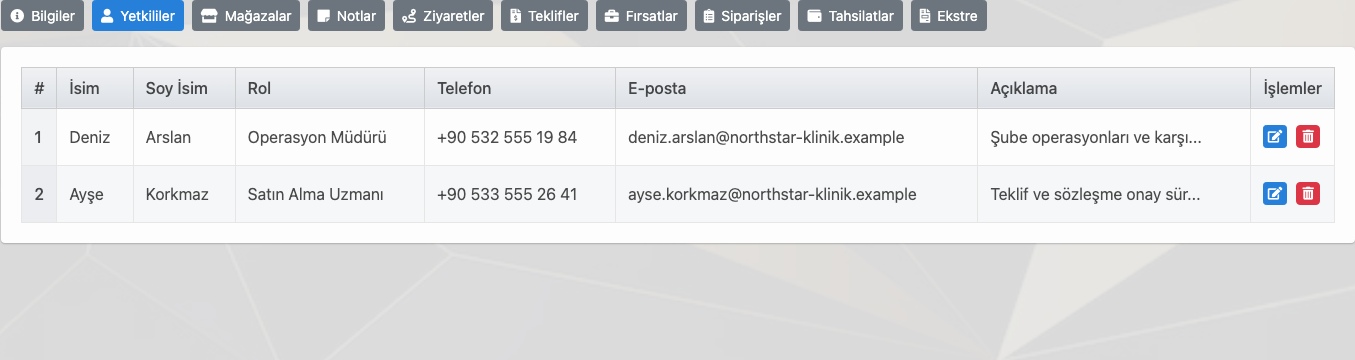
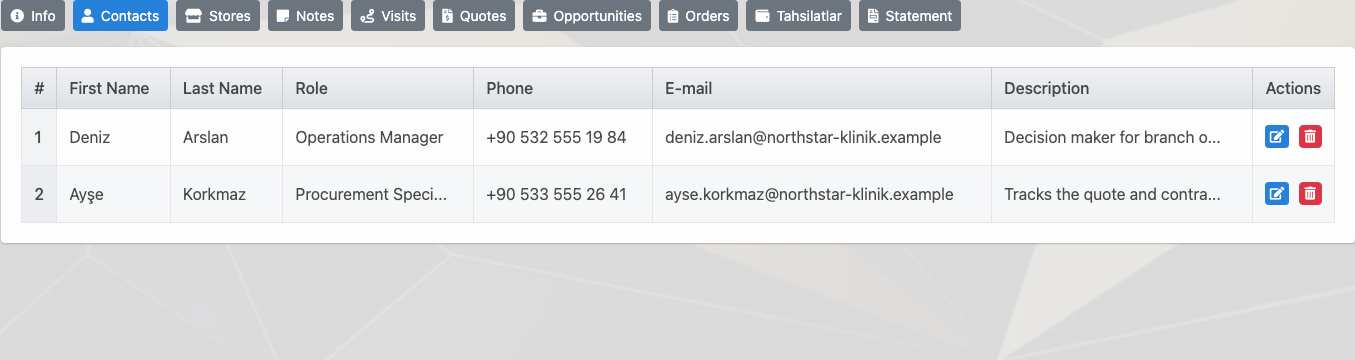
In corporate sales, the customer is often not a single person. The operations manager explains the need, the purchasing specialist requests the quote, the finance team evaluates payment terms and the general manager gives final approval. In teams that cannot track these people separately, the decision process slows down even when the quote reaches the right person.
In the Delbig CRM customer record, contacts are kept with role, phone, email and notes. The sales team can track who explained the technical need, who handles quote and contract approval, and who should be contacted at which stage without leaving the customer card.
Notes and meetings keep follow-up disciplined
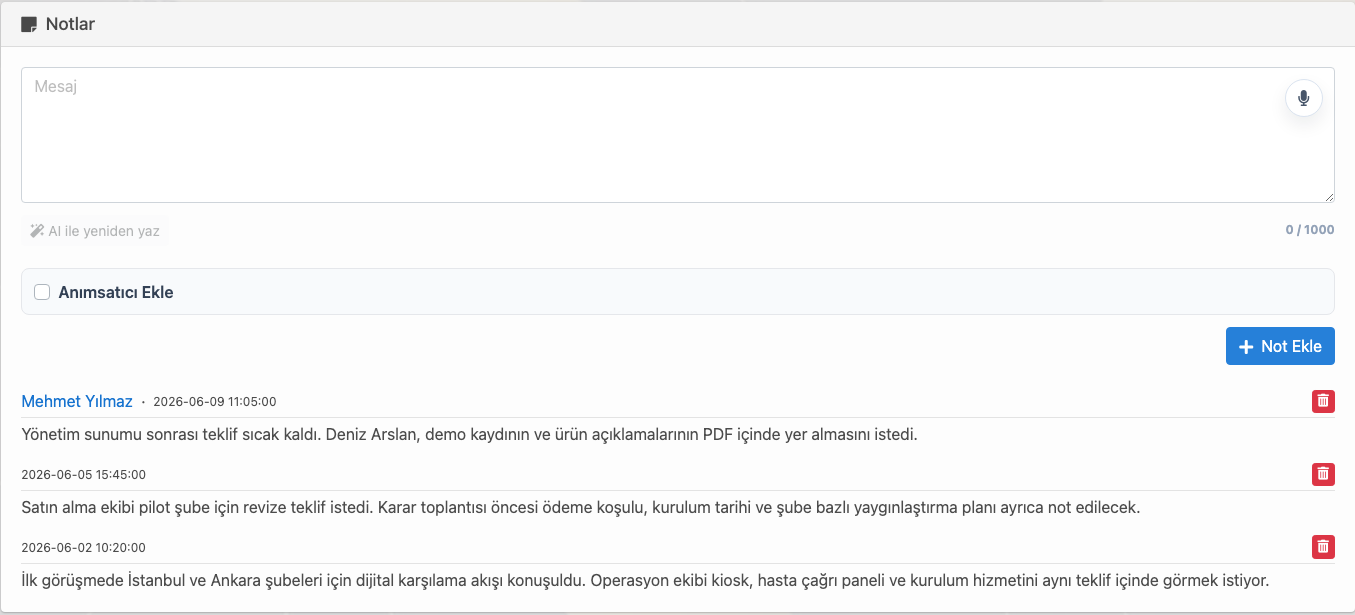
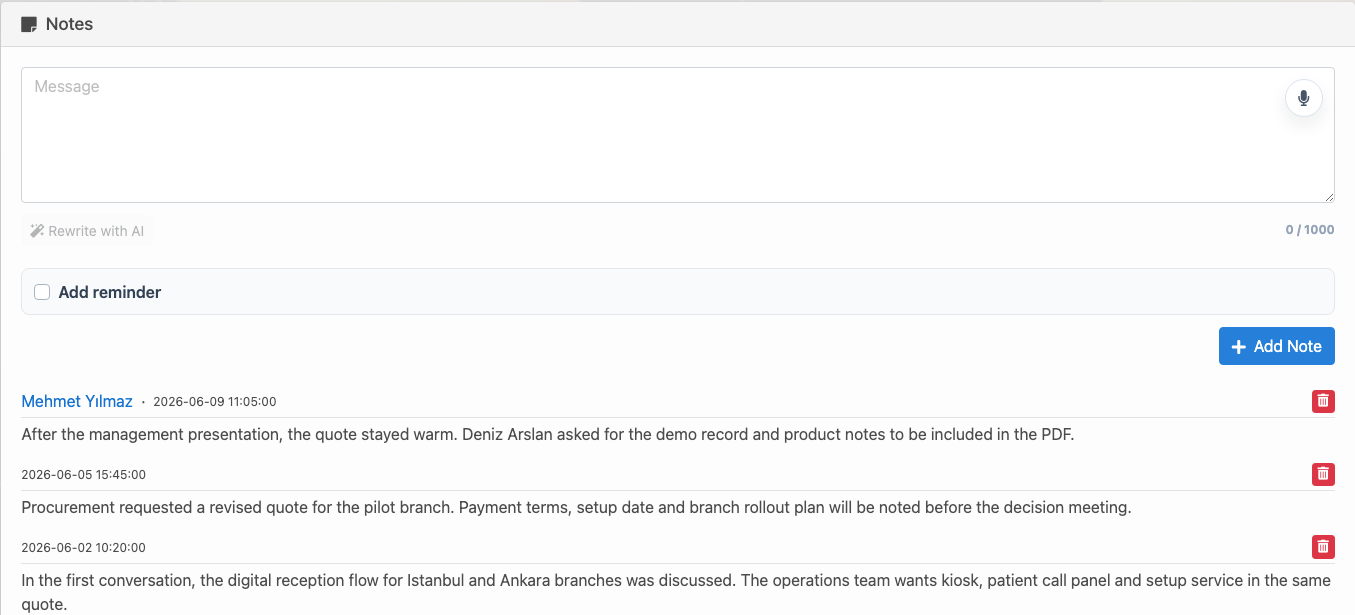
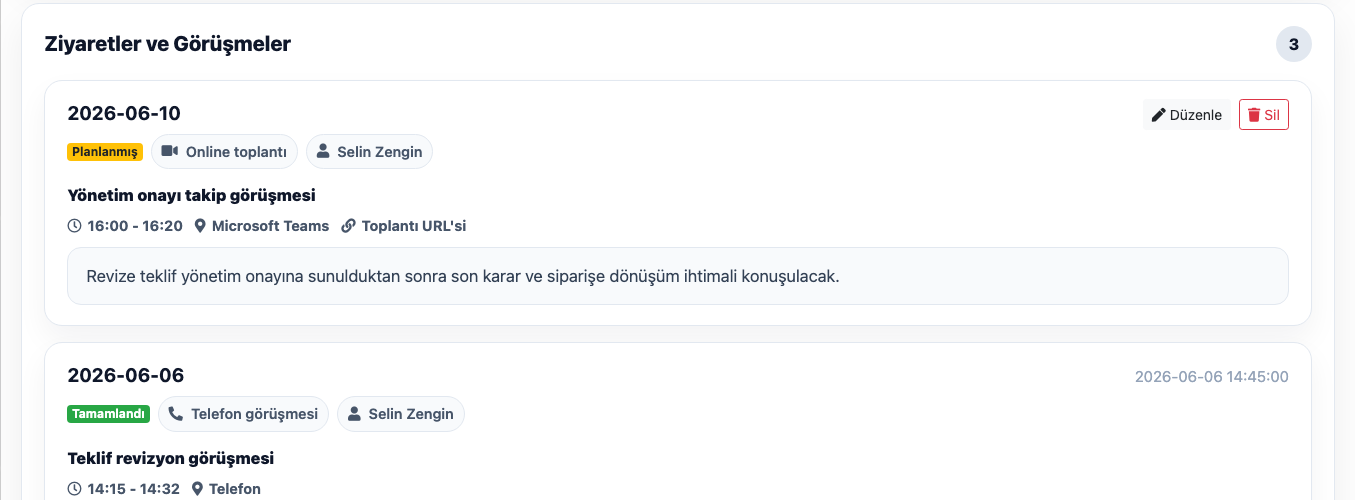
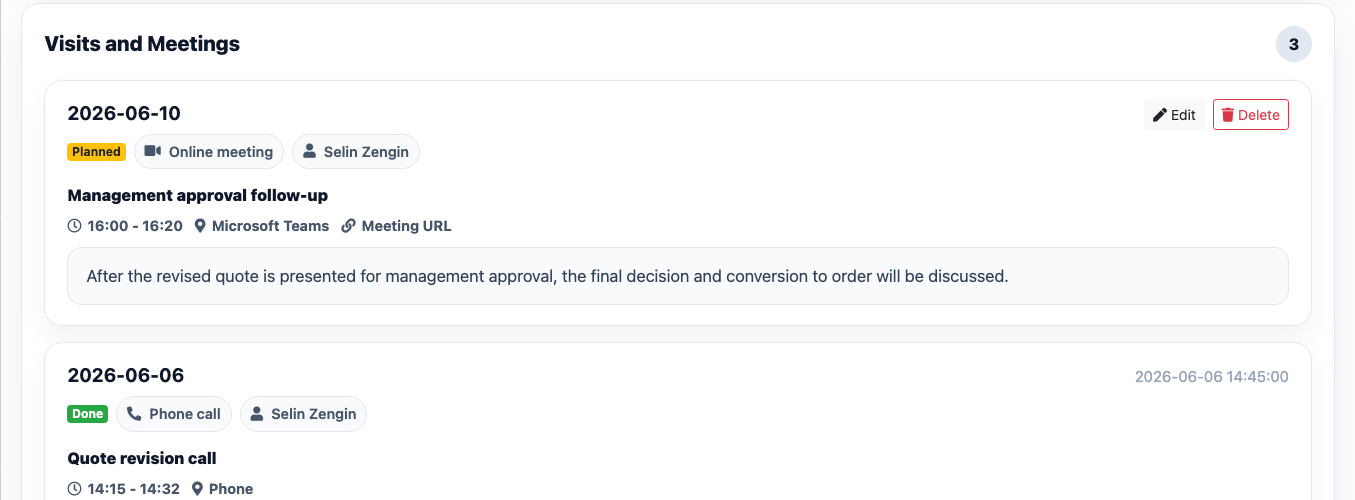
Not every conversation with a customer needs to become a quote, but every important contact should leave a trace. If the need discussed, expected callback date, price sensitivity, competitor information, delivery expectation or internal approval process is not recorded, the next representative approaches the same customer with missing context.
In Delbig CRM, customer notes and visit records support the daily rhythm of the sales team. A representative can leave a short note after a call, meeting, field visit or online discussion; managers can read when the customer was contacted and which action is expected from the same history.
A sales opportunity is tracked with amount, probability and stage
Not every customer record means an active sale. Some customers are collecting information, some are comparing prices, some are waiting for budget approval and some are very close to ordering. Tracking this difference only with notes weakens sales forecasting.
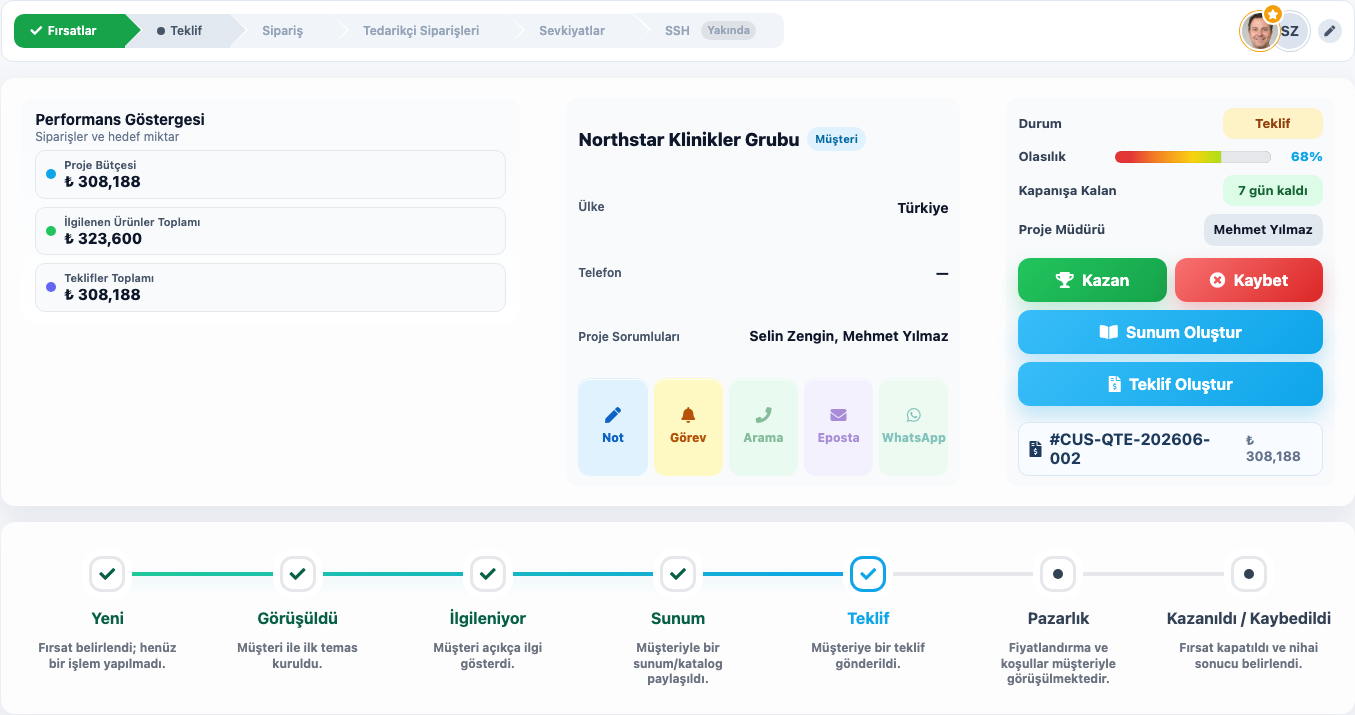
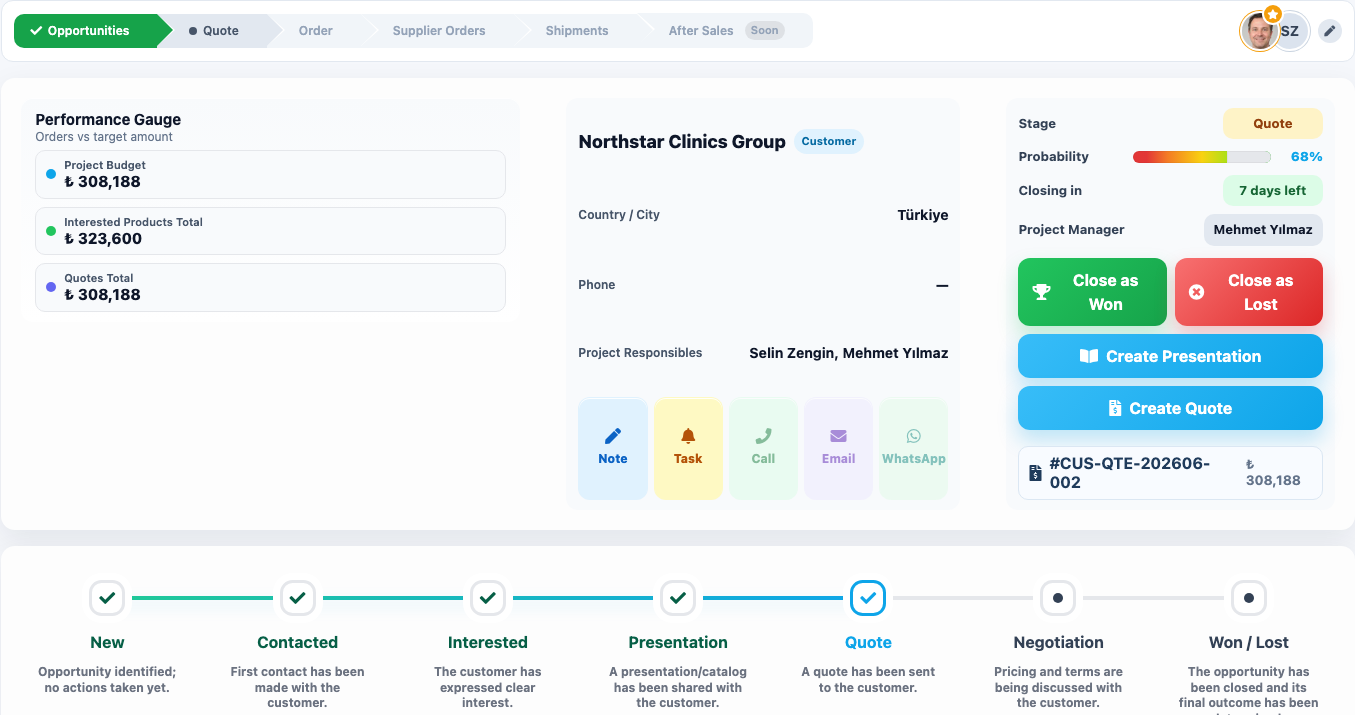
In Delbig CRM, a sales opportunity is tracked with title, customer, expected close date, budget, probability, stage, source, owners and linked quotes. Managers can report which opportunity is in discovery, which is at the quote stage and which is close to closing.
Clarity for the representative
- They distinguish which customers are hot and which are waiting.
- They do not miss the next meeting, quote revision or internal approval follow-up.
- They manage notes, visits, quotes and opportunities from the same customer history.
Visibility for managers
- They monitor open opportunity volume and closing probability.
- They can evaluate sales tracking by responsible user.
- They see delayed follow-ups, pending quotes and hot customers more clearly.
Quote history stays connected to the customer record
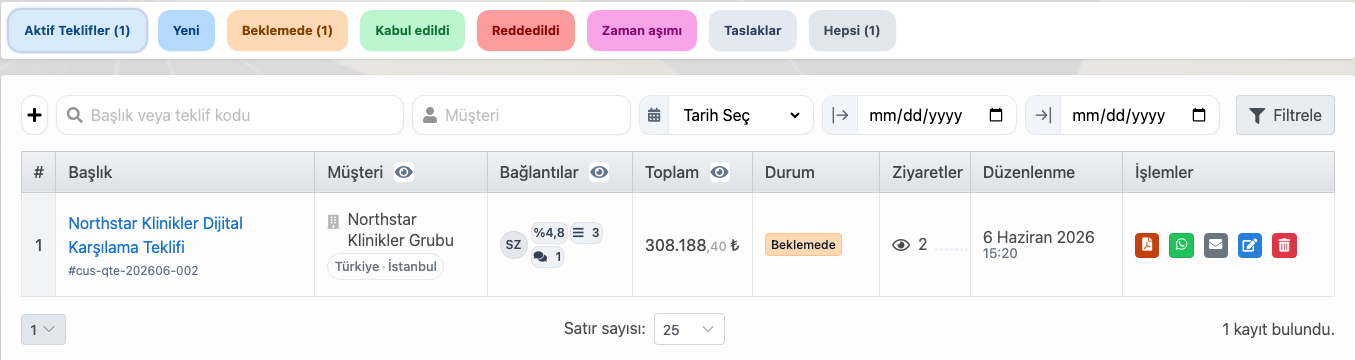
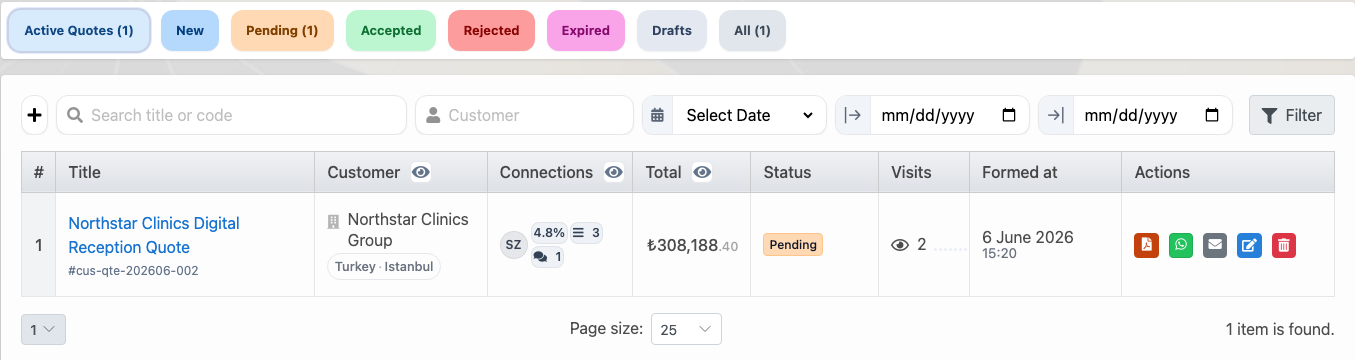
The most important sales documents related to a customer are usually quotes. The amount sent, whether it is pending or accepted, how many times it was viewed and which actions can be taken are part of customer tracking. If this information stays in a separate file or only in email, the sales memory is incomplete.
Because Delbig CRM treats the quote list together with customer history, the representative can track the related customer’s quotes, amount, status, visit details and sharing actions in the same sales workflow. When an accepted quote later connects to the order process, customer history remains intact.
Which teams is it for?
Field sales and corporate sales teams
- They keep customer visits and meeting notes organized.
- They track decision makers, purchasing and operations contacts separately.
- They track open opportunities and quotes in one customer history.
Showroom, dealer and project sales teams
- They do not lose the customer’s previous quotes and products of interest.
- They turn dealer or corporate customer requests into sales opportunities.
- They see quote and operations history together for customers that turn into orders.
Related solution pages
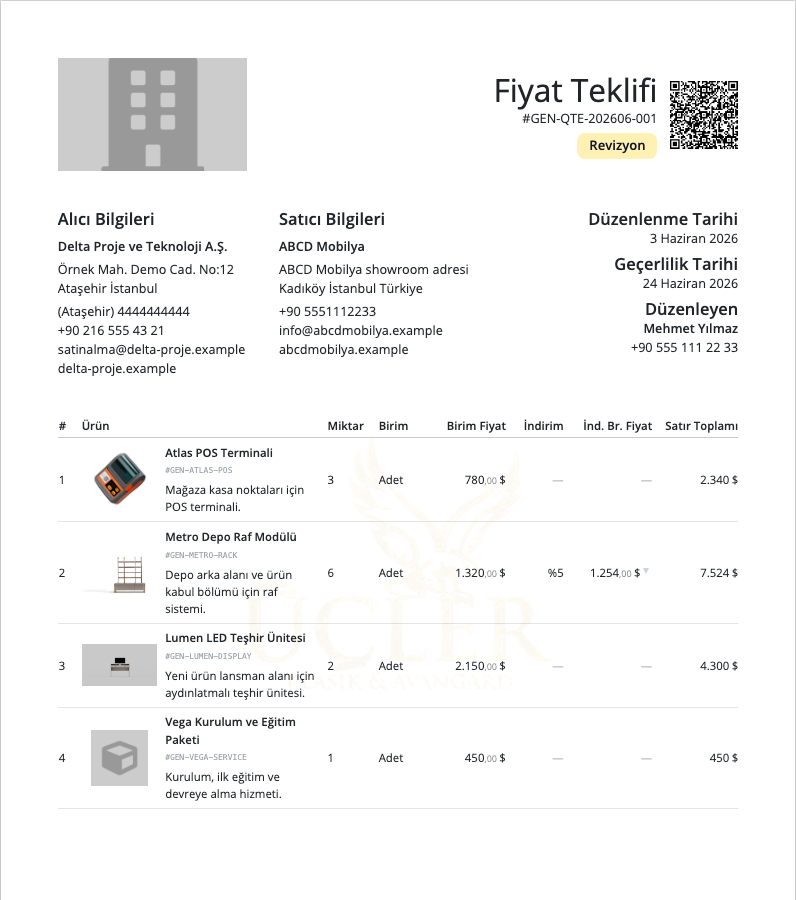
Quote and Proforma Management
Ürün, fiyat, indirim, PDF, WhatsApp paylaşımı ve teklif ziyaret takibini aynı satış kaydında yönetin.

Reporting and Team Performance
Satış, müşteri, sipariş, tahsilat ve kullanıcı performansını ölçün; raporları görev ve hatırlatmaya bağlayın.
Related solution pages
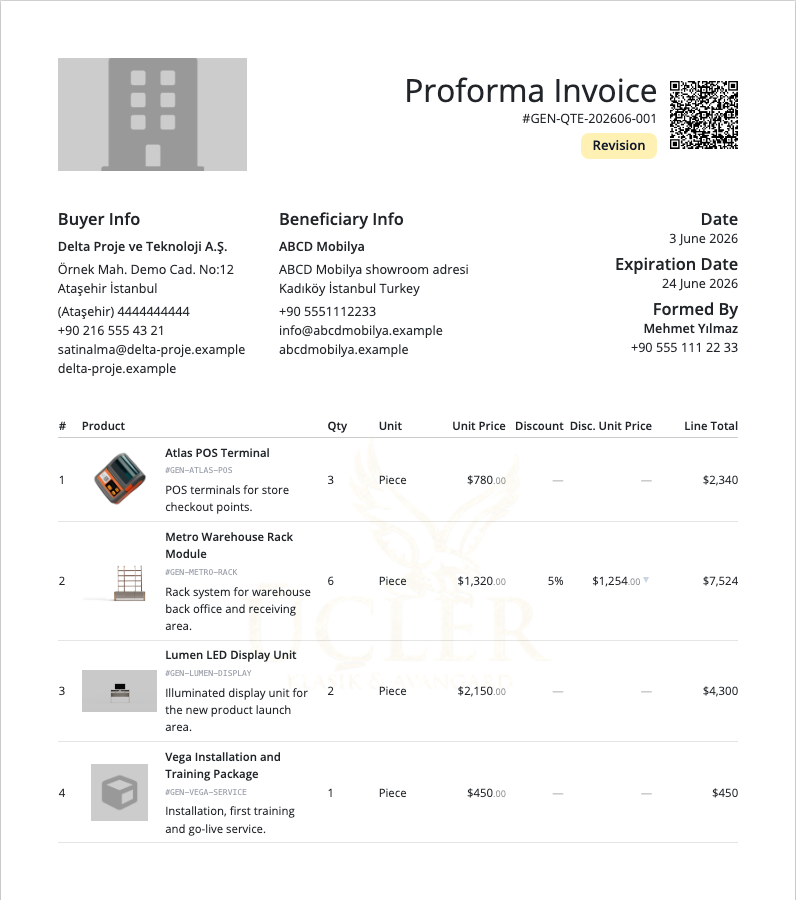
Quote and Proforma Management
Manage products, prices, discounts, PDF output, WhatsApp sharing and quote visit tracking in one sales record.
Reporting and Team Performance
Measure sales, customers, orders, collections and user performance; connect reports to tasks and reminders.
Frequently asked questions
Can customer and sales tracking be handled with Excel?
It can work for small lists; however, as notes, visits, contacts, opportunities, quotes, orders and team ownership increase, Excel struggles to carry the sales memory. In CRM, these details are connected around the customer record.
Is a sales opportunity the same as a quote?
No. A sales opportunity tracks the potential deal and its stage; a quote is the price and product document sent to the customer. In Delbig CRM, a quote can be connected to an opportunity, so sales forecasting and document history are tracked together.
Can managers see representatives’ customer follow-up?
Yes. Responsible users, customer notes, visits, open opportunities and quote statuses make sales tracking more visible for management.
Is customer history preserved after conversion to an order?
Yes. When a quote or opportunity moves into an order, the customer record is not lost; sales, quote, order and later operations steps remain connected to the same customer history.
Bring customer and sales tracking into one history
Manage meetings, notes, opportunities, quotes and order tracking together in Delbig CRM.